- 5 -
Record Video
Long press for 3 seconds to turn off the camera. Camera vibrates, emits a tone and the Camera
Status LED turns Off.
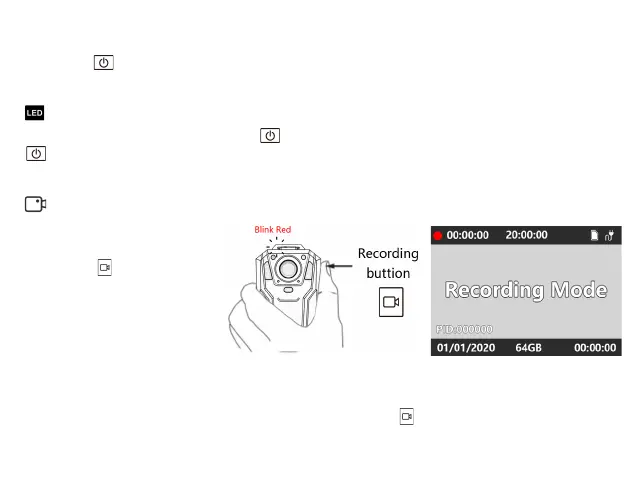
Short press to start recording.
Camera vibrates and emits a tone.
While the device is recording,
Camera Record LED slow flashes
RED.
Power off
Start Recording
When the camera is powered on, press to turn the screen off. To turn it back on, simply press
again.
You can turn off the screen while the camera is still working to save power.
Screen On/Off
1.While the camera is recording, short press the Record Button . The camera stops recording,
vibrates and emits a tone. Camera Record LED goes off
Stop Recording


 To Next Page