54
A
A
K
K
7
7
7
7
-
-
6
6
0
0
0
0
G
G
N
N
O
O
n
n
l
l
i
i
n
n
e
e
M
M
a
a
n
n
u
u
a
a
J
J
P
P
2
2
1
1
K
K
7
7
H
H
o
o
s
s
t
t
C
C
l
l
o
o
c
c
k
k
S
S
e
e
l
l
e
e
c
c
t
t
i
i
o
o
n
n
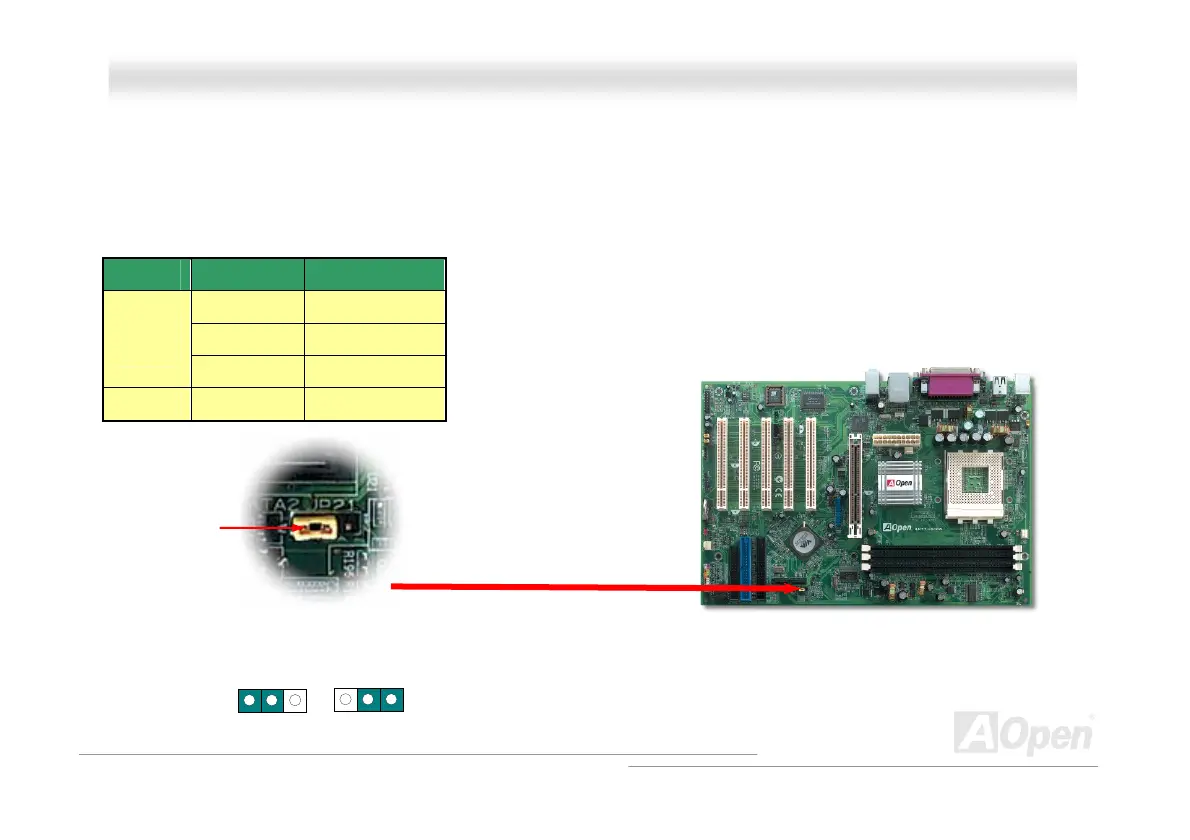
This jumper is used to specify the relationship of PCI and HFSBH clock. Generally speaking, if you are not an over-clocker, we
recommend you to set it to the default setting. Additionally, this motherboard also provides “1MHz Stepping Adjustment”
feature for overclockers to adjust CPU FSB frequency via BIOS setup program. If you fix the CPU FSB frequency by JP21, the
“1MHz Stepping Adjustment” range will be changed according to what type of CPU you use.
JP 21 CPU FSB Range
133 MHz 130-160 MHz
166 MHz 161-191 MHz
1-2
(default)
200 MHz 200-248 MHz
2-3 / 100-129 MHz
JP21 K7 Host Clock
Select Jumper
100MHz
Auto detect
default
Pin 1
1
1



 To Next Page