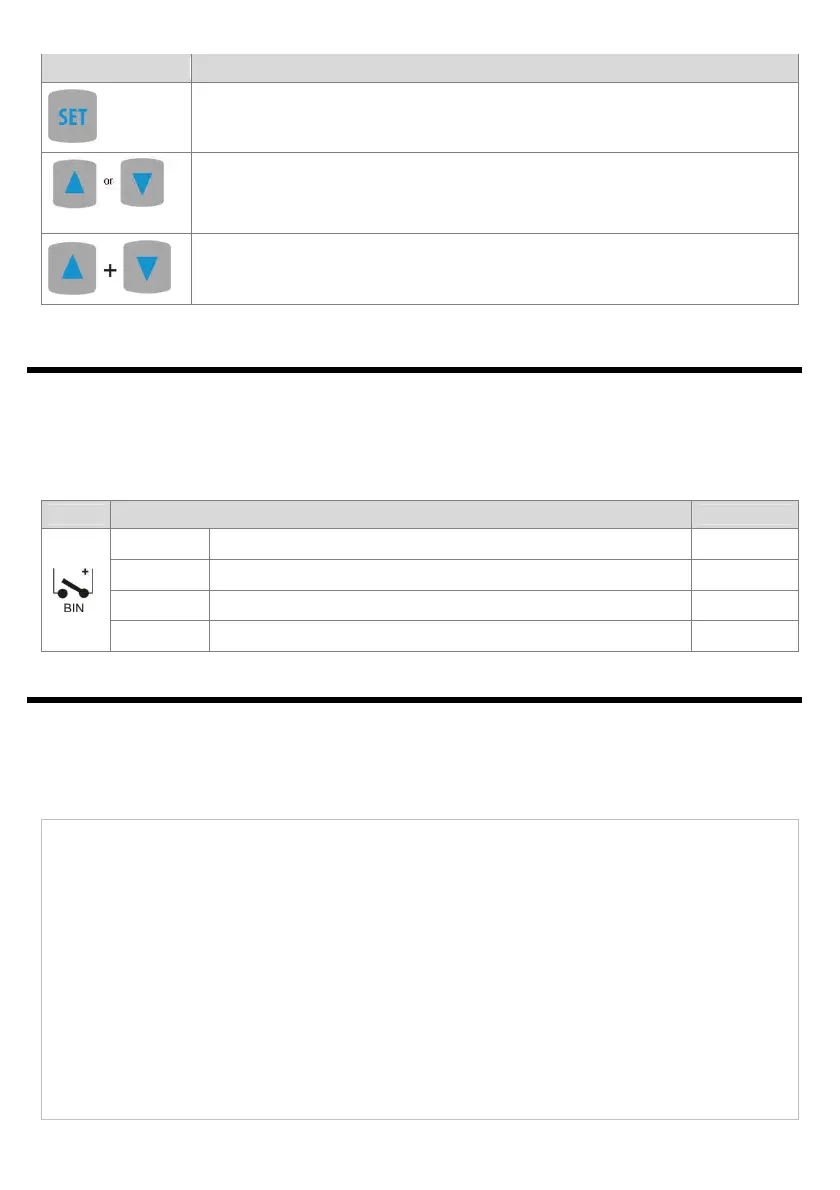
8
b) button functions in the parameter configuration menu and the quick access menu (chapters 10 and 11)
[and marking in the contents of the instructions]
:
- edits the current parameter (the value blinks on the display)
- approves and saves the edited parameter value
[UP] or [DOWN]:
- moves to the next or previous parameter
- changes the value of the edited parameter
and
(simultaneously):
- cancels the change of the edited value (and displays the parameter name again)
- returns to the measurement display mode (after hold time >0.5 s)
9. BINARY INPUT
Binary input BIN (not available in the AR500) performs a function that is programmable with parameter 15: Func
(chapter 10). The binary input works with the bi-stable signal i.e. the supplied signal (voltage or switch) must be
permanent (on/off type). Activation of the function is indicated by appropriate messages on the display (described
below).
Available BIN input functions
Source
Description (depending on the value of parameter 15: Func)
Message
Func = nonE
the BIN input is inactive (factory setting)
-
Func = bLoc
keypad block
bLoc / boFF
Func = hAnA
unconditional manual mode for the analog output
hAnd / hoFF
Func = hoLd
stopping the display indications (HOLD function)
hdoF / hoLd
10. SETTING OF THE CONFIGURATION PARAMETERS
All the controller's configuration parameters are saved in a non-volatile (permanent) internal memory.
When the device is switched on for the first time, an error message may be shown in the display due to the lack
of a sensor or the fact that the connected sensor is not factory-programmed. In such an event, the proper sensor
or analog signal must be connected and the configuration must be programmed.
There are two parameter configuration methods:
From the film keypad located on the front panel of the device:
(in AR500 and AR503, the buttons are accessible after the front glass is removed)
− enter in the configuration menu from the mode where the input measurements are displayed (press the
[UP] and [DOWN] buttons simultaneously for more than 1 s) If parameter 14: PPro = on (password
protection is activated) then the display shows the message CodE , and then 0000 with the first digit
blinking, use buttons[UP] or [DOWN] to enter the password (default parameter 13: PASS = 1111
11111111
1111 ), move
to successive positions or approve the code using the [SET] button
− after entering the configuration menu (with message ConF ) the display shows the mnemonic name of the
parameter ( inP <-> FiLt <-> dot <-> etc.)
− by pressing the [UP] button, one can move to the next parameter, and by pressing the [DOWN] button - to
the previous parameter (the list of the configuration parameters is presented in Table 10)
− to change the value of the current parameter, press briefly the [SET] button (the parameter blinks in the
edition mode)



 To Next Page