Connecting the paging microphone
As paging microphone for the AUDIOSYSTEM8.8 you can use
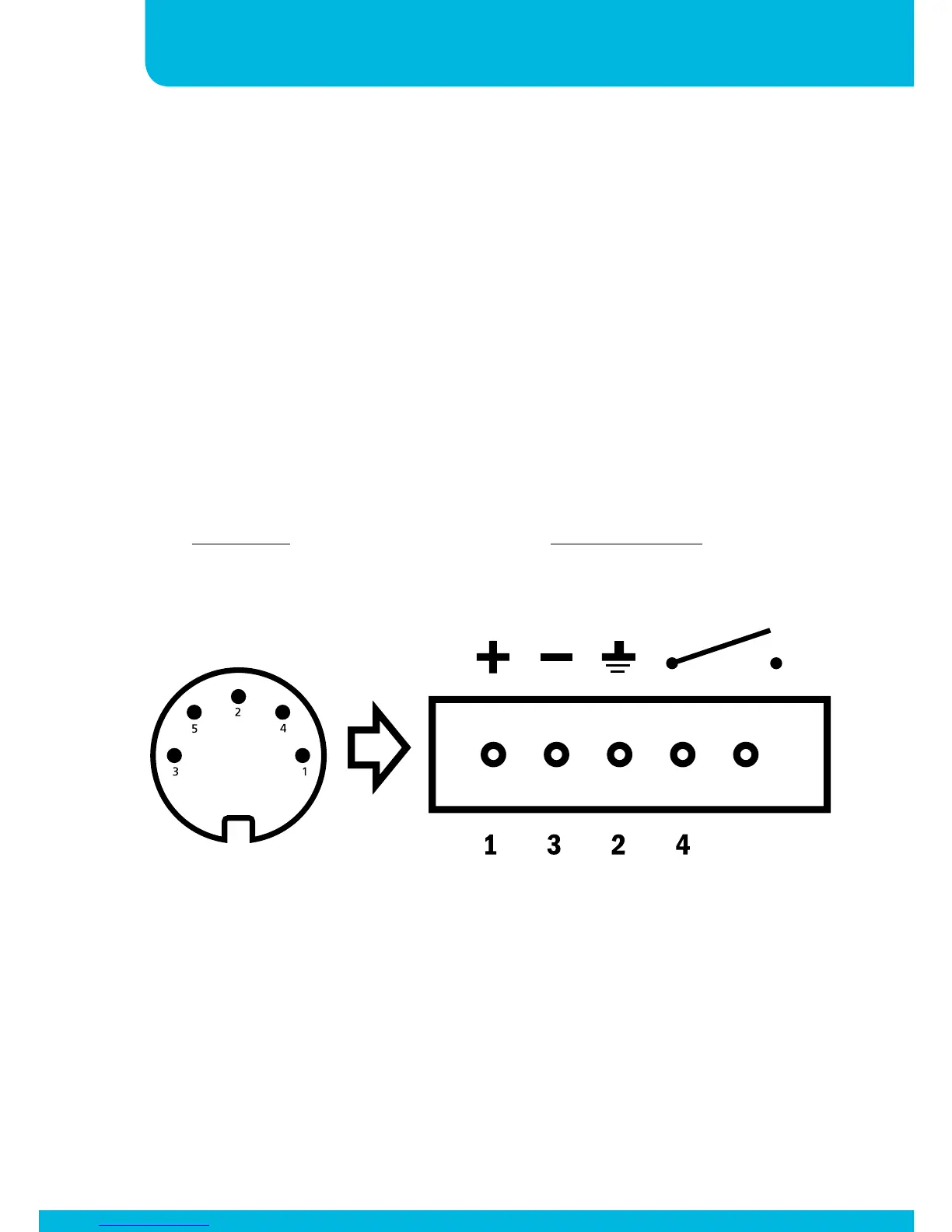
any microphone and contact input. Apart provides the MICPAT D
as a solution. To make the paging microphone compatible with
the AUDIOSYSTEM8.8, cut the wires from the Micpat-D Din-5
connector and connect them to a 5-way Euroblock connector. The
picture below shows how to connect the wires of the Micpat-D to
the respective Euroblock connector.
5
Wire colors :
1. White
2. Red
3. Mass wire
4. Yellow
5. Black
MICPAT-D
DIN5-180°
front-view
AUDIOSYSTEM
MICROPHONE PAGING


 To Next Page