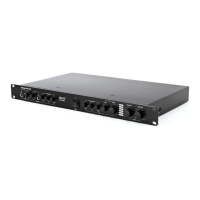
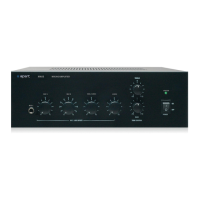
15. Zone 1 line input indicator leds: these leds indicate which line
or music source input has been assigned to zone 1 output.
The red remote led indicates that the input selector shall be
operated by a separately available remote control unit only.
16. Zone 1 line/music input selector: turn this rotary input selector
to select input from line inputs A to D or set it to remote
control.
17. Music level knob: turn this volume knob to adjust the zone 1
music level.
18. Signal led: this green led indicates that a signal is present on
the left zone 1 output.
19. Signal led: this green led indicates that a signal is present on
the right zone 1 output.
20. Mic mix level knob: turn this volume knob to adjust the
microphone mix signal (mic/line 1-5 + link input) for zone 1.
21. Priority led: this led lights up when priority is activated by the
emergency input and/or by the mic 1 or mic 2 switch at the
rear and when priority is activated for zone 1 with the rear
dipswitch.
22. Zone 2 bass tone control: effective on music signals only.
23. Zone 2 treble tone control: effective on music signals only.
24. Zone 2 line input indicator leds: these leds indicate which line
or music source input has been assigned to zone 2 output.
The red remote led indicates that the input selector shall be
operated by a separately available remote control unit only.


 To Next Page