6 Smart-UPS 5000 VA 208/230 Vac Tower/Rack-Mount 5U User Manual
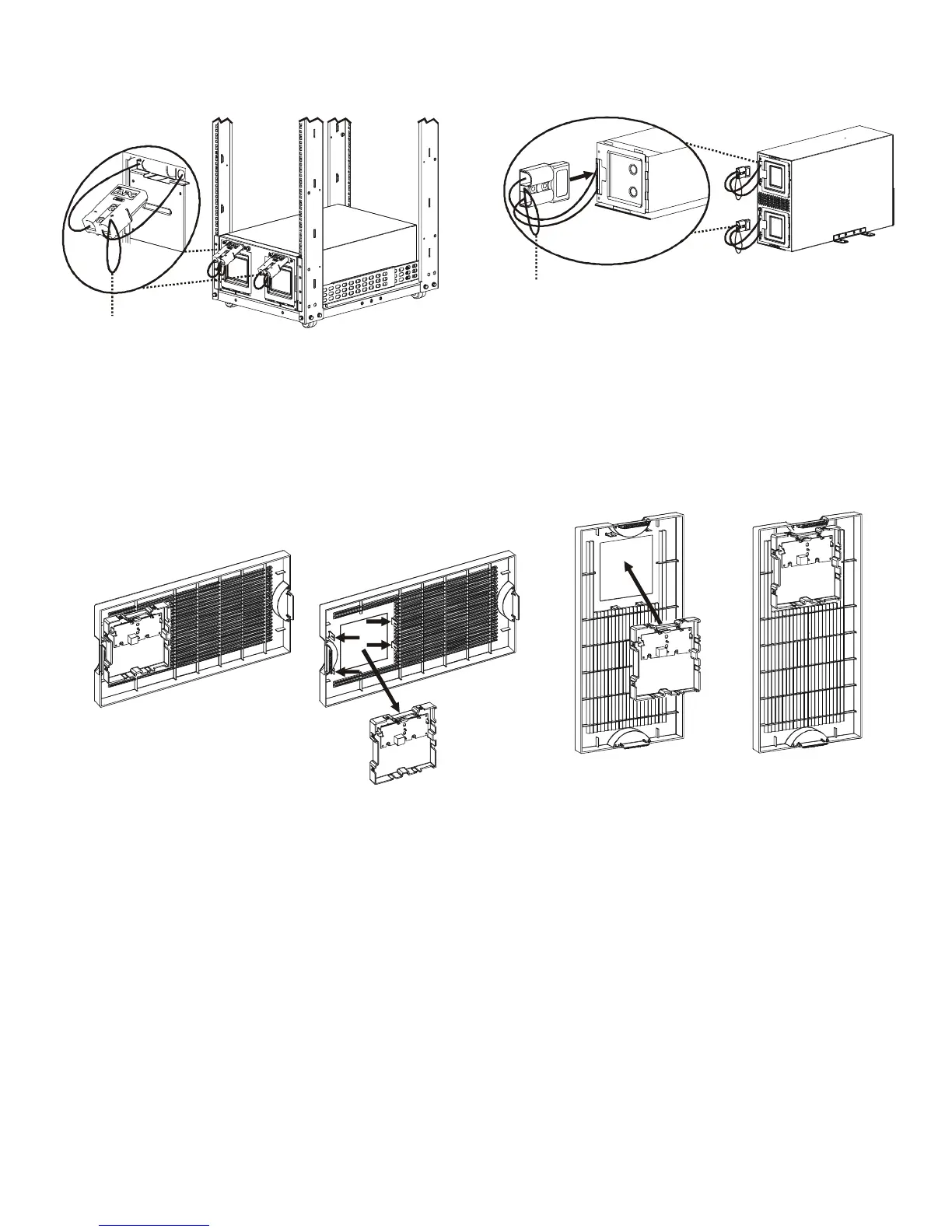
Connect batteries
Configure bezel
Snap the display out of the bezel. Rotate the bezel and reinstall the display for a tower configuration.
After all of the batteries have been connected, tuck the battery cables and the battery disconnect cord in the
space provided in the battery doors. This will ensure a secure fit of the bezel to the unit.
Battery disconnect cord
Rack-mount configuration Tower configuration
Battery disconnect cord
Display



 To Next Page