10 Smart-UPS 5000 VA 208/230 Vac Tower/Rack-Mount 5U User Manual
Operation
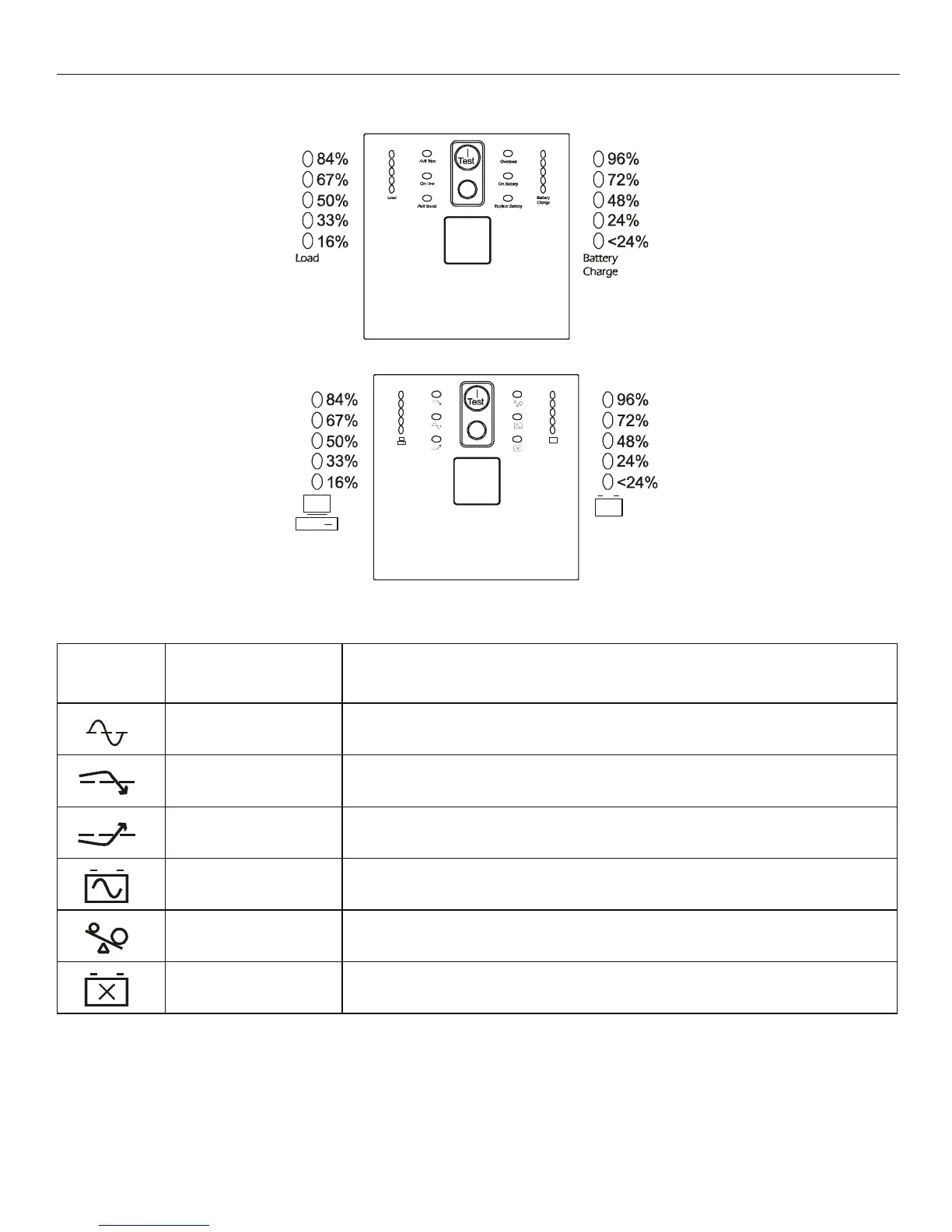
Display Panels
Display Panel Indicators and Function Buttons
Indicator
LED
Indicator Title Description
On Line The UPS is supplying utility power to the connected equipment,
(see Troubleshooting).
AVR Trim The UPS is compensating for a high utility voltage. Refer to the APC Web site,
www.apc.com for AVR settings.
AVR Boost The UPS is compensating for a low utility voltage. Refer to the APC Web site,
www.apc.com for AVR settings.
On Battery The UPS is supplying battery power to the connected equipment.
Overload The connected equipment is drawing more than the UPS power rating allows,
(see Troubleshooting).
Replace Battery/Battery
Disconnected
The battery is disconnected or must be replaced, (see Troubleshooting).
208 V models
230 V models



 To Next Page