34001813EN/AE - Page 34
2. Installation
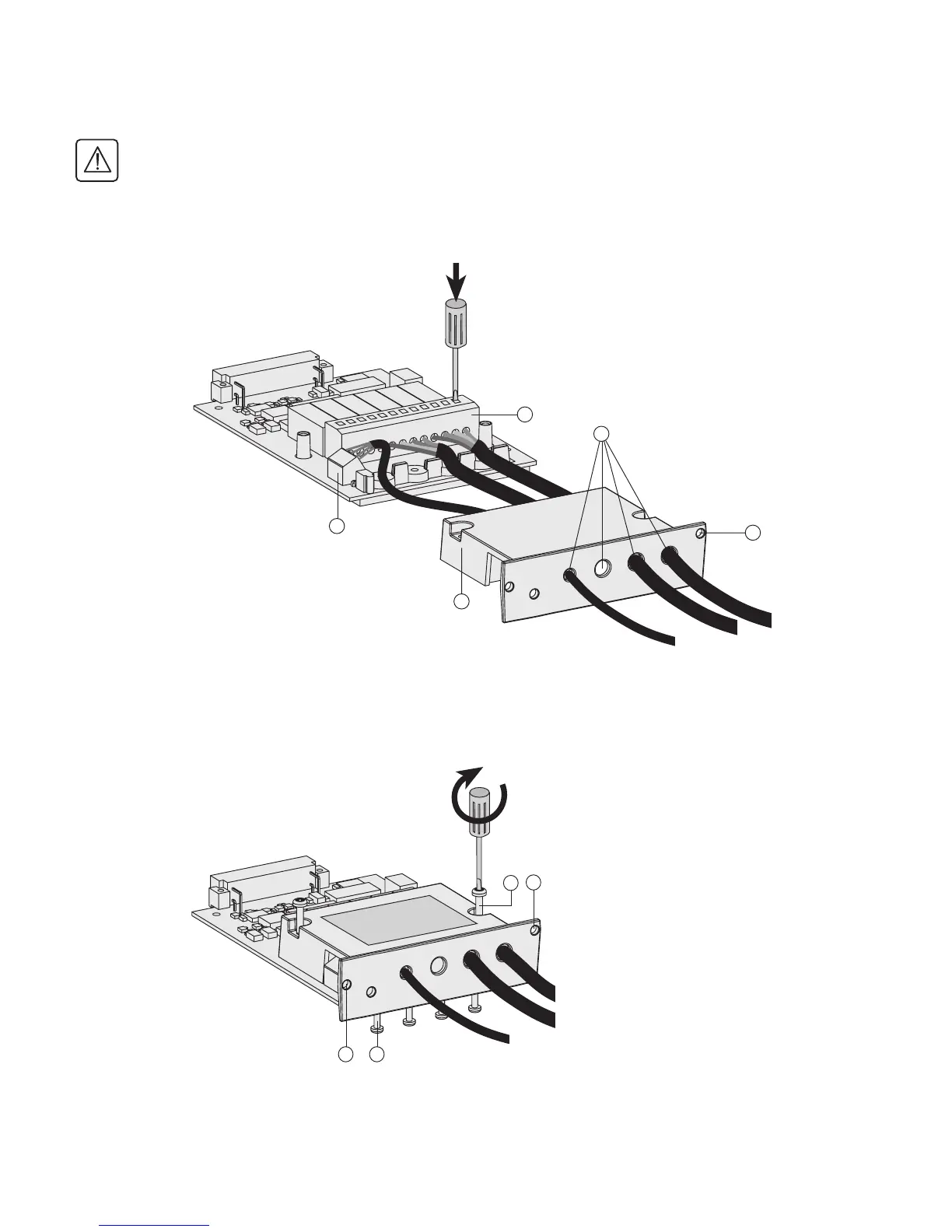
2.14 Connection of the relay communications card
Isolate and lock-out all power sources for this card before making connections.
Never connect SELV (safety extra low voltage) and non-SELV circuits to the different outputs of the same card.
1 - Remove the cover (52) secured by the screws (50).
2 - Run the communications cables through the cable entry holes (53).
3 - Connect the conductors to the input (55) and output (54)terminal blocks.
4 - Put the cover back in place and secure it with the screws (50).
5 - Tighten the screws (56) to block the cables.
6 - Indicate the locations of the power sources on the labels.
7 - Insert the card in its slot.
8 - Secure the card with two screws (51).
1
2
3
4
5
6
A
B
53
55
54
51
52
51
50
51 56



 To Next Page