Part 1- Something about Installation
1. Something before Installation
(1)Attention!!
a. Please use a pin to reset first
b. Please prepare a Class 10 microSD card (NOT INCLUDED) with a capacity of 32GB and format it before first
use. If you use more than 32 GB SD card, please format it to FAT32 format on computer and format it again
on dash cam before use.
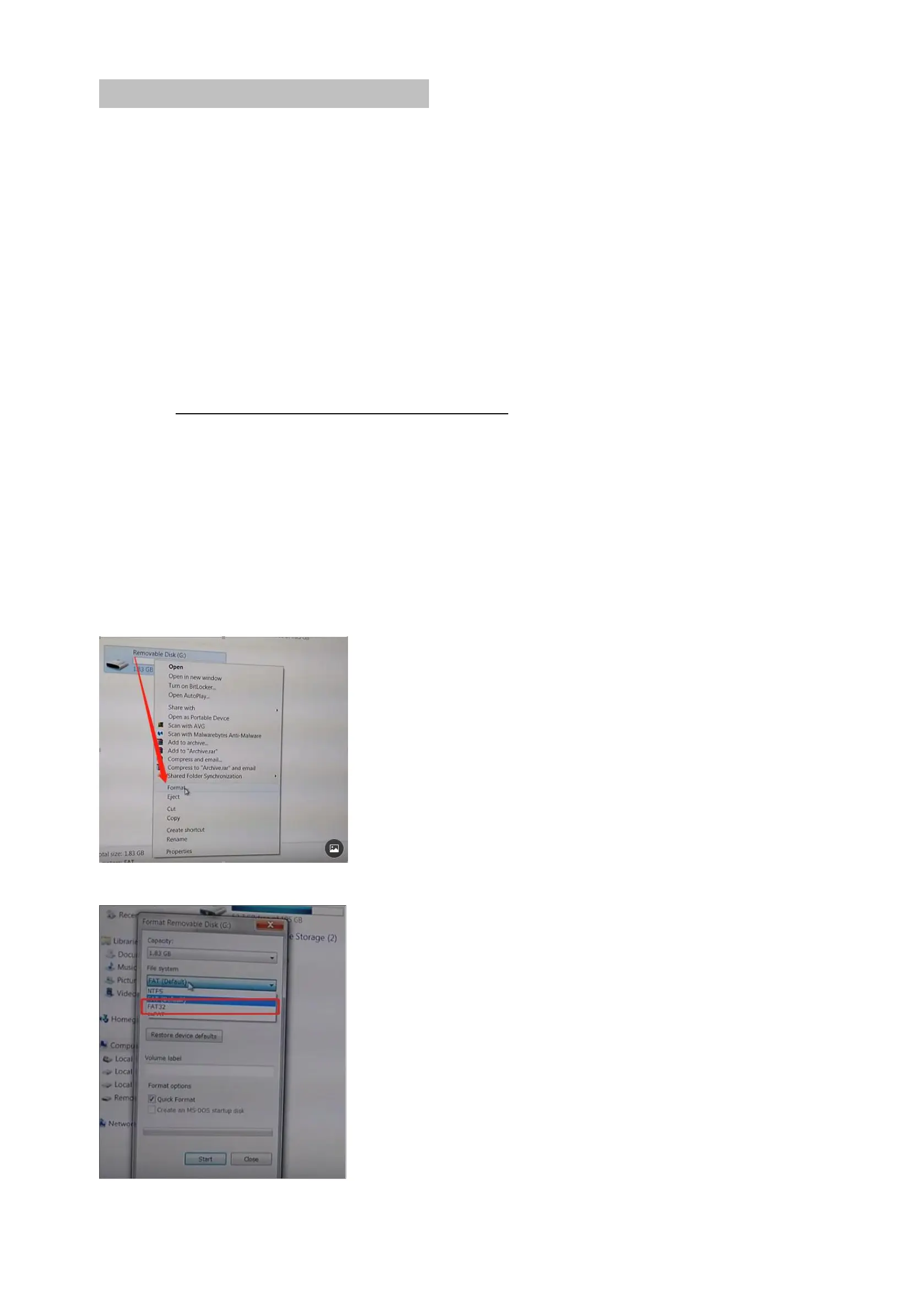
(2)How to format the SD card on computer?
There are two ways to format the sd card on computer.
Option 1:
Please connect this cam with the computer via USB cable.
Option 2:
A.Take out of the SD card from this cam and insert this SD card into a card reader.
B. Insert the card reader with the SD card to computer.
C. Enter into “computer” and click the right mount button once and then click “Format”
D. Please click
“
FAT32
”
to finish the format.



 To Next Page