Part2 - Something About Settings
(1) Instruction of 4 buttons of the camera:
Up button (up forward the menu);
Menu button; Lock button (lock the video if you press it during recording);Back button (return to
previous menu)
;
Switch button
Down button; Audio button
Power button; Stop recording button; Confirm button
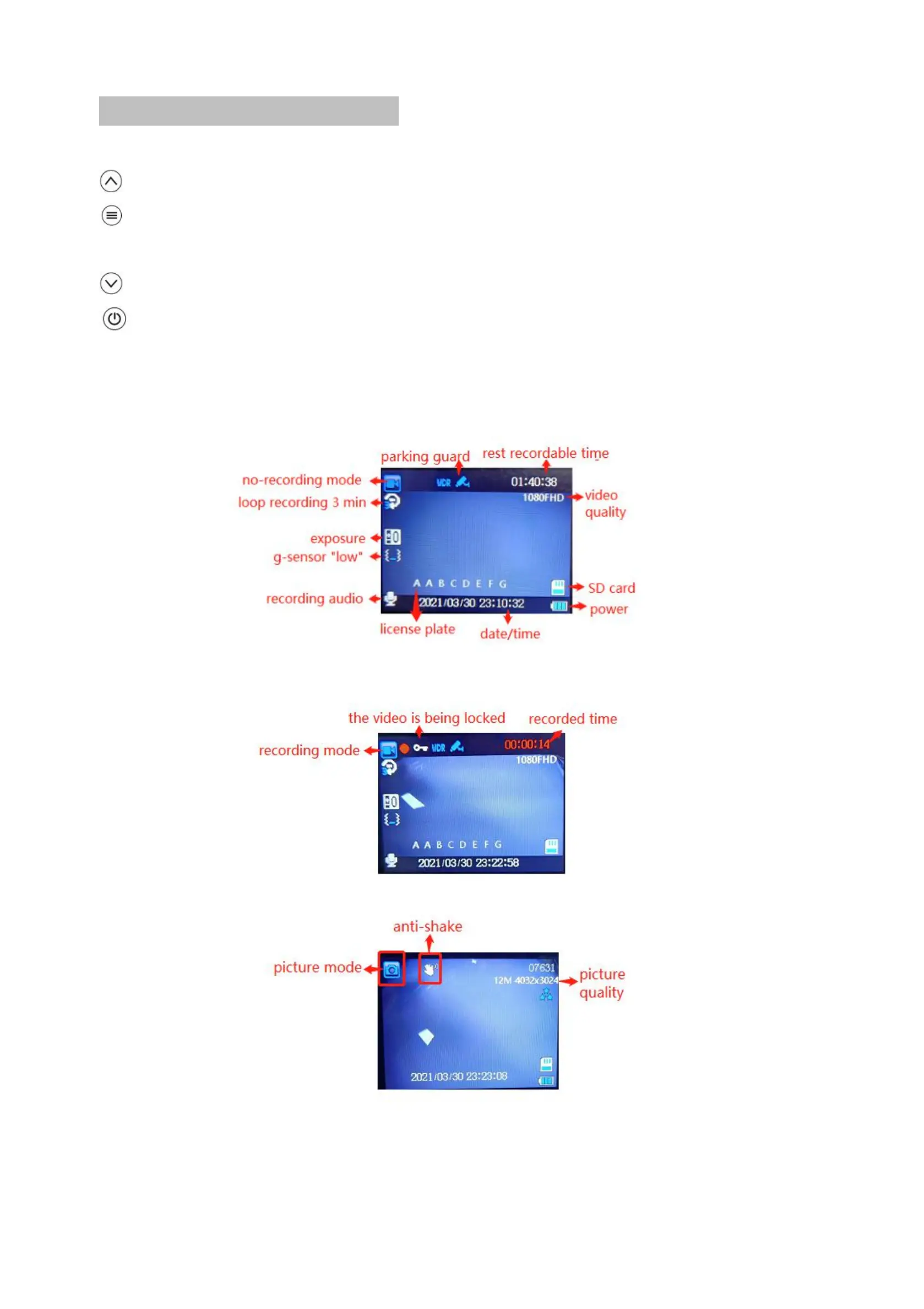
(2) Instruction of the icons of the camera



 To Next Page