Installation and Operation Manual
ECN: 003155
Date: 06/4/2013
40
AC-SmartStart-7608-Series_IOM Rev 04
LAN Module & Communications
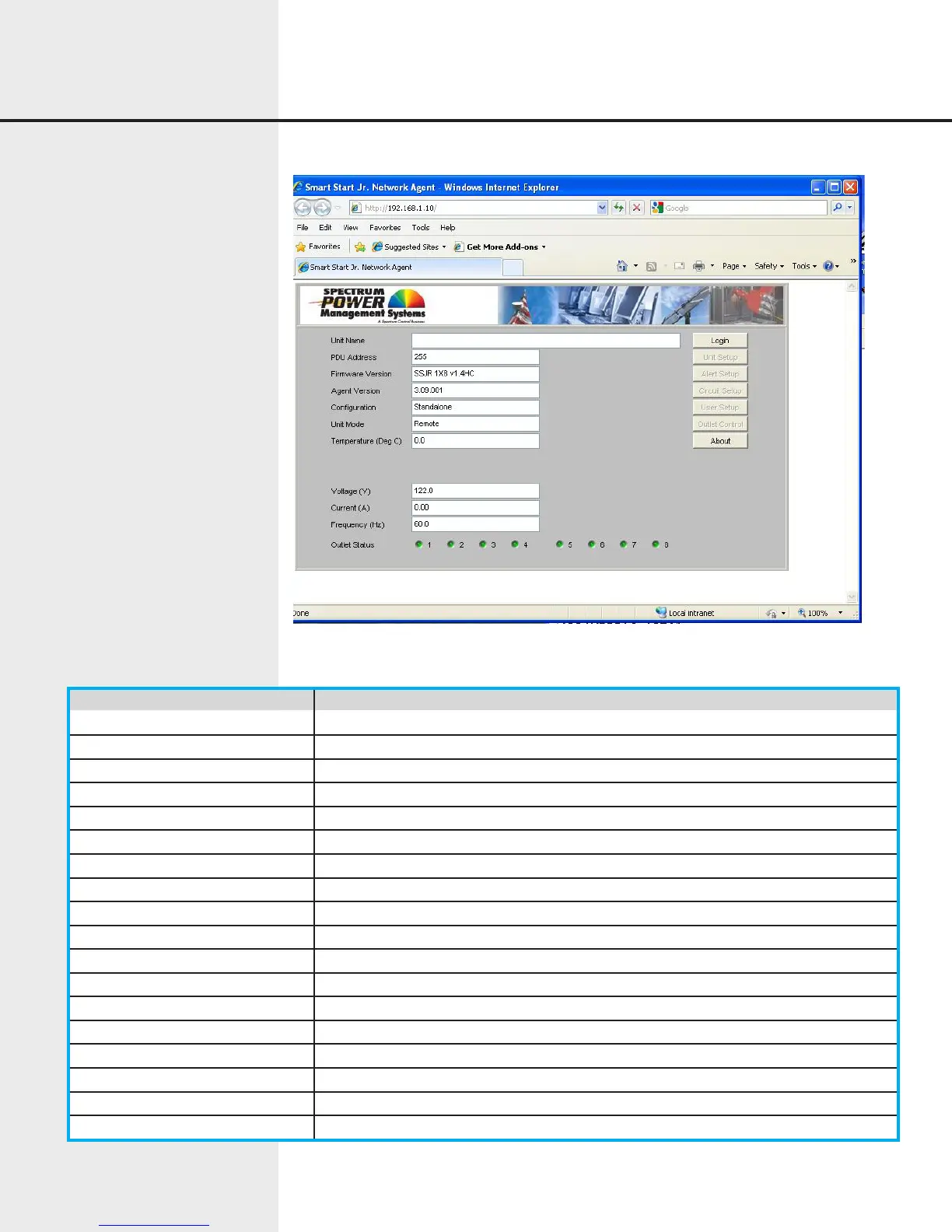
Figure 7.11 Web Interface Monitor Screen
Item Function
Unit Name User-defined descriptive name of the unit.
PDU Address Number between 0-255, identifies the PDU
Firmware Version Version of the basic firmware running in the PDU.
Agent Version Version of the agent firmware running in the embedded LAN Module
Configuration Standalone, Master, or Slave
Unit Mode Remote or Local
Temperature Displays the Celsius temperature of units equipped with a temperature sensor
Voltage Input line voltage (separate channels shown on 2x4 units)
Current Input line current (separate channels shown on 2x4 units)
Frequency Input line frequency (separate channels shown on 2x4 units)
Outlet Status Indicators The on/off status of each outlet is shown by a green/red indicator, respectively.
Login Button Allow the user to log into the unit to perform maintenance and control functions.
Unit Setup Button Allows privileged users to set up and maintain basic unit information.
Alert Setup Button Allows privileged users to set up and maintain alerts.
Circuit Setup Button Allows privileged users to set up and maintain auxiliary circuit configuration.
User Setup Button Allows privileged users to set up and maintain additional users.
Outlet Control Button Allows privileged users to directly control outlets.
About Button Displays identifying information about the applet.
The monitor screen contains the following items:


 To Next Page