9
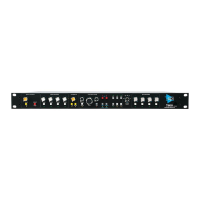
HI‐ZIN:¼”high‐impedanceinstrumentinput
LEVEL:Stereomixersendlevel
PAN:Stereomixersendpan
AUX:Auxiliarybussendlevel
VUMETER:7LEDVUmeter
4.3 InputSelection
Eachpreamplifiercanreceivethree(3) inputsources:
MIC(Microp h one):RearpanelfemaleXLRmicrophoneinputwithswitchable48Vphantom
power
INST(Instrument):Frontpanel ¼”unbalanced‐10dBuinstrumentlevelinput
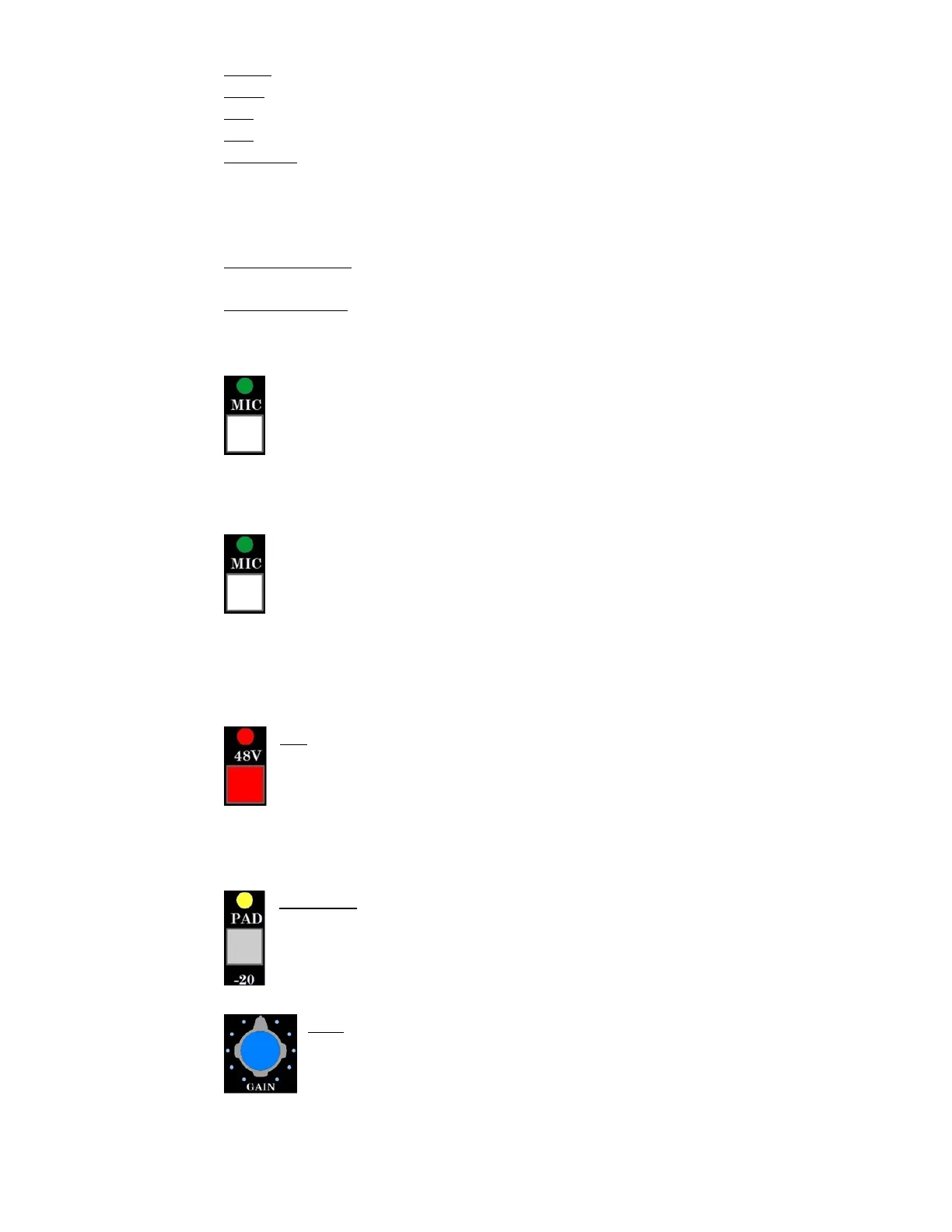
4.3.1 MICSwitch
TheMICswitchisusedtoselecttheinputsource.WhenthegreenLEDabovetheswitch
isilluminated,therearpanelXLRinputistheactivesource.WhenthegreenLEDabove
theswitchisnotilluminated,thefrontpanel¼”inpu tistheactivesource.
4.3.2 MicrophoneInput
SelectthemicrophoneinputbypressingtheMICswitchandagreenLEDshouldturnon
abovetheMICswitch.TheMICinputconnectionontherearpanelwillbetheactive
input.
FemaleXLRmicrophoneinput
48Vphantompower
‐20dBpad
GreenLEDilluminateswhenMICswitchengaged
VUmeterindicateslevelofpreamplifieroutput
48V:Provides48voltphantompowertotheMICinputfe maleXLRconnector
RedLEDaboveswitchilluminateswhenengaged
IMPORTANT: Cautionshouldbeexercisedwhen engagingphantompower!Damage
canoccurifphantompowerisappliedtosomeaudiodevices,including
most ribbon microphones. The 3124mb+ output should also be fully
loweredwhenengagingthe48Vswitch.
‐20dBPAD:Inserts
a‐20dBattenuatorafterthemicrophoneinput
YellowLEDaboveswitchilluminateswhenengaged
GAIN:microphonepreamp lifier level control
10dBminimumgain(includingPAD)
65dBmaximumgain(includingPAD)



 To Next Page