Apogee Duet User’s Guide
Operation
Configuring the Input
Mac
1. Connect your input source (see analog inputs section>)
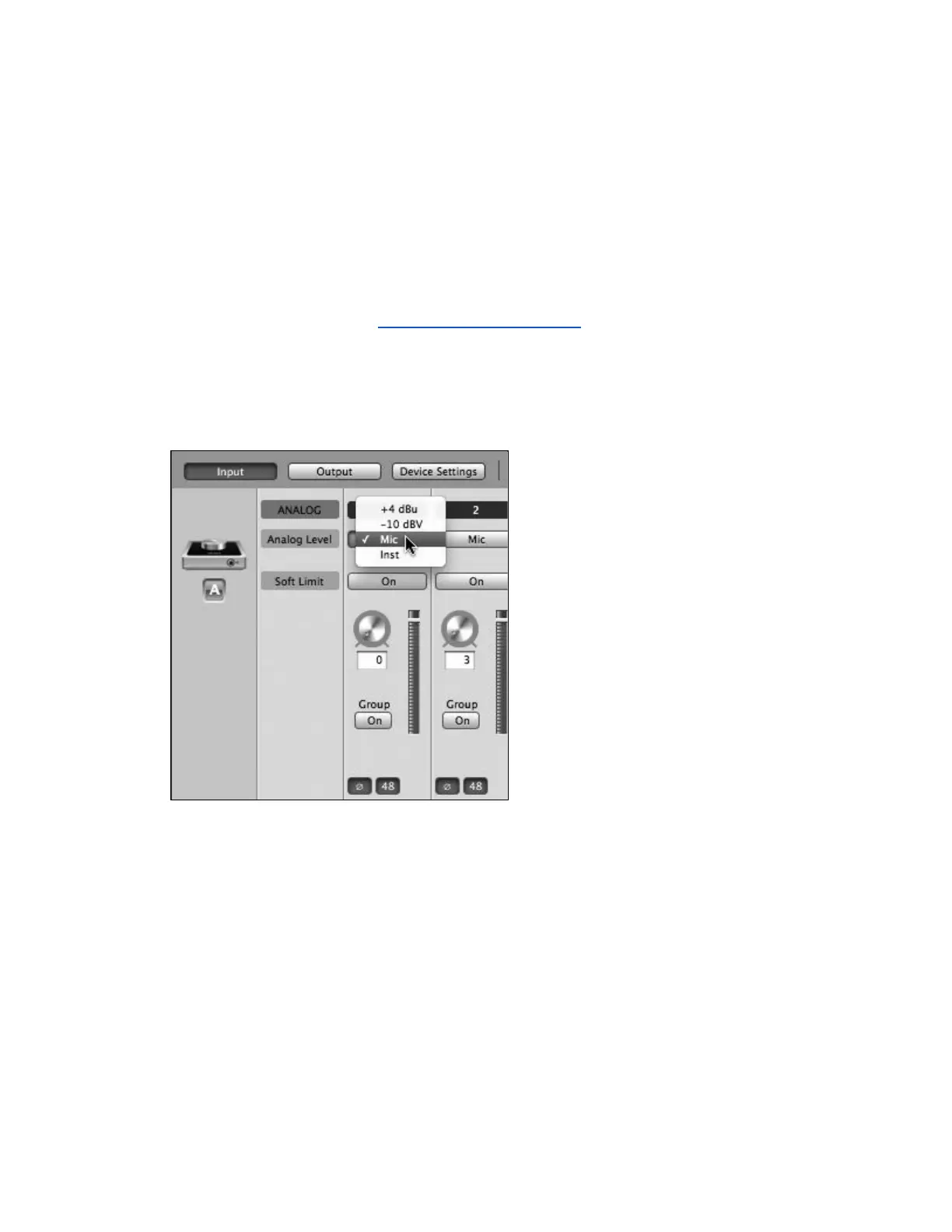
2. Open Apogee Maestro software (found in your Mac’s Applications folder),
and select the Input tab.
3. Select the Analog Level setting that corresponds to the device you have
connected to Duet’s input(s).
+4 dBu: XLR line level
-10 dBV: XLR line level
Mic: XLR microphone (dynamic, condenser or ribbon)
Inst: 1/4” Instrument (electric guitar, bass, keyboards)
Page 28



 To Next Page