Apogee Duet User’s Guide
Mac OS: Using Duet with Avid Pro Tools
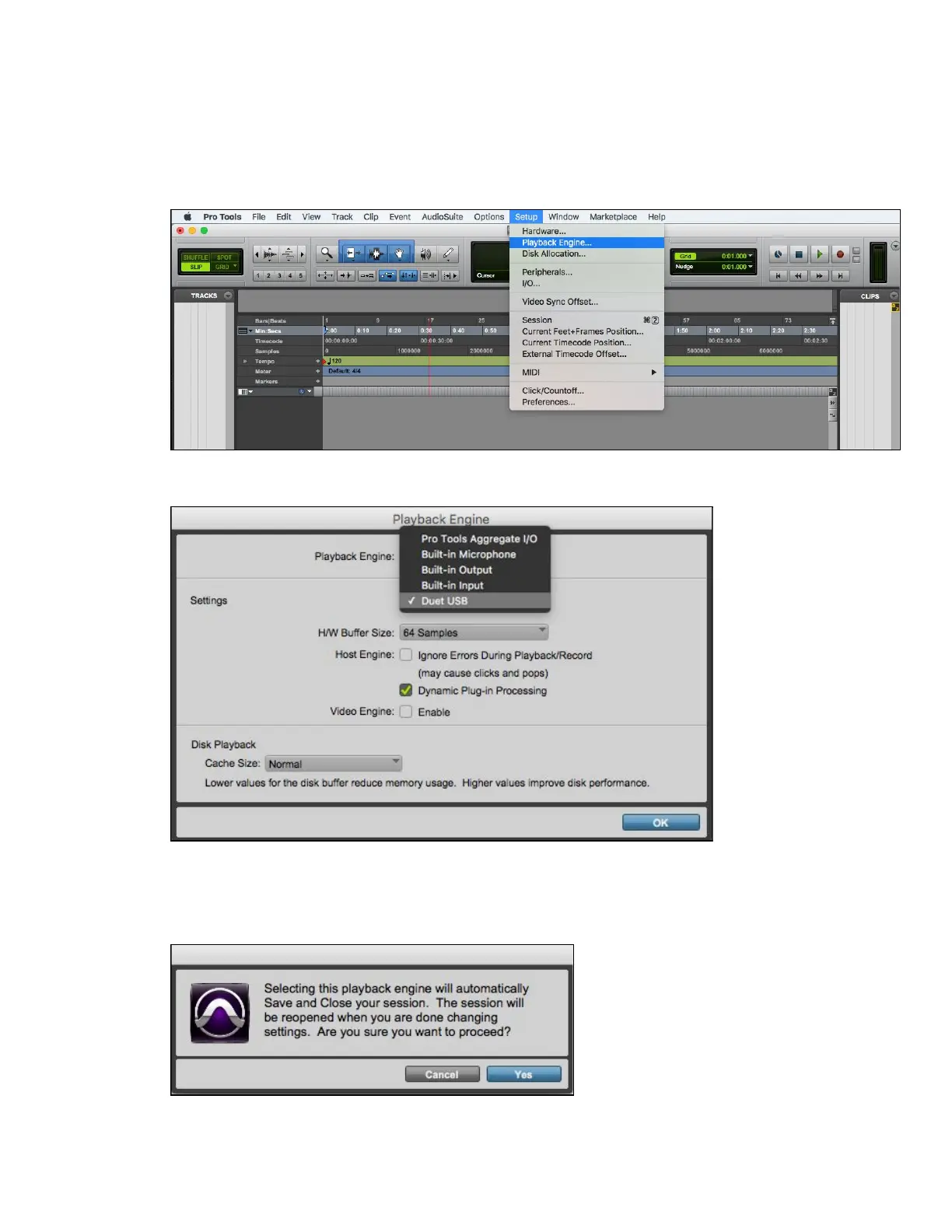
1. Choose Setup menu > Playback Engine.
2. Choose Duet USB for Current Engine.
3. Set the H/W Buffer Size to 64 Samples. This setting may need to be adjusted based on
your computer’s performance. Click OK.
4. The following dialog box will appear. Click Yes.
Page 47



 To Next Page