Apogee Duet User’s Guide
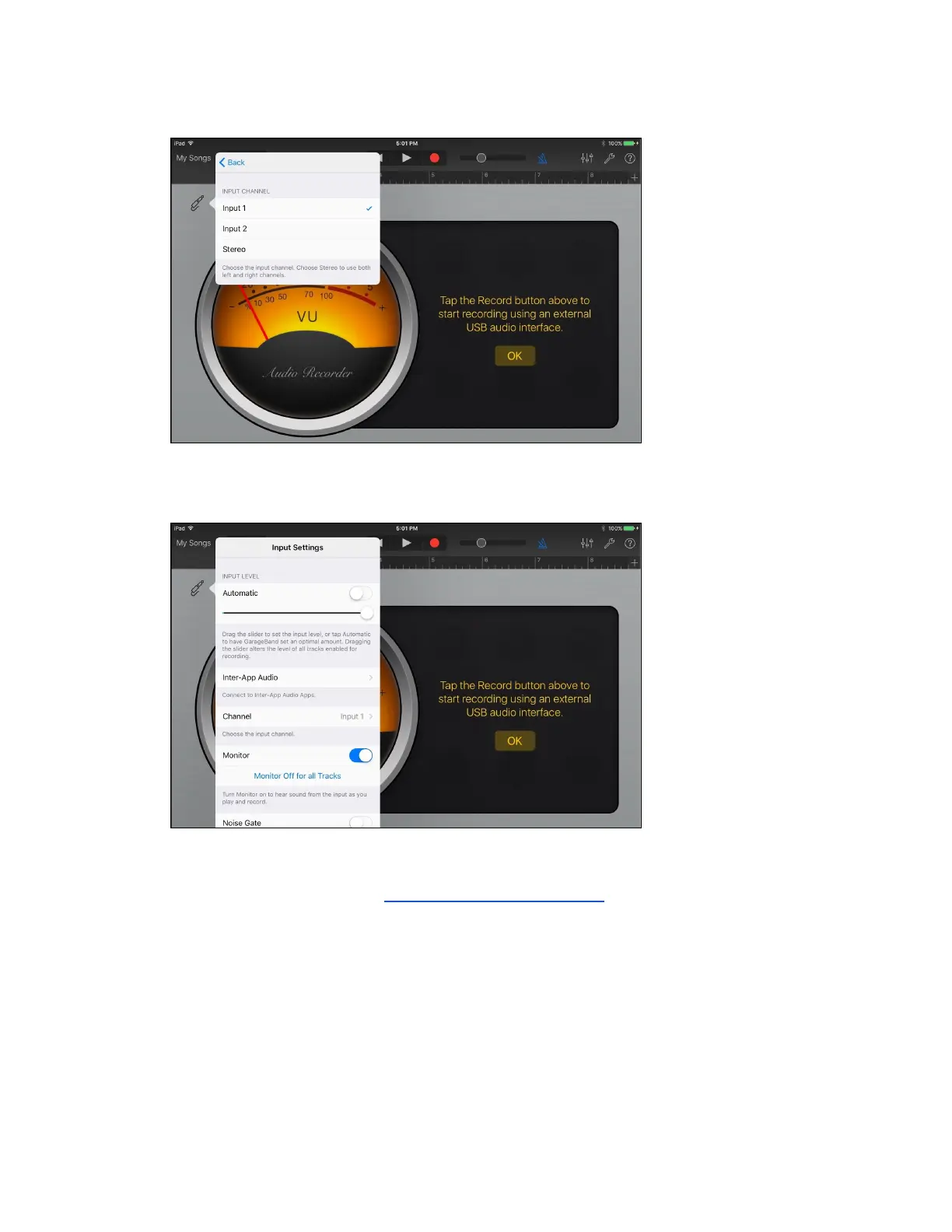
4. Select Input Channel 1
5. Set monitor to ON, Press Record on the top
of the screen and you are ready to go!
If you are recording with a microphone that requires 48v
Phantom power, please refer to the Configuring the Input Section
of this User Guide.
Page 51



 To Next Page