Apogee Duet User’s Guide
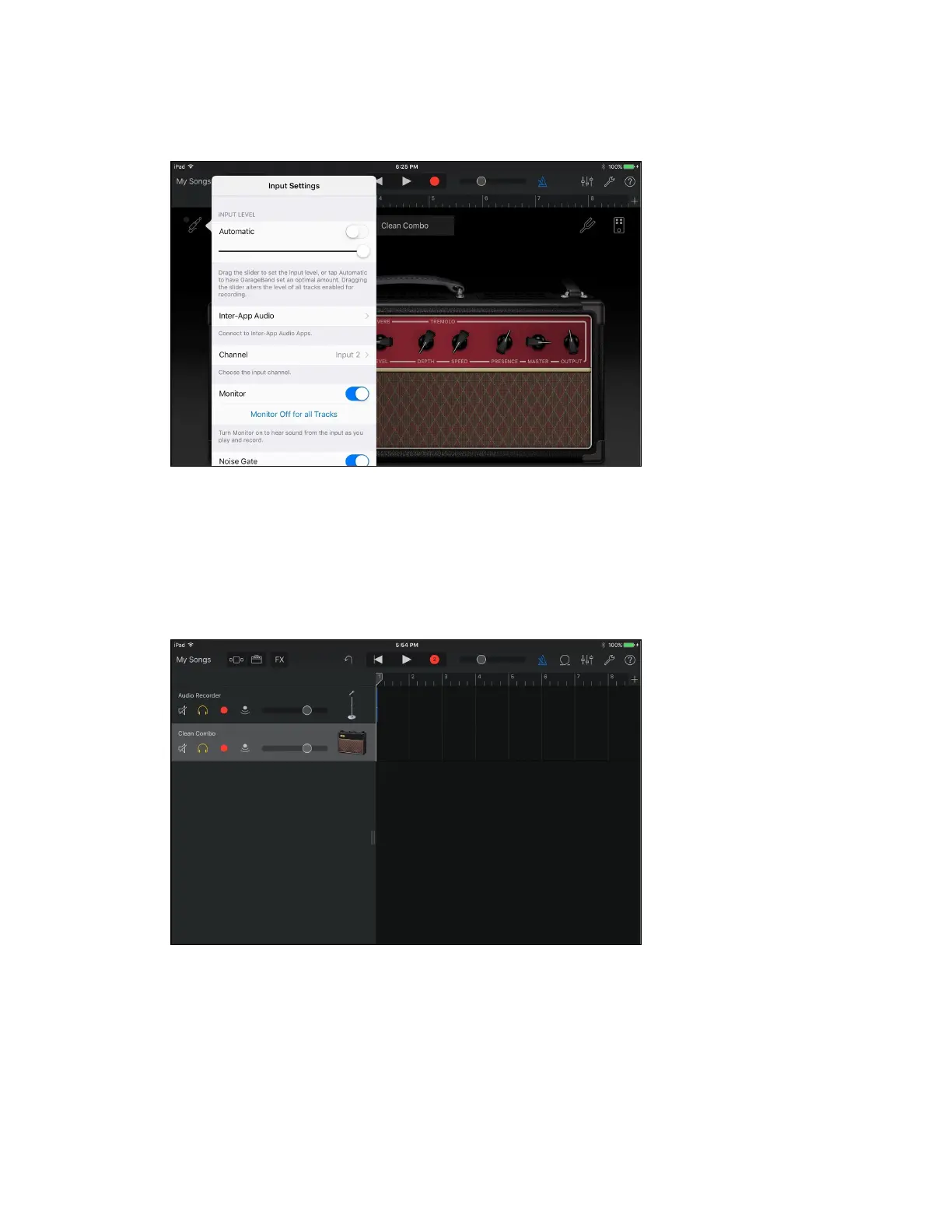
3. Make sure Monitor is turned on
Enable recording on the two separate mono tracks simultaneously.
We recommend you do this instead of creating a single stereo track
so audio output is panned correctly.
4. Begin by touching the tracks view button. Then swipe
right to expand the tracks controls.
5. Make sure the red dot record arm button is selected for both tracks.
Now you are ready to record to both tracks simultaneously.
Page 53



 To Next Page