Apogee Element Series User’s Guide
Update Element’s Firmware
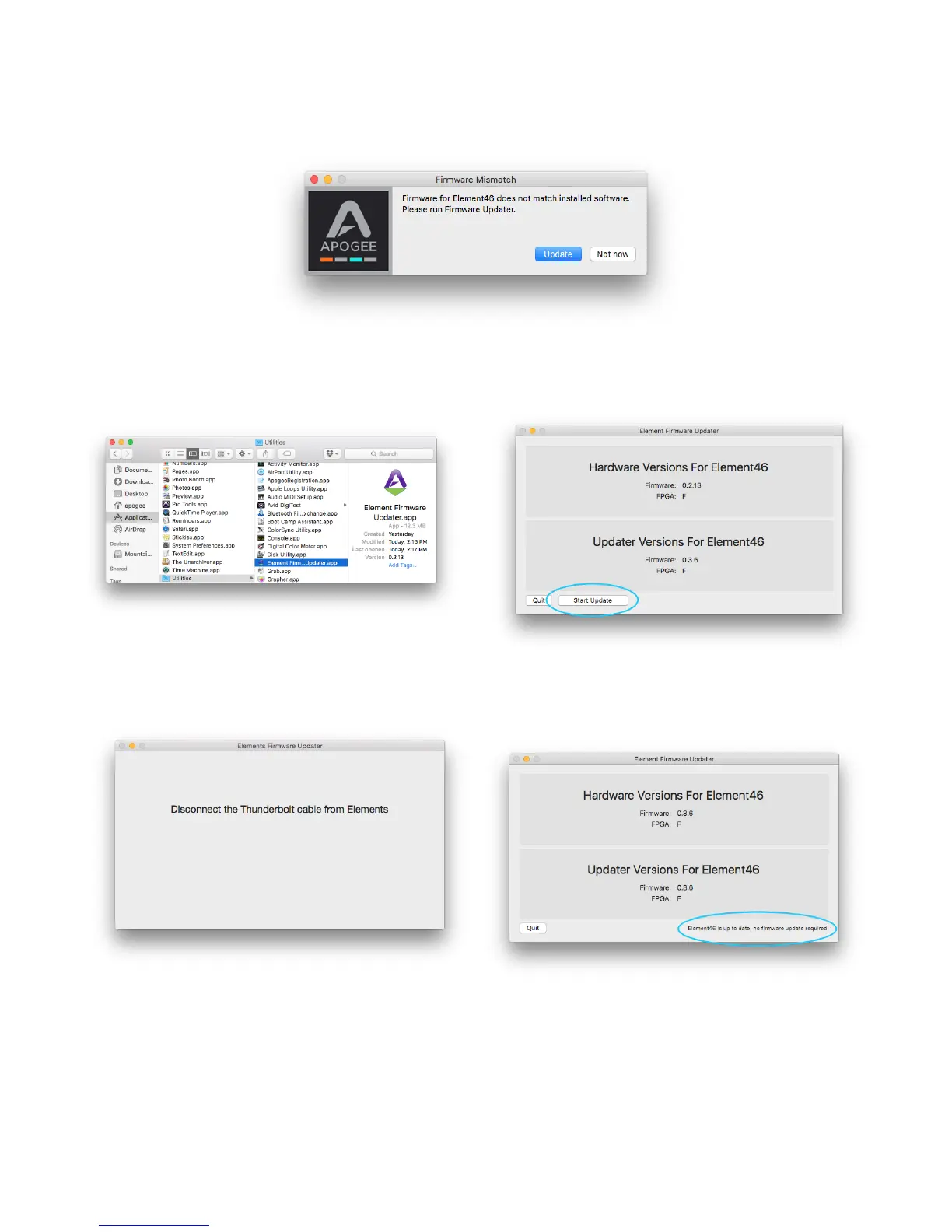
When first connecting Element to your computer, you may be prompted to update the Firmware:
1. Click Update, or manually open the Element
Firmware Updater.app from your computer’s
Applications > Utilities folder.
2. Make sure only one Element is connected to the
Mac. Then click Start Update.
3. Follow any prompts that may appear.
4. When it says Element is up to date, you can quit
the updater.
7



 To Next Page