36 Chapter 3 Using Your iMac
 Hold down the Next/Fast-forward (‘) or Previous/Rewind (]) buttons to fast-forward
or rewind within a song or a movie.
Pairing Your Apple Remote
If you have multiple computers or other devices with built-in IR receivers in a room
(for example, more than one iMac in a home office or lab), you can “pair” your Apple
Remote with a specific computer or device. Pairing sets up the receiving computer or
device so it’s controlled by only one remote.
To pair your Apple Remote with your iMac:
1 Move very close to your iMac (within 3 to 4 inches).
2 Point the Apple Remote at the Apple logo on the front of your iMac.
3 Press and hold the Next/Fast-forward and Menu buttons simultaneously for 5 seconds.
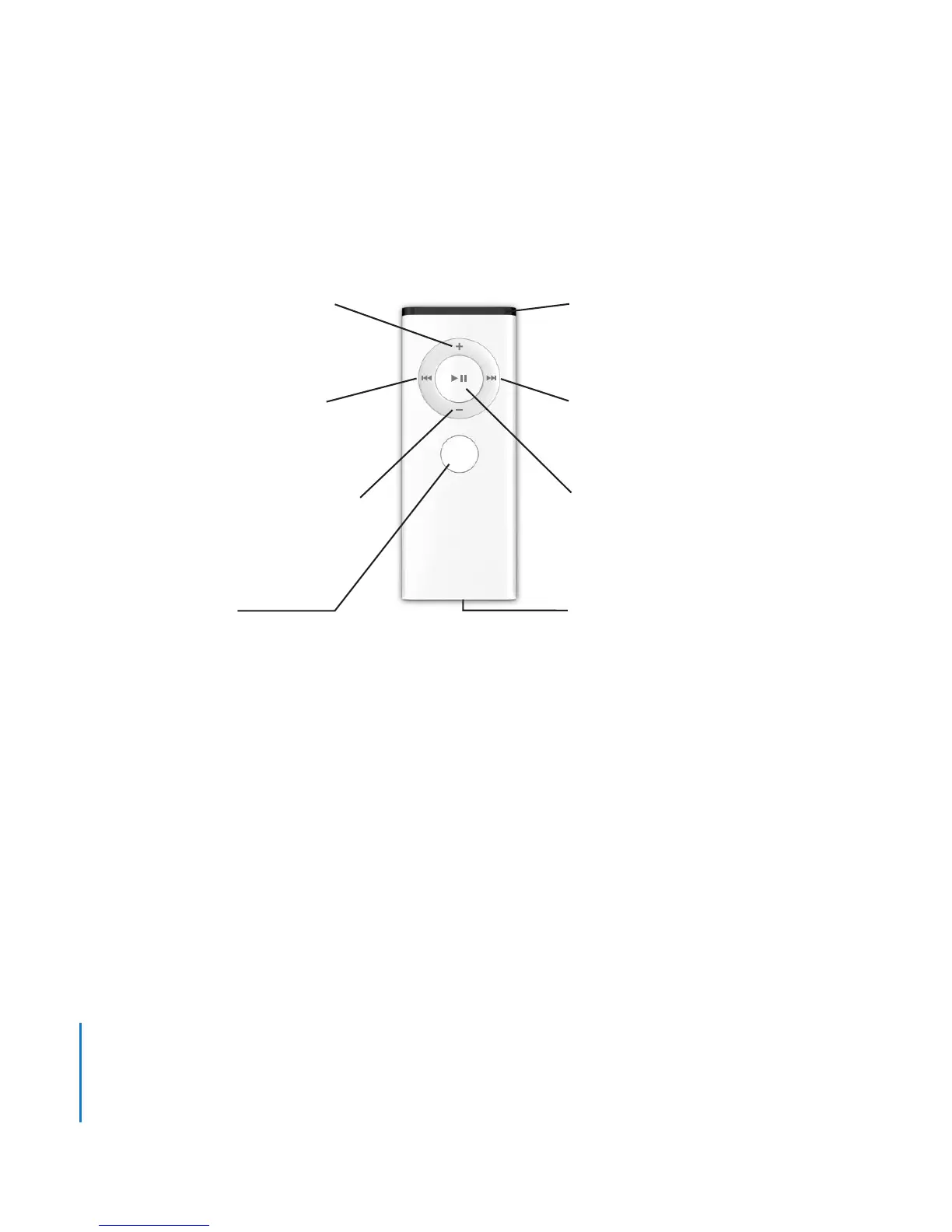
Next/Fast-forward button
Select/Play/Pause button
Battery compartment
Volume Up/Menu button
IR window
Volume Down/Menu button
Previous/Rewind button
Menu button
MENU





 To Next Page