Chapter 3 Using Your iMac 37
When you’ve successfully paired your Apple Remote with your iMac, a chainlink ( )
symbol appears onscreen.
To delete a pairing between the Apple Remote and your iMac:
1 Choose Apple () > System Preferences from the menu bar.
2 Click Security and then click Unpair.
Turning Off IR Reception
You can use Security preferences to turn IR reception on or off.
To turn off IR reception:
 Choose Apple () > System Preferences from the menu bar and click Security.
 Select the “Disable remote control infrared receiver” checkbox.
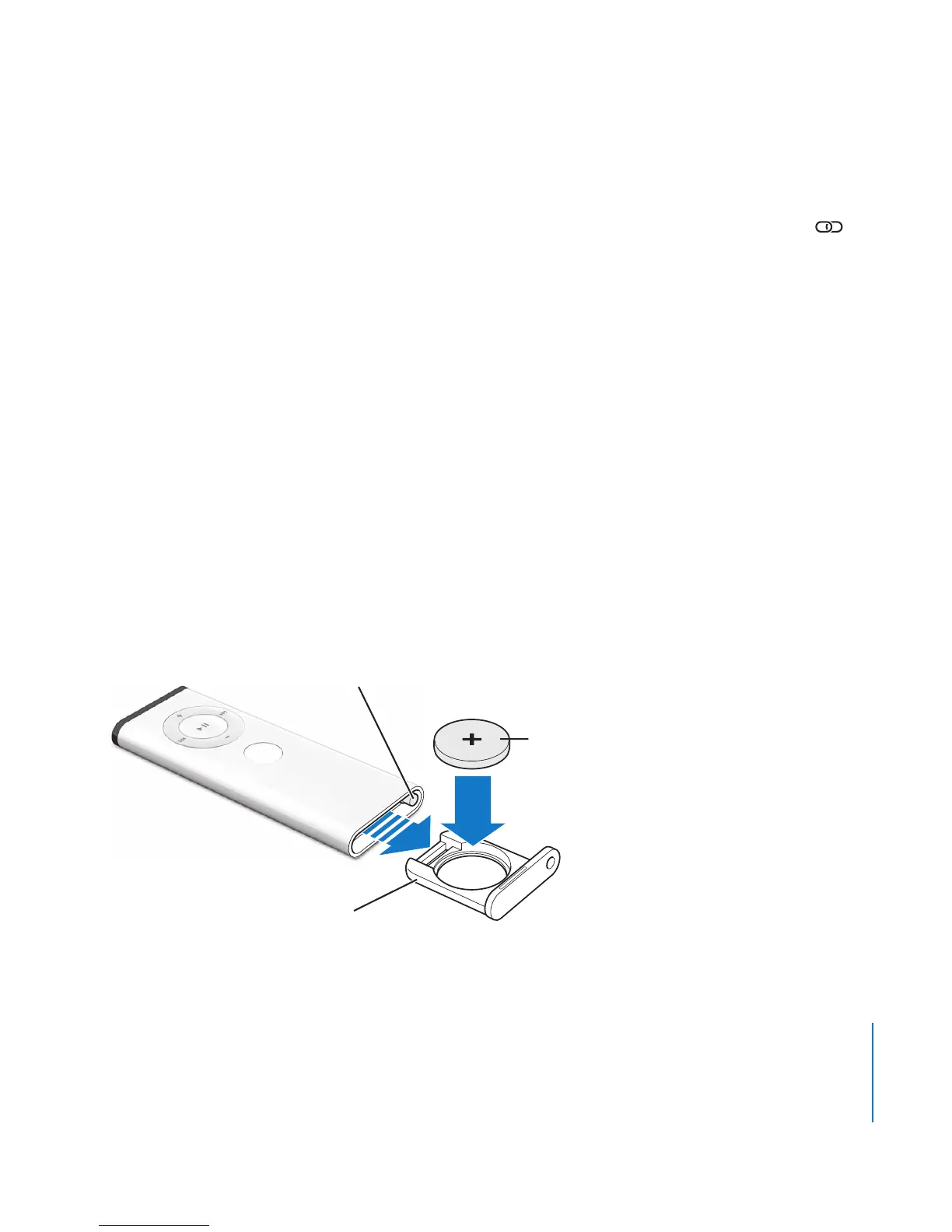
Replacing the Apple Remote Battery
The Apple Remote includes a CR 2032 battery, which you can replace when needed.
Press this button with a small blunt object to
partially eject the battery compartment.
Positive (+) side faces up
Pull the battery
compartment free.
M
EN
U





 To Next Page