44 Chapter 3 Using Your iMac
Connecting to an Ethernet Network
Your iMac comes with built-in 10/100/1000 megabit per second (Mbps) Base-T (twisted-
pair) Ethernet networking capability for connecting to a network or to a cable modem
or DSL modem.
Connecting to a network gives you access to other computers on the network. You
may be able to store and retrieve information, use network printers, modems, and
email, or connect to the Internet. You can also share files between two computers or
set up a small network. Use a 2-pair shielded category 5 (shielded Cat 5) Ethernet cable
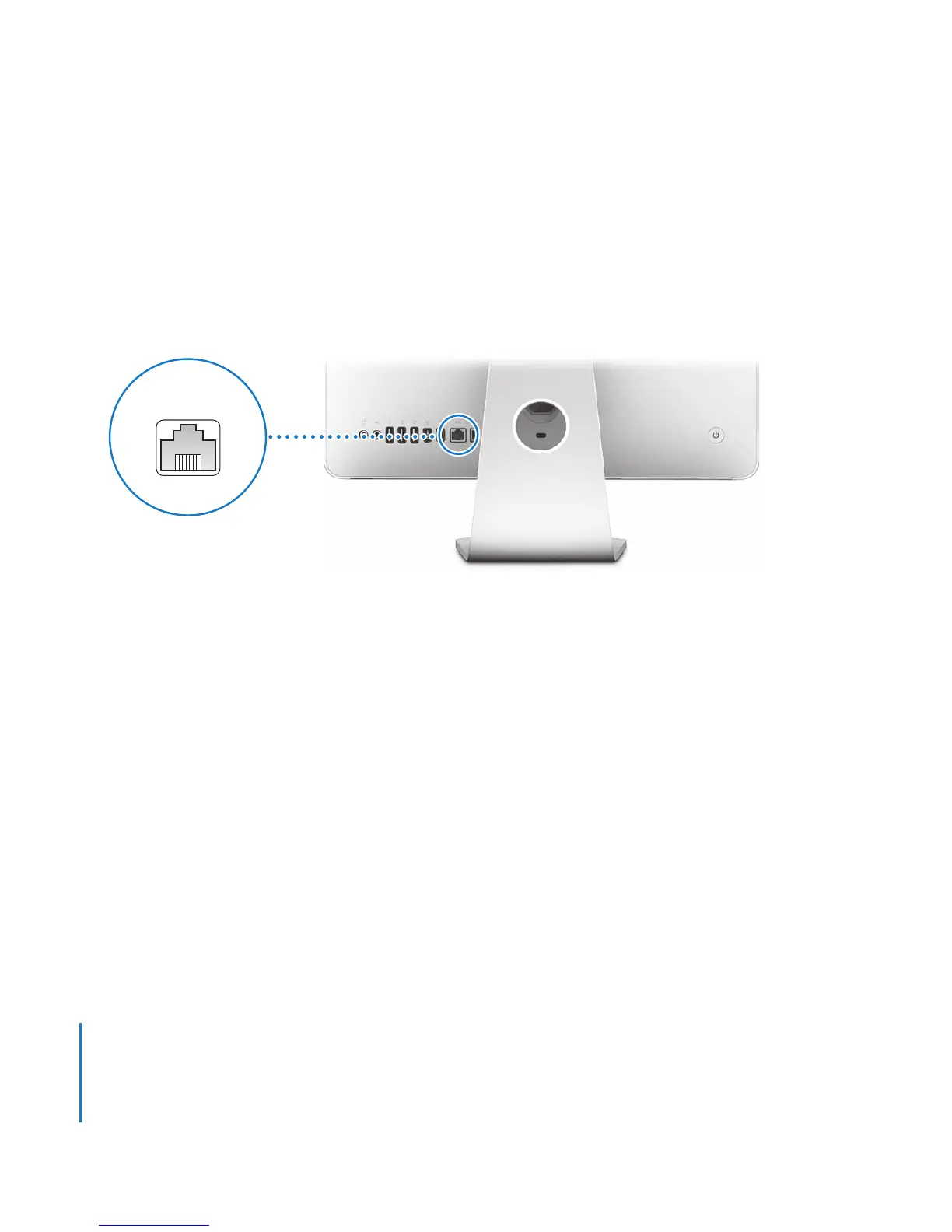
to connect to a 10Base-T, 100Base-T, or 1000Base-T Ethernet network. The Ethernet (G)
port on your iMac automatically detects other Ethernet devices.
More Information About Using Ethernet
More information is available in Mac Help. Choose Help > Mac Help and search for
“Ethernet” or “network.” For information about networking products you can use with
your iMac, see the Macintosh Products Guide at www.apple.com/guide.
Ethernet port
(10/100/1000Base-T)
G





 To Next Page