96
Regular Maintenance
(1)finish Daily maintenance
(2) To avoid the poor ventilation,
should clean , wash and change the
air filter on time.
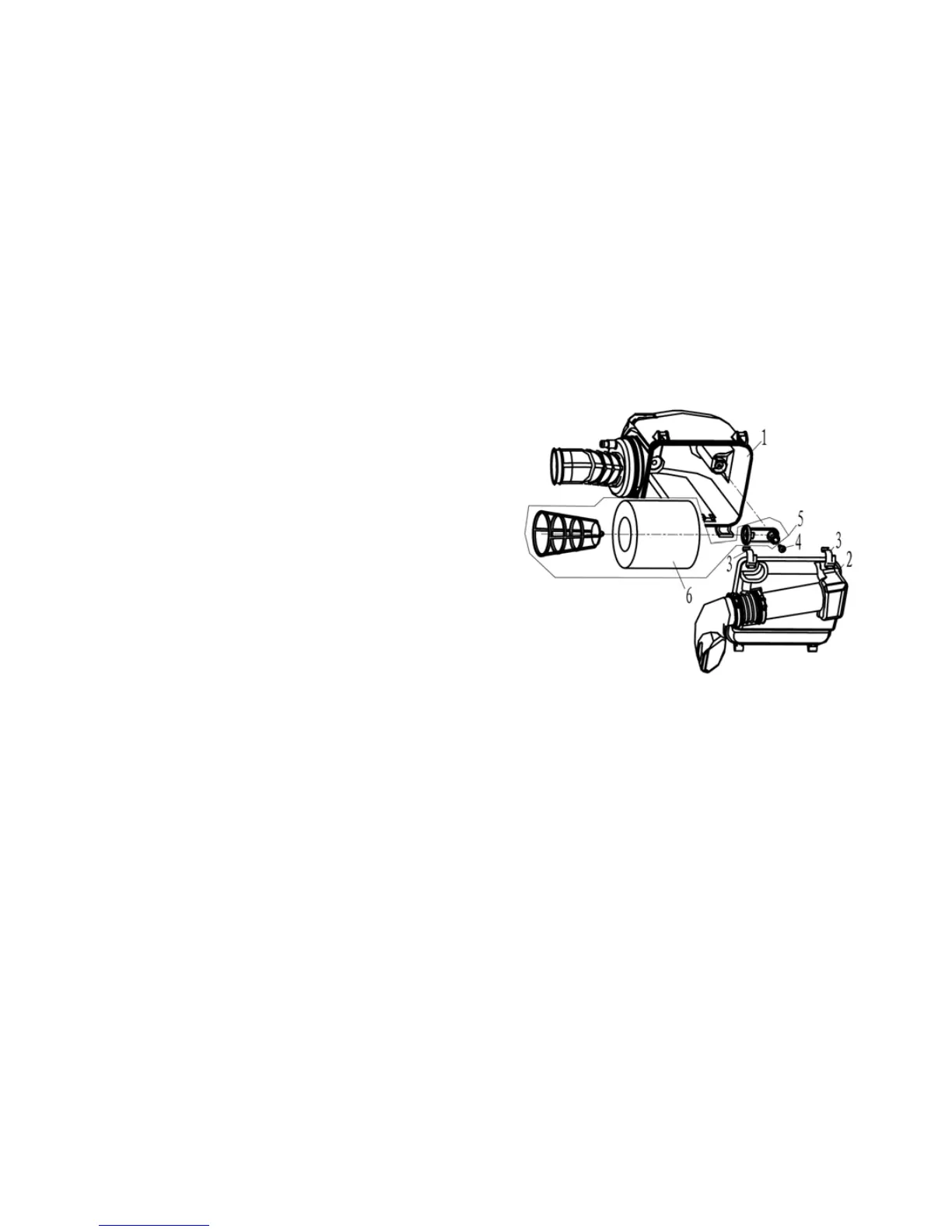
■Check and clean the air filter as
fllowing:
●Loosen clamp 3, remove the filter
cap 2
●Loosen bolt 4, take down the filter
assy 5
●Take out the filter element 6
●Fill a wash pan of a proper size with
a cleaning solvent, Immerse the
filter element 6 in cleaning solvent
and wash it. Press the filter element
6 to remove the excess solvent;
Damaged element must be
replaced; Assemble the the air filter
combination 6 and put it into the
body.
1、 Plastic cover
2、 Air filter cover
3、 Clamp
4、 Bolt
5、 Filter Assy



 To Next Page