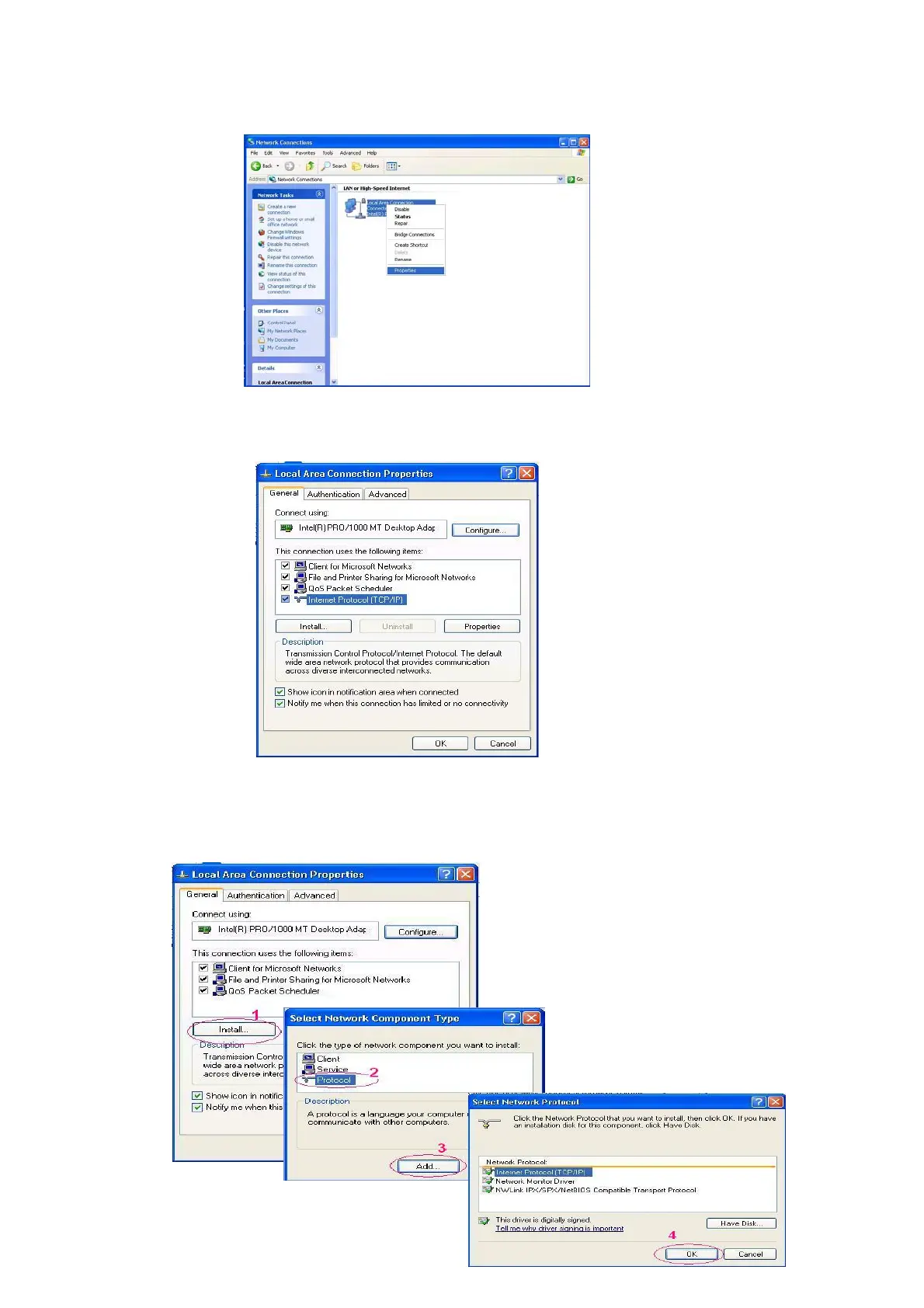
Point to the Local Area Connection and press the right mouse button. Click Properties to enter the
Local Area Connection.
3. Click the Configuration tag; check if the TCP/IC is included in the network components list. If the
TCP/IP is included, please process step 5. If it is not included, please follow step 4 to install the
TCP/IP.
4. TCP/IP installation.
During the installation, you will be requested to insert the windows XP CD ROM. After installation, the
PC will be restarted.
31



 To Next Page