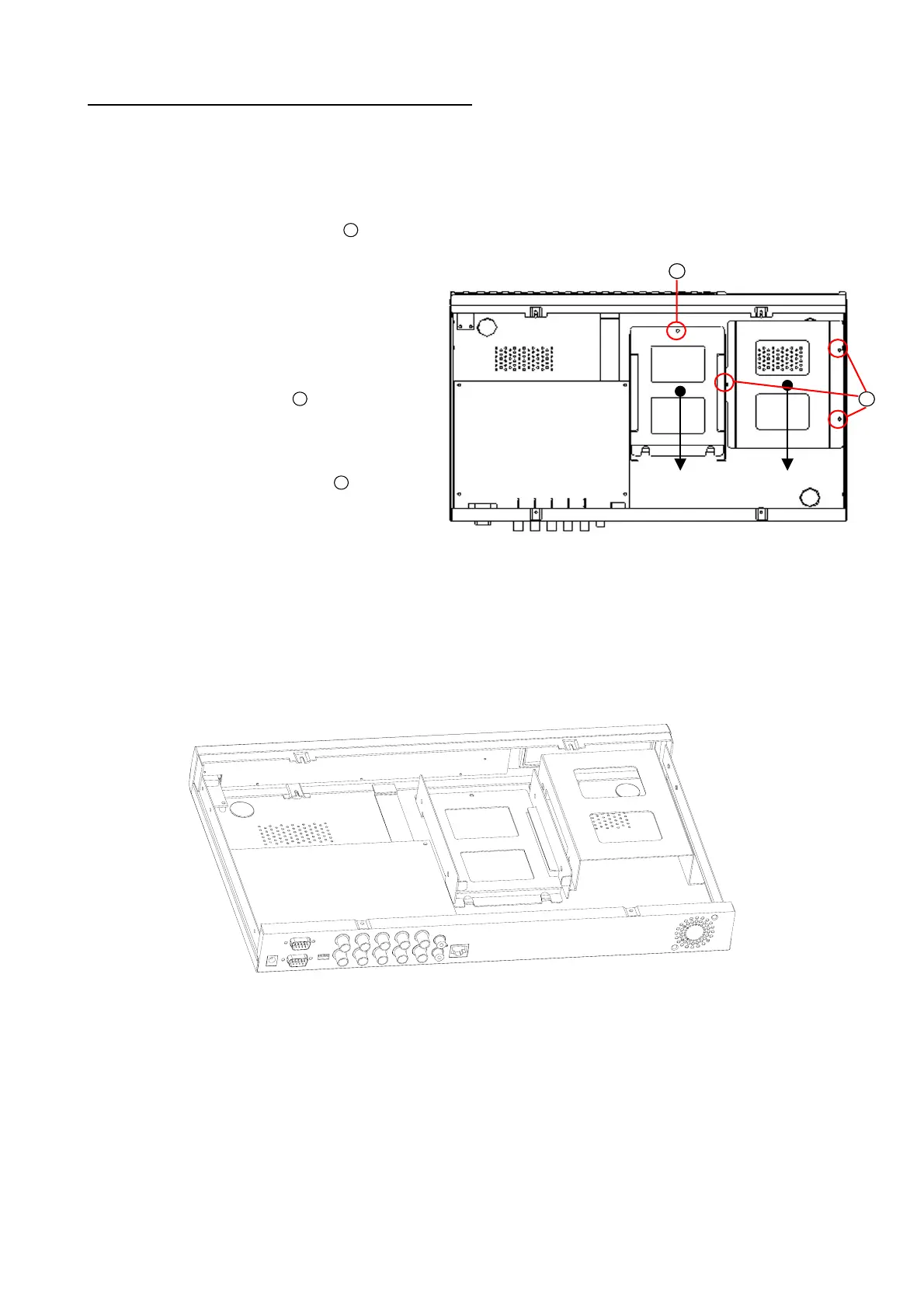
APPENDIX 1. – Insert the mobile rack
To add the second hard disk into the DVR, the user has to insert the mobile rack first.
To install the mobile rack, please take the following steps:
1
2
ⅠⅡ
Step 1: Loosen the mounting screw “
1
“ in the mobile rack “Ⅰ“ of the DVR and detach it.
Step 2: Draw out the mobile rack “Ⅰ“ from the
DVR.
Step 3: Insert the mobile rack “Ⅱ“ in the device
and screw in screws “
2
”.
Step 4: Insert the mobile rack “Ⅰ“ back in the
device and screw in screw “
1
“.
Note: Please attach the interface connector and the power connector to the drives.
The installation of the mobile rack is complete:
※ The mobile rack is a purchase option.
43



 To Next Page