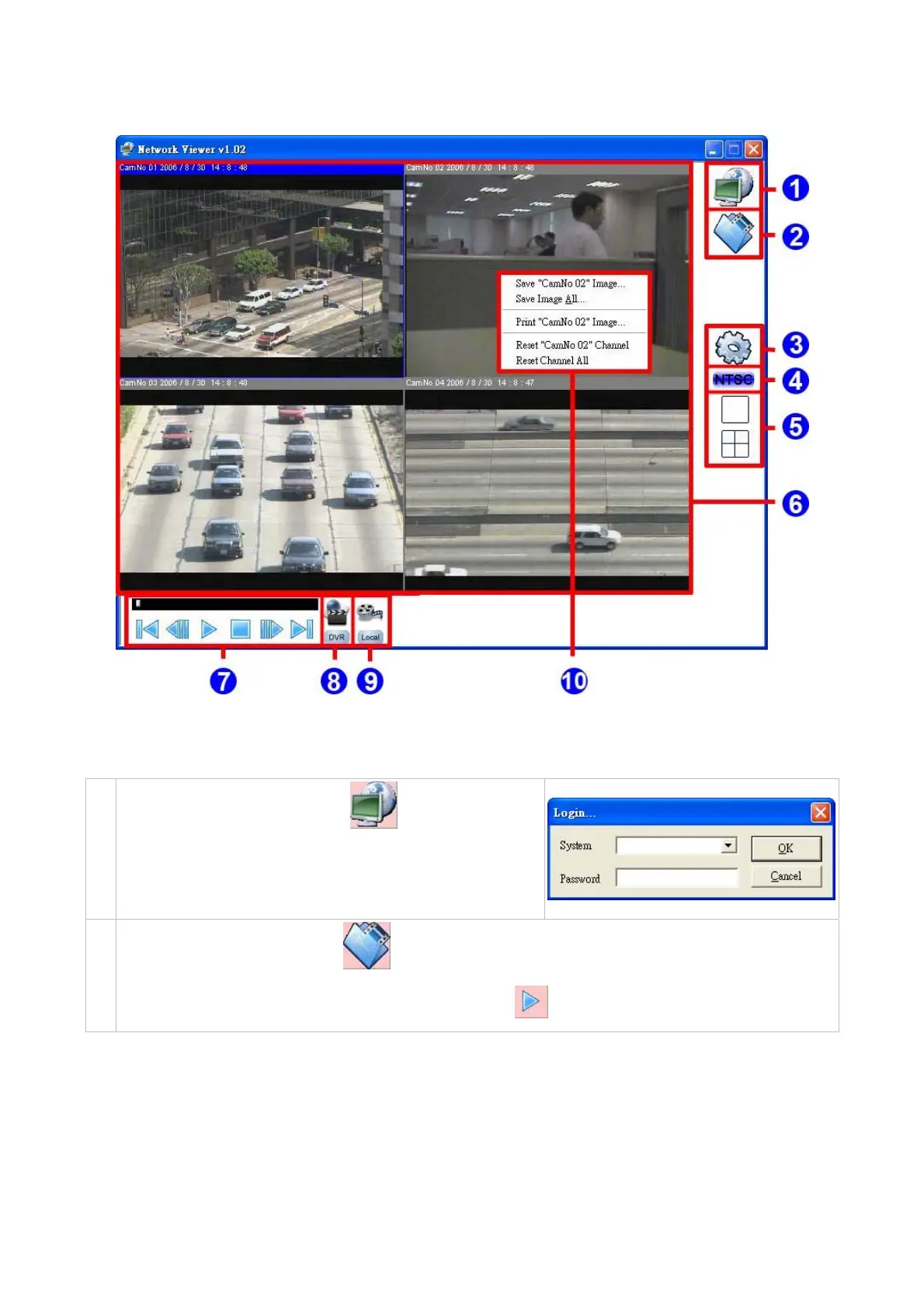
7.5 OPERATION
1.
Connect to a DVR: Press the
button to enter the
Network Viewer Setting window. Select the IP address from
the drop-down list which you want to connect, type the correct
password, and then press the OK button to connect.
Open the local files: Press the
button to open the recorded files in the disks.
2.
Note: Select the recorded file (*.dvr), and then press the
button to play it.
39



 To Next Page