7.4 VIEW THE DVR VIDEO FROM A REMOTE PC
Follow the instructions below to use the Network Viewer software to browse the DVR-3074 video from
a remote location.
Note: Every DVR provides only one user to login at one time.
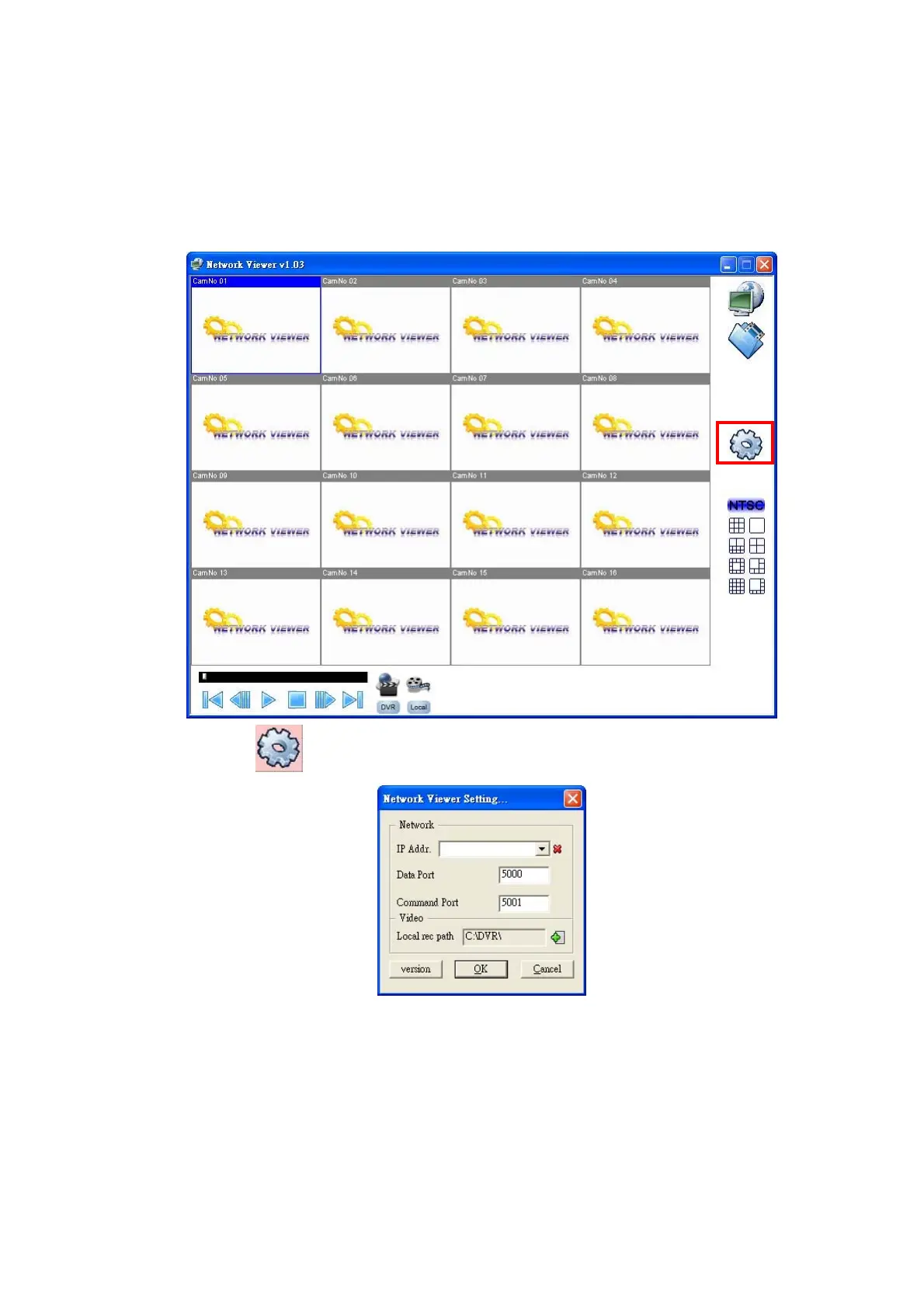
Upon entering the Network Viewer, a connection box will appear as follows. The default multi-screen is
the 16-channel mode.
Step 1:
Press the button to enter the Network Viewer Setting window which is shown below.
Step 2: Please enter your DVR’s IP Address and key in the correct Data/Command port values.
Note: Please make sure the values of Data and Command ports which you enter are the same
as given in with the NETWORK SETTING page of the DVR.
Step 3: Press the OK button.
37



 To Next Page