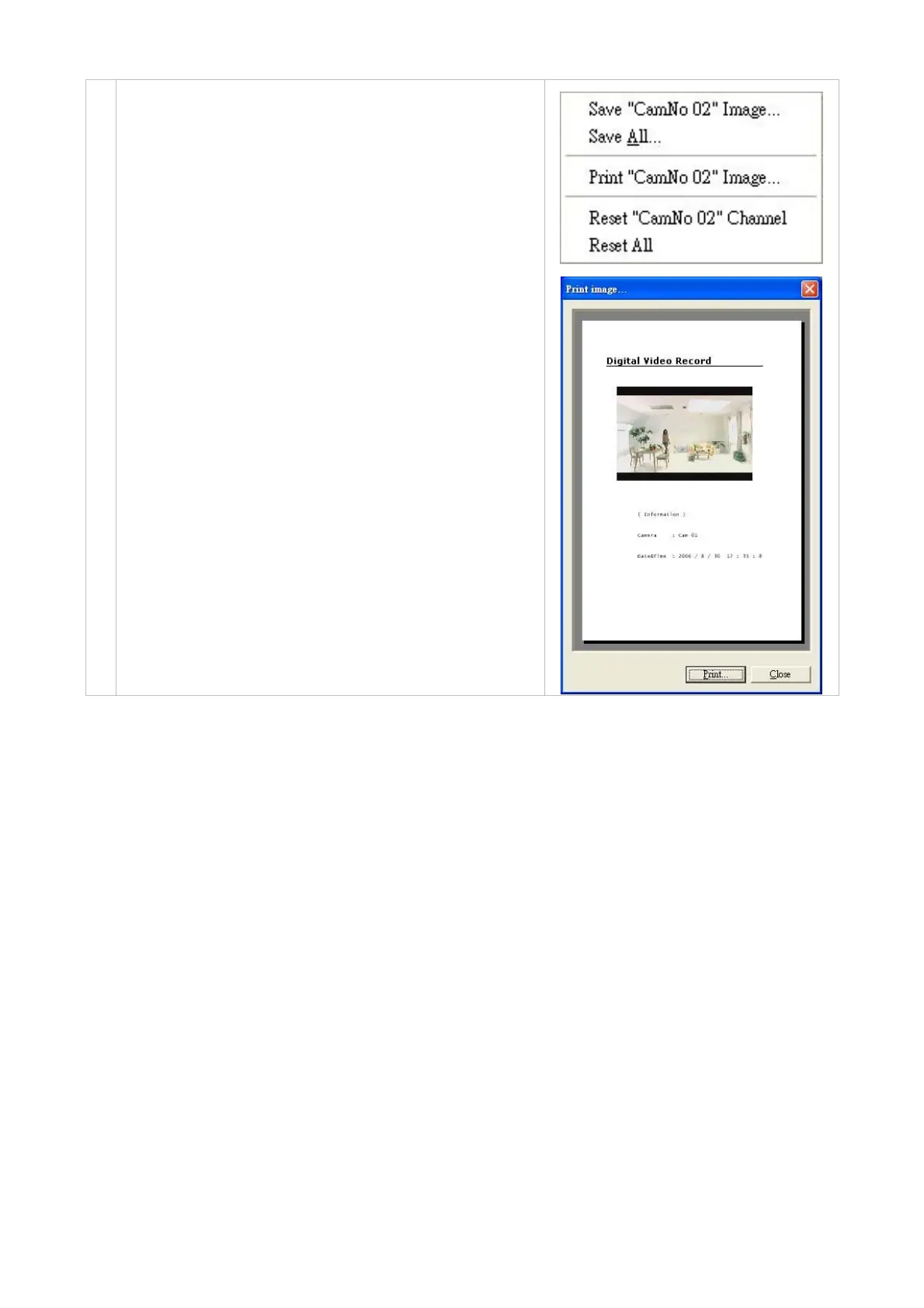
Pop-menu: You can use the mouse to move to each channel.
Click the right key of the mouse to show a window. You can
select Save "CamNo XX" Image, "Save All", Print "CamNo
XX" Image, Reset "CamNo XX" Channel or "Reset All".
Save single-channel image: Click to save a JPG image
of the chosen channel. You can set the backup file path
and the file name.
Save all images: Click to save four JPG images of 4
channels. You can set the backup file path and the file
name.
10.
Print single-channel image: Click the Print "CamNo
XX" Image button to enter the "Print image" page.
Click "Print" to start the printing. Click "Close" to
cancel.
Reset single channel: Reload the signal of the channel.
Reset all channel: Reload the signal of all channels.
41



 To Next Page