22
4.6 Connection Testing
With the previous settings, follow the instructions below to ensure whether you have established
the connection successfully.
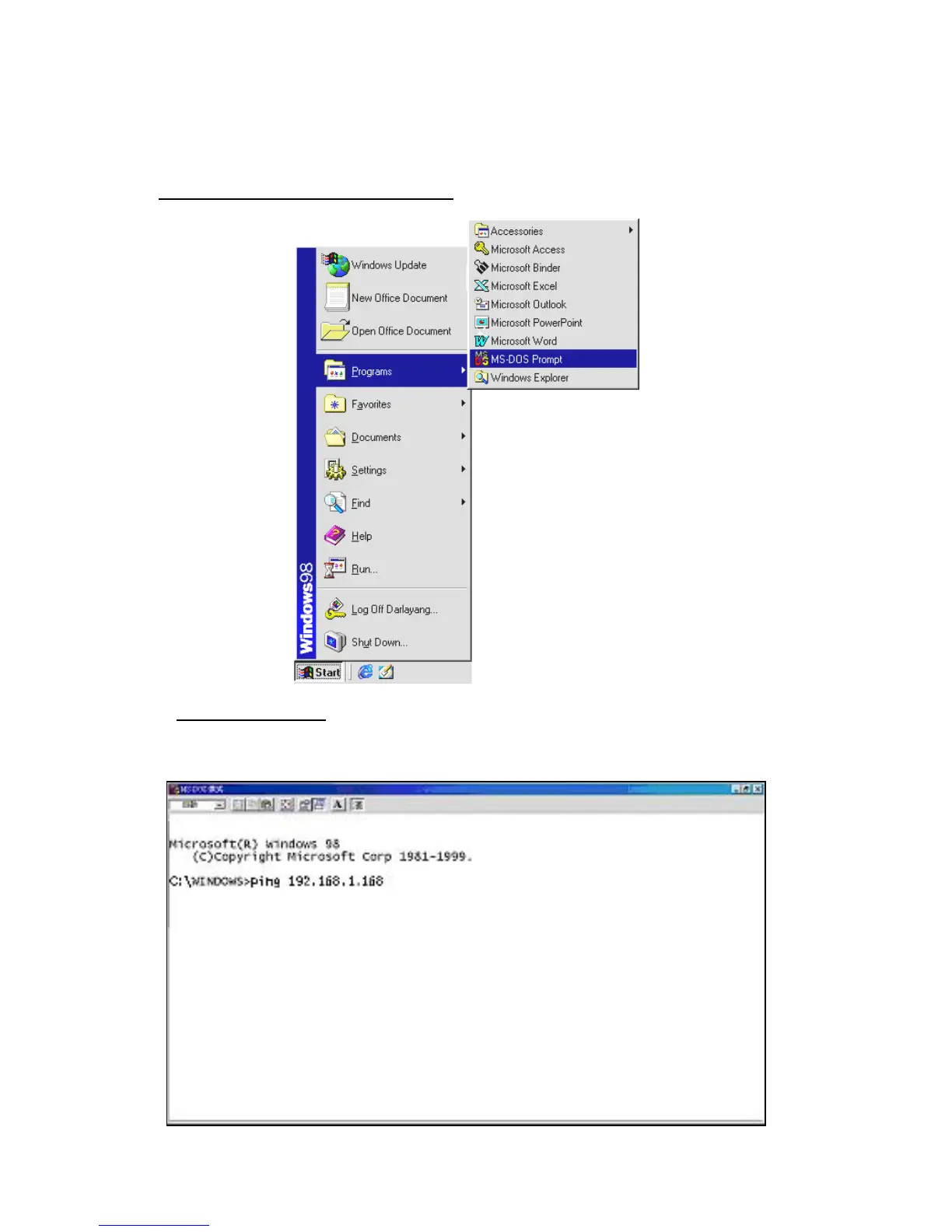
Click Start Programs MS-DOS Prompt
Type in ping 192.168.1.168,
then enter. (See the sample screen below).
** This IP is the IP camera IP address that is assigned for the connected IP camera in step2.
If you receive a response as in the sample screen below, the connection hasn’t been



 To Next Page