30
5.1.3 Change the Network Setting
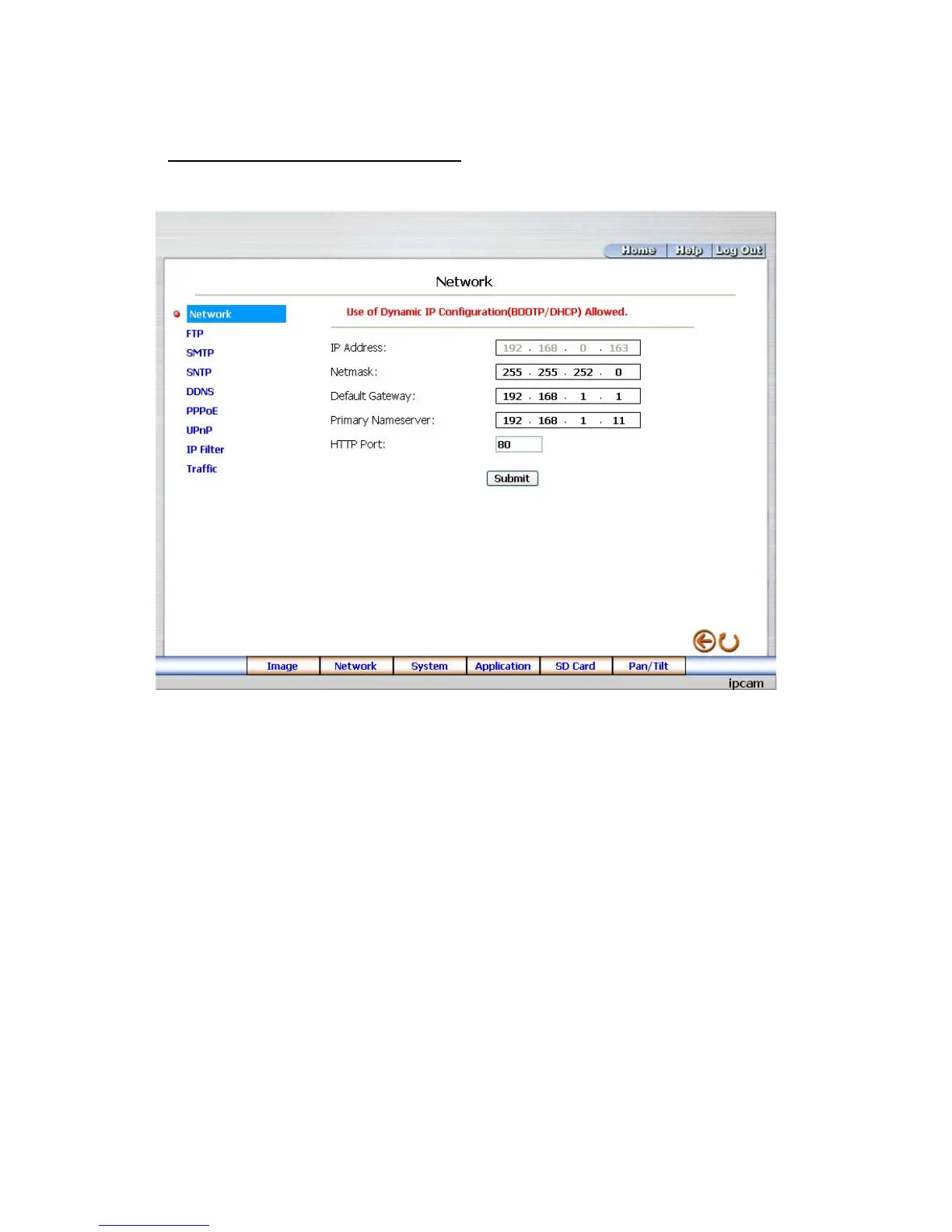
Please follow the steps below to change the network setting through the network if necessary.
Set the network options and IP address.
1. Click the Network button in the home page to enter the Network page.
2. The accessible networks here are the “FTP”, “SMTP”, “SNTP”, “DDNS”,
“PPPoE”, ”UPnP”, ”IP Filter” and the ”Traffic”.
3. Fill in the “IP Address”, “Netmask”, “Default gateway”, “Primary Nameserver”, and “HTTP
Port” if necessary.
4. Click the Submit button to submit the new network setting.
5. Click the Home button to return to the home page.



 To Next Page