72
5.2.4.3 Setting
Press the
button to enter the Setting page.
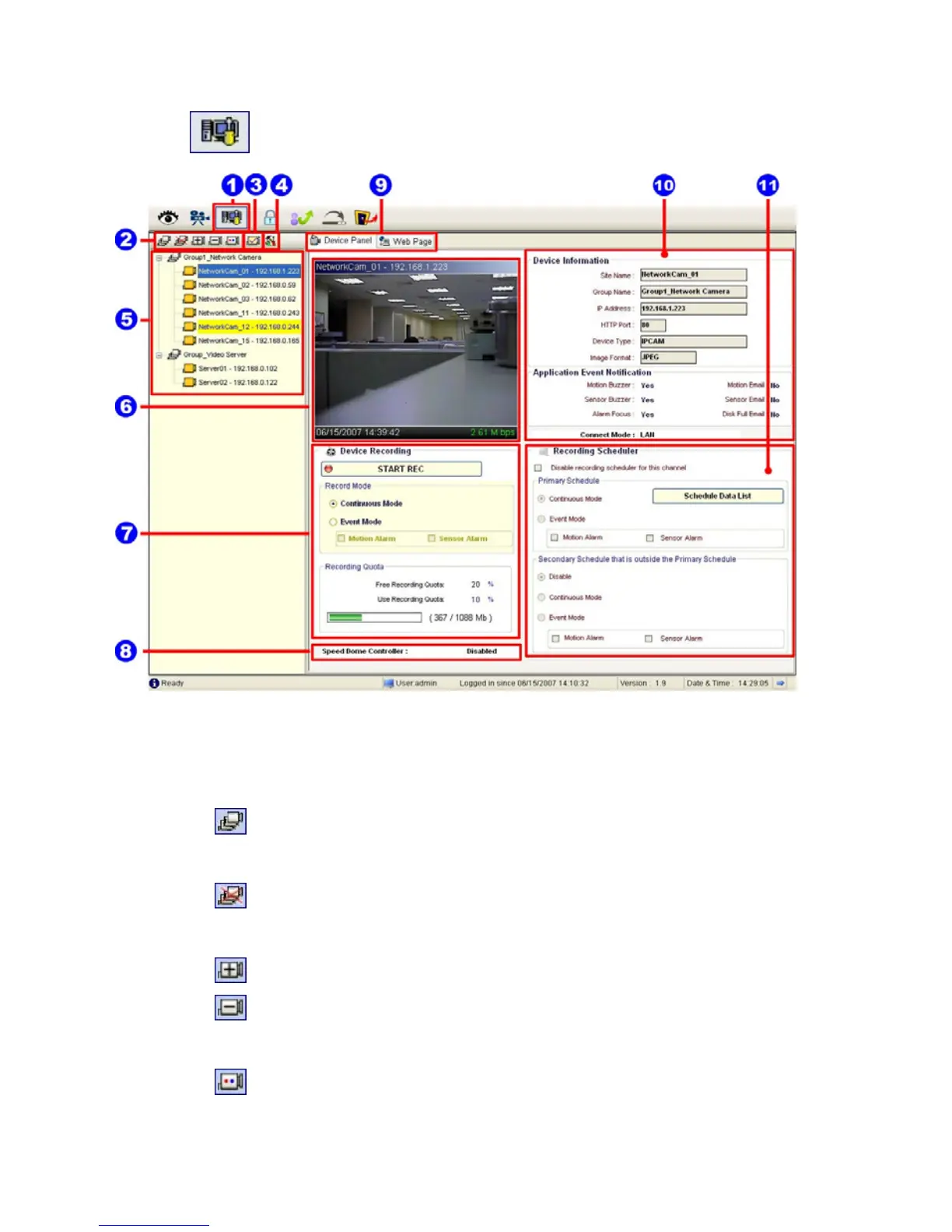
1. The Setting page.
2. Function buttons:
Add a new device group: Click this button and type in the new group,
then press “OK” to save it.
Remove a device group: Click this button and select the group name,
then press “OK” to delete the group.
Add a new camera: For mode details please refer to section 5.2.3.
Remove a camera: Click this button and select the group name and
Network camera, then “OK” to delete the device.
To edit camera: Please select a device, then click this button to edit the
device.



 To Next Page