94
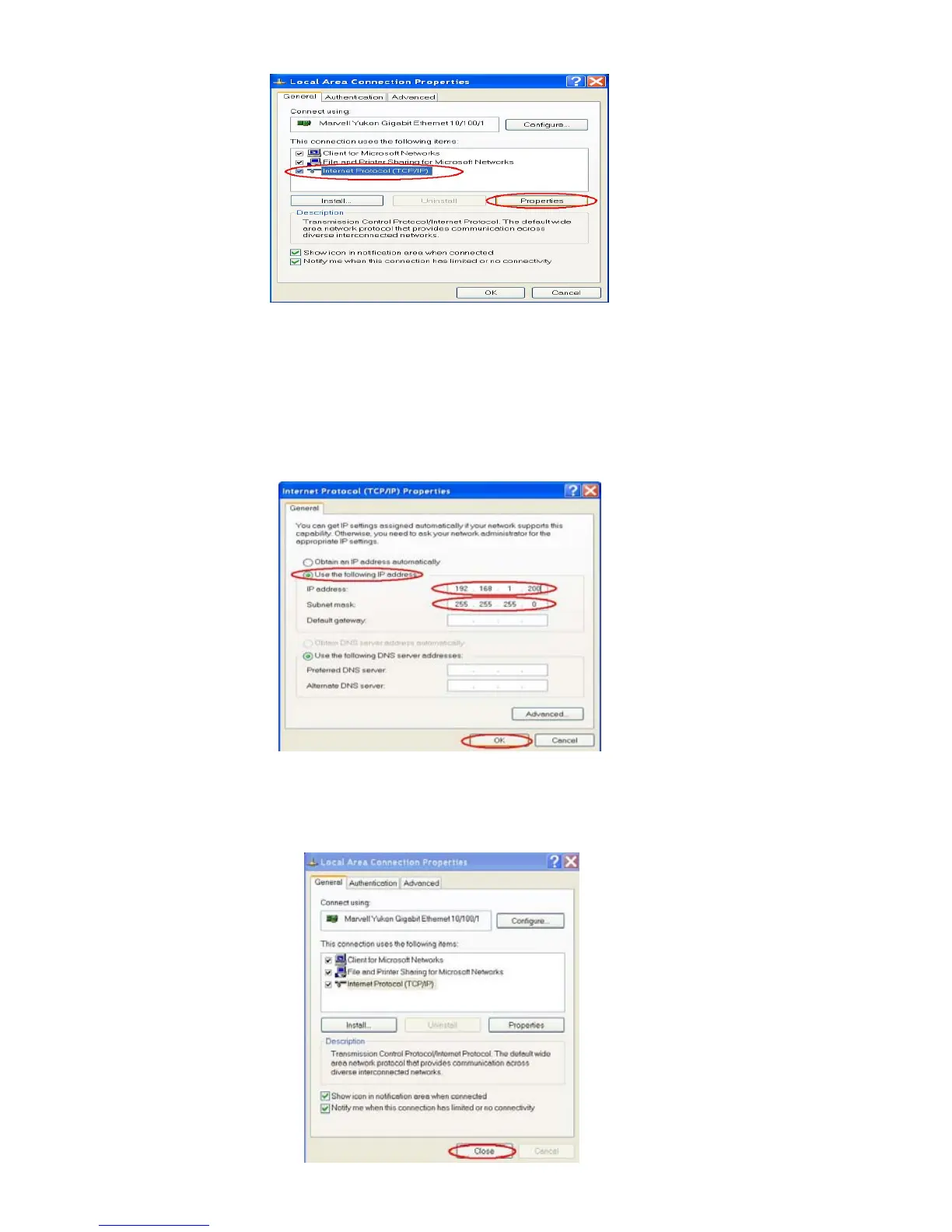
Figure 5
Step 5: In the Internet Protocol(TCP/IP) Properties dialog box, choose Use the following IP
Address to indicate that you do not wish to use DHCP, and assign IP Address
192.168.1.200 with Subnet mask 255.255.255.0.
Click OK when you finish it. See Figure 6.
Figure 6
Step 6: Choose Close to finish the modification. See Figure 7.
Figure7



 To Next Page