10
www.apricorn.com
Creating a Bootable EZ Gig CD
If you downloaded EZ Gig from Apricorn’s website, you have the option
of creating a bootable EZ Gig CD, oppy disk or thumb drive to use in
the future.
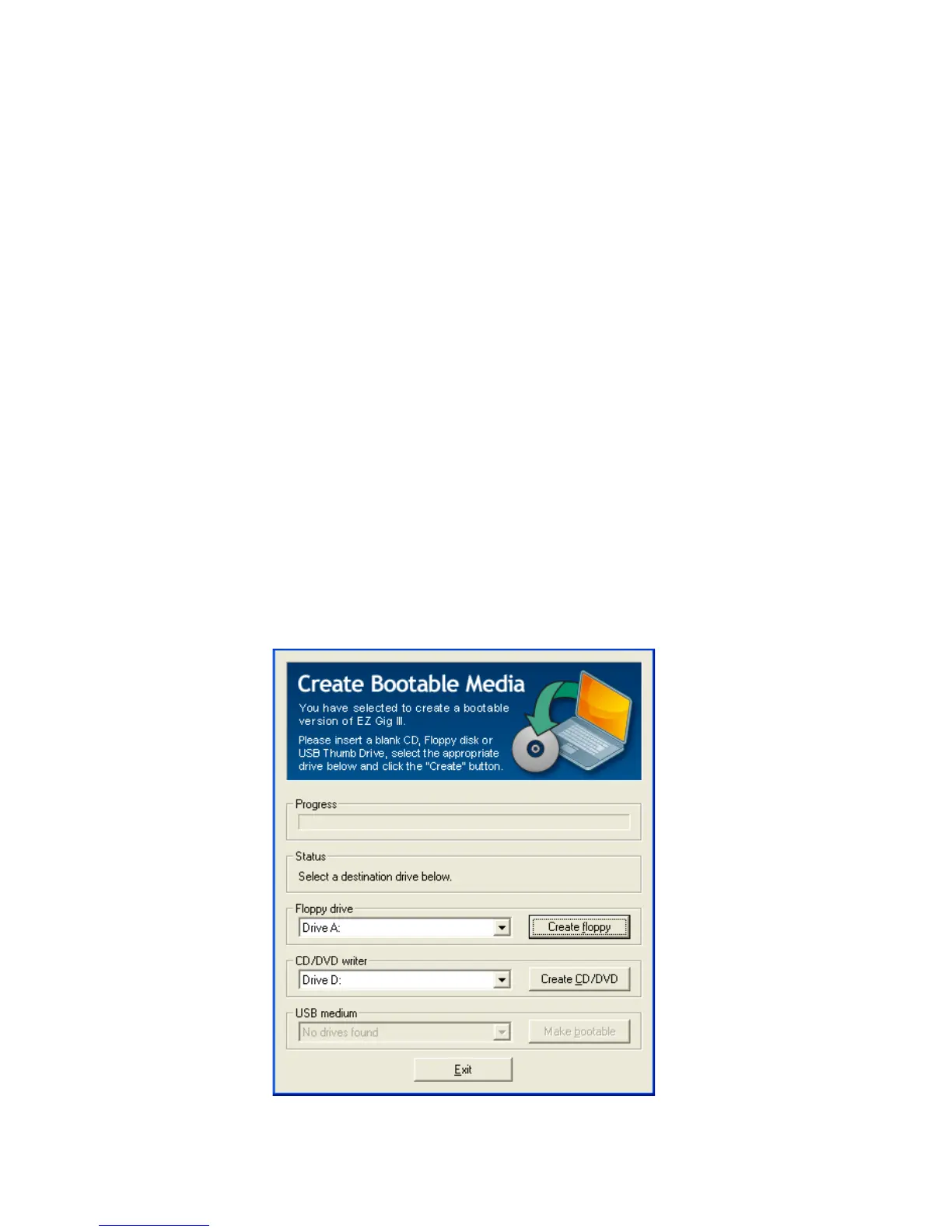
To create a bootable media disk follow the appropriate directions below:
If you want to create a bootable oppy disk, choose the desired •
drive at ‘Floppy drive’ and click “Create oppy”.
To create a bootable CD/DVD, choose the desired drive at ‘CD/•
DVD writer’ and click “Create CD/DVD”.
To create a bootable USB key, choose the desired drive at ‘USB •
medium’ and click “Make bootable”.
Follow the instructions and wait until the installation program reports
successful creation of the bootable medium.
Once you have created you bootable media device, click “Exit” and then
choose “Start EZ Gig”.


 To Next Page