18
www.apricorn.com
Selecting Folders to Omit
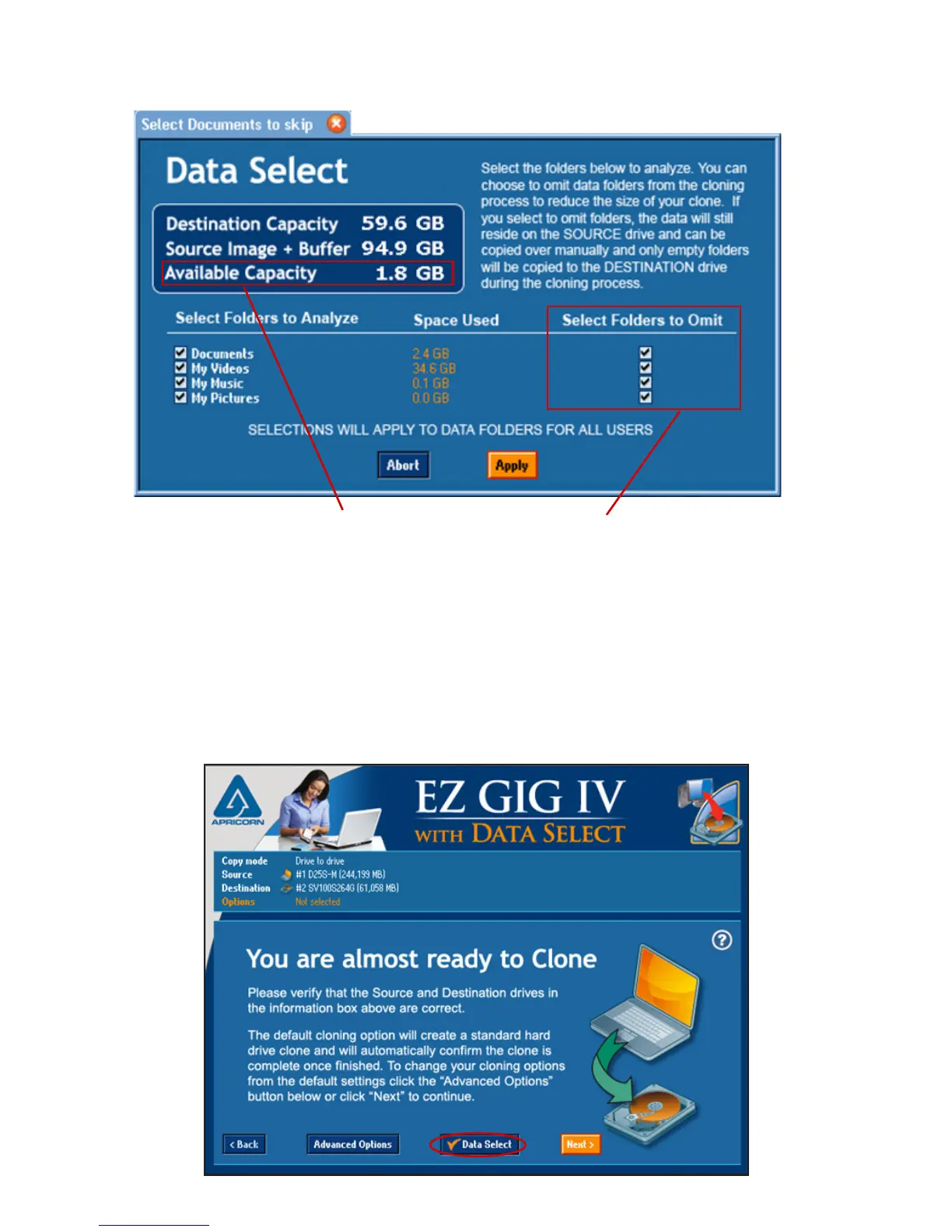
To select folders to omit, select the checkboxes to the right, under the “Select Folders
to Omit” column. Any selection from this column will automatically be reected in an
updated amount for the “Available Capacity” value. Once the “Available Capacity”
value is positive, you will have the option to “Apply” the changes.
Once you hit the “Apply” button, you will be directed to the “You are almost
ready to Clone” screen. The Data Select button will have a check mark to the
left, indicating that you have choosen to omit les from the clone.
To continue with the clone, click the “Next” button (go to page 21).


 To Next Page