12
www.apricorn.com
Selecting the Source Drive
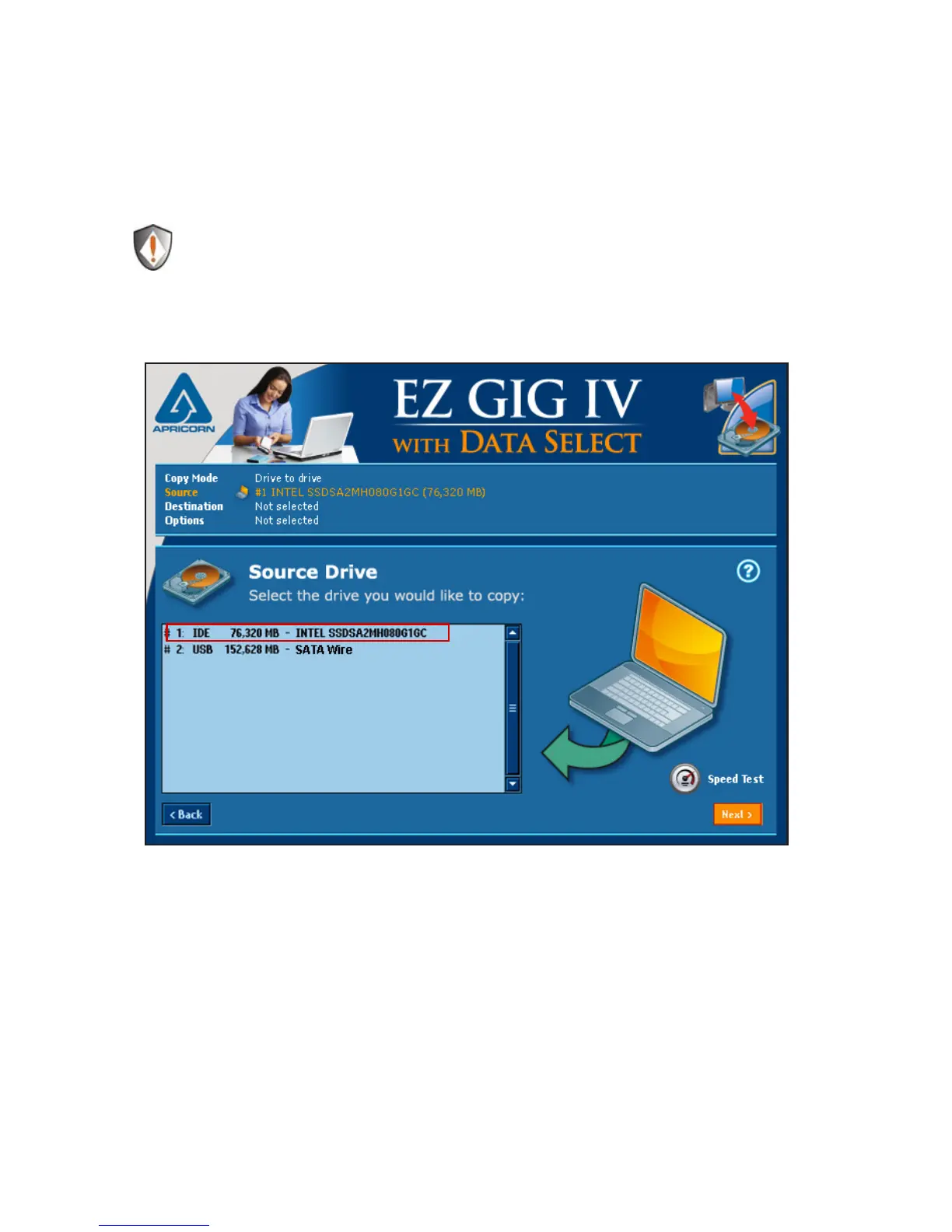
Once EZ Gig has scanned for connected drives, you will be asked to select
your Source Drive. This is the drive you would like to copy from and in
most cases is the internal drive in your notebook.
NOTE: Your computer’s internal drive will usually be denoted by the
prex AHCI or IDE.
Select the appropriate drive from the menu and click “Next” to continue.


 To Next Page