27
www.apricorn.com
1. Insert Apricorn CD into your CD-ROM drive
2. When the Apricorn CD appears on your desktop, double click to open.
3. Double click on the SuperDuper!.dmg icon
4. This will open the package and mount a drive on your desktop.
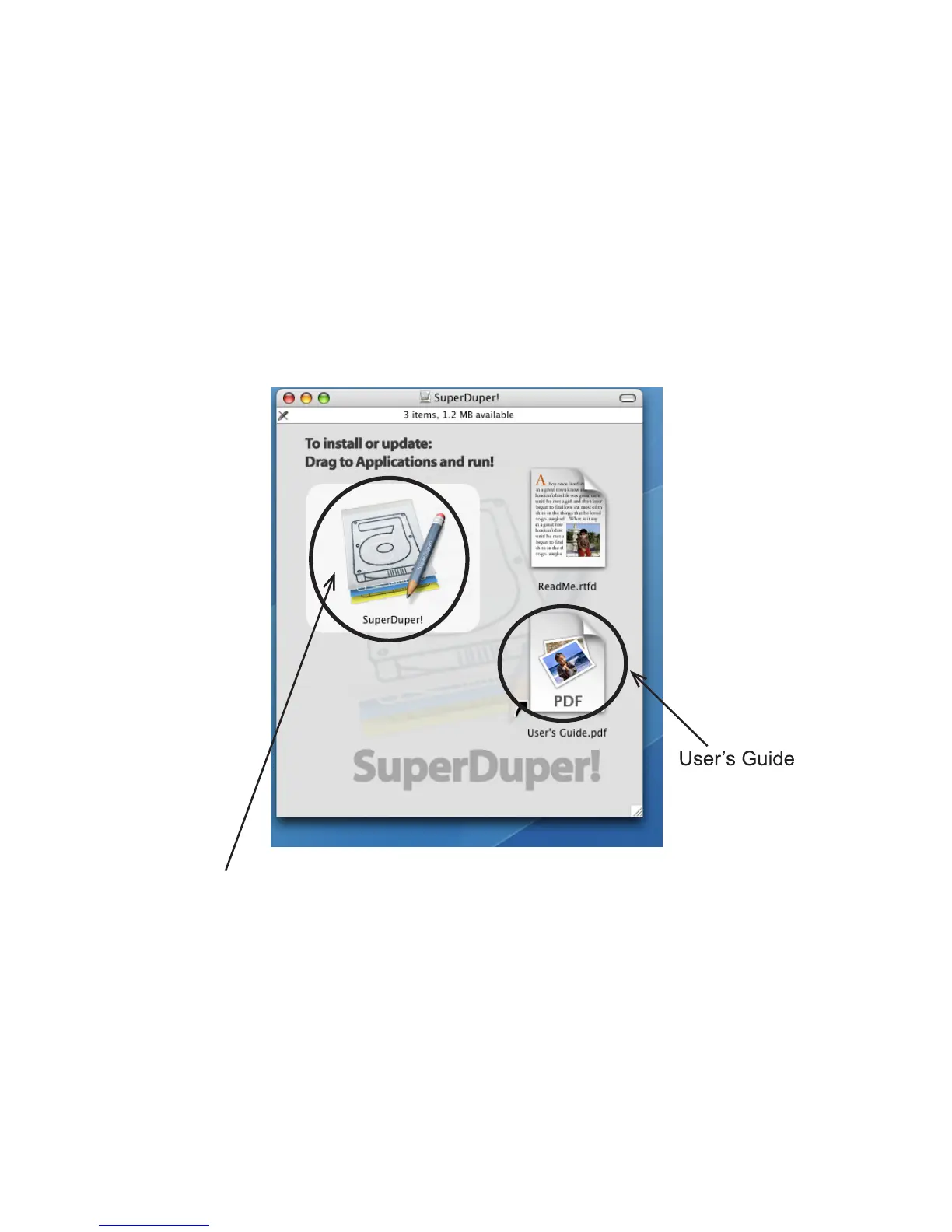
5. Open this drive by clicking on the newly created disk icon. The below
window will open on your screen.
6. To install SuperDuper! drag SuperDuper! icon to Applications and
run.
7. Follow the instructions included on the SuperDuper! User’s Guide to
setup.
SuperDuper! Backup Software for Mac


 To Next Page