26
www.apricorn.com
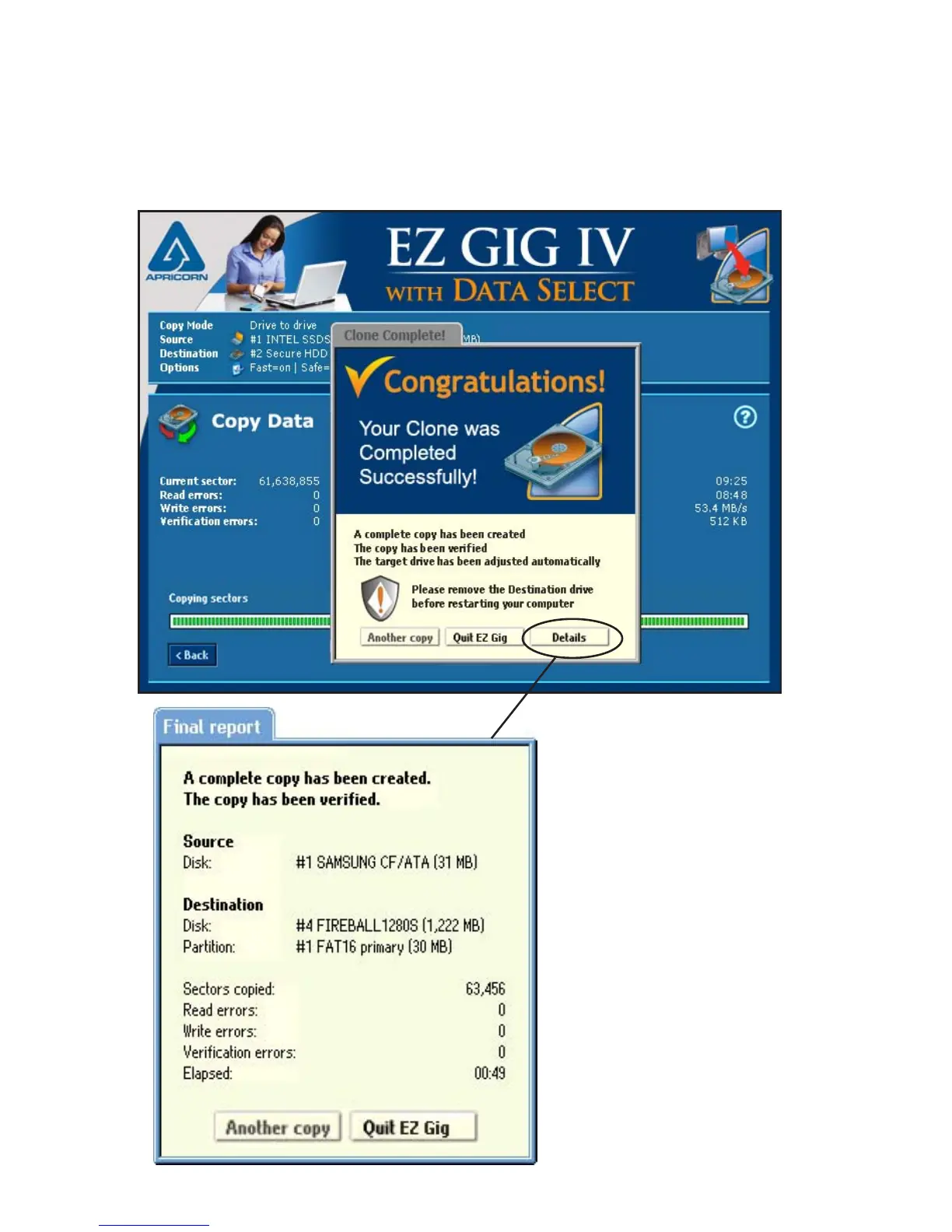
Congratulations your Clone is Complete
Once your clone is complete, EZ Gig will let you know with a pop up
window. To get a report of the cloning process, click the “Details” button.
The nal report will outline
the number of sector
copied, read errors, write
errors and if veried, will
also report verication
errors.
Once you have nished
your clone, click “Quit
EZ Gig”. You will then
be prompted to turn
your computer off and
disconnect the attached
hard drive.


 To Next Page