Need help?
Do you have a question about the Aprilaire 60 and is the answer not in the manual?
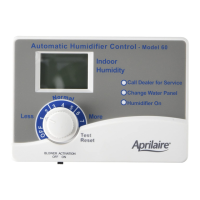
Explains the meaning of the red, yellow, and green indicator lights on the humidifier control.
Details how to activate the HVAC fan for optimal humidification using the control switch.
Explains how the control automatically adjusts humidity based on outdoor temperature for optimal comfort.
Describes setting the control in manual mode and anticipating temperature drops to avoid condensation.
Explains the yellow light indicating the need to change the water panel and how to reset the timer.
Describes how to use the Test/Reset feature to check humidifier operation and reset the water panel timer.
Details how the control automatically adjusts humidity by 1% for every 2°F change in outdoor temperature.
Provides solutions for condensation, lack of humidity, and humidifier malfunctions.
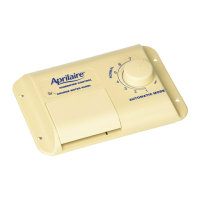
Explains how to operate the manual control and determine the indoor RH by listening for clicks.
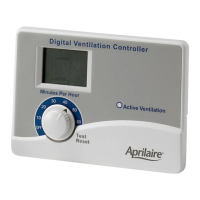
Steps to verify the operation of the digital humidifier control in test mode.
Steps to verify the operation of the manual humidifier control.
Instructions for shutting down the humidifier control during the summer season.
The Aprilaire Automatic Digital and Manual Humidifier Control (Models 60, 62 & 4655) is designed to regulate the humidity levels in your home, working in conjunction with your heating, ventilating, and air conditioning (HVAC) equipment. This control system offers both automatic and manual modes of operation, providing flexibility and precision in maintaining optimal indoor humidity.
The primary function of the Aprilaire Humidifier Control is to manage the operation of your humidifier to achieve desired indoor relative humidity (RH) levels.
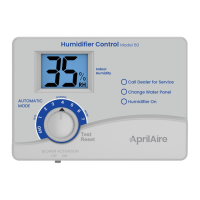
In Automatic Mode, the Digital Humidifier Control senses both indoor humidity and outdoor temperature. It then automatically adjusts the humidifier's operation to provide the optimum humidity level, protecting your home and furnishings from the damaging effects of excessive condensation or low humidity during the heating season. This mode eliminates the need for manual adjustments when outdoor temperatures change and removes the necessity to turn the dial setting to "OFF" during the summer. The digital readout on the automatic control displays the humidity level inside the cold air return duct, which accurately reflects the humidity in the living space when the HVAC blower is operating. For every 2°F change in outdoor temperature, the Digital Humidifier Control automatically adjusts the indoor RH by 1%. The control is designed to maintain a maximum indoor humidity of 45%.
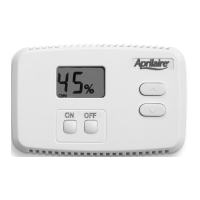
In Manual Mode, the control allows you to set the desired humidity level manually. This mode requires you to anticipate drops in outdoor temperature and reduce the setting accordingly to avoid excessive condensation. The manual control is installed either in the cold air return duct or on an interior wall.
The "Blower Activation Switch" allows the humidifier control to activate the HVAC fan for maximum humidification. When set to "ON," if the HVAC system has been idle for one hour, the humidifier control will activate the HVAC system fan to sample the air for 3 minutes. If the RH is lower than the set point, the humidifier control will activate the humidifier and keep the fan running. The humidifier will continue to operate for 2 hours or until the humidification set point is reached. If the RH set point has not been reached by the end of a call for heat, the control will continue to operate the humidifier and the HVAC fan until the humidification set point is reached or 2 hours have elapsed. For Models 500, 600, and 700, this setting requires connection to hot water. When the "Blower Activation Switch" is in the "OFF" position, the humidifier control will only operate the humidifier if humidity is required and the HVAC system fan is operating or the HVAC system is producing heat. Note that if used with an Aprilaire 8570 Communicating Thermostat and blower activation is desired, the A B communication terminals should not be wired.
 General
| Brand | Aprilaire |
|---|---|
| Model | 60 |
| Category | Controller |
| Language | English |

 To Next Page