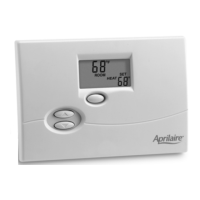
The Aprilaire Model 8810 Thermostat is a Wi-Fi enabled device designed for residential heating, cooling, and air cleaning systems. It offers remote access and control capabilities, allowing users to manage their home's climate from anywhere via Wi-Fi.
Function Description:
The primary function of the Aprilaire 8810 Thermostat is to regulate indoor temperature and manage air cleaning operations. It supports various system modes including OFF, HEAT, EM-HEAT (Emergency Heat), COOL, and AUTO, providing flexibility for different climate control needs. The thermostat features Event-Based™ Air Cleaning, which allows for intelligent and efficient air purification based on specific events or schedules. It can automatically select heating or cooling depending on the indoor temperature when in AUTO mode. For heat pump systems, it can control emergency/auxiliary heat without operating the heat pump in EM-HEAT mode.
Important Technical Specifications:
While specific numerical technical specifications like voltage or current ratings are not detailed in the provided pages, the manual highlights several key operational features:
- Wi-Fi Connectivity: Enables remote access and control.
- Event-Based™ Air Cleaning: Offers various modes like ON-24/7, AUTO, CIRC-30/HR, EVENT-3HR, and ALLERGY-24HR.
- Display: Large, clear, backlit display for easy readability, even in the dark. It shows room temperature, temperature setting, and optional outdoor temperature.
- Programmability: 7-day programmability with four daily schedule periods: WAKE, LEAVE, RETURN, and SLEEP.
- Compressor Protection: Built-in feature to protect the HVAC compressor.
- Service Indicators: Provides reminders for air filter and humidifier service.
- Auto Backlight: Activates with the first button press and turns off automatically.
- Progressive Recovery: Allows the thermostat to activate heating/cooling equipment prior to a scheduled event to reach the desired temperature by the start of the event.
Usage Features:
The thermostat is designed for ease of use with intuitive controls and a clear display.
- System Mode Selection: Users can easily select between OFF, HEAT, EM-HEAT, COOL, or AUTO modes using the MODE button.
- Temperature Adjustment: Temperature settings can be adjusted using the up and down arrow buttons. In AUTO mode, the MODE button switches between HEAT and COOL settings.
- Event-Based™ Air Cleaning Settings: The CLEAN button allows selection of different air cleaning modes:
- ON-24/7: Provides maximum air cleaning 24/7.
- AUTO: Air cleaning occurs during fan operation for heating and cooling.
- CIRC-30/HR: Runs the air cleaner for a minimum of 30 minutes every hour, automatically turning on if system run time doesn't meet the minimum.
- EVENT-3HR: Runs the air cleaner continuously for 3 hours, then returns to the previous mode (AUTO, CIRC-30/HR, or ON-24/7). Useful for specific events like vacuuming.
- ALLERGY-24HR: Runs the air cleaner continuously for 24 hours during high allergy seasons, then returns to the previous mode.
- Time and Day Setting: The PROG button is used to enter time setting mode, allowing adjustment of hour, minutes, and day.
- Program Schedules: The thermostat supports 7-day programming with four distinct periods (WAKE, LEAVE, RETURN, SLEEP) each day, allowing users to customize start times and temperature setpoints for heat and cool.
- Program Schedule Overrides:
- Temporary Override: Adjusting the temperature manually temporarily overrides the current program setting until the next scheduled time period. This can be canceled by pressing HOLD twice.
- Permanent Hold: Pressing HOLD permanently maintains the current temperature setting, overriding all programmed schedules until canceled by pressing HOLD again.
- Away Feature: If enabled through a home automation interface, this feature sets the thermostat to predefined setpoints (default 62°F heat, 85°F cool, Auto clean air/fan) when the Away button is pressed. It can be canceled by pressing HOLD.
- Heat Blast®: If enabled in the Installer Setup and activated via a home automation interface, this feature raises the room temperature by 3°F to 5°F, then resumes normal operation. It's only available in Heat or Emergency Heat mode and can be canceled by pressing HOLD or the up/down buttons.
- Wi-Fi Setup: A guided process to connect the thermostat to a Wi-Fi network using a computer or mobile device and a web browser. It involves verifying Wi-Fi Connection Mode, connecting to the thermostat's unique network, configuring network credentials, and verifying connection status.
- Wi-Fi Maintenance and Troubleshooting: Includes options to access Wi-Fi settings, clear router settings, disable the Wi-Fi radio, and unregister the thermostat from an Aprilaire account. The display provides visual cues (radio bars) for Wi-Fi signal strength and connection status.
Maintenance Features:
The thermostat includes features to assist with system maintenance:
- Service Reminders: Displays indicators for air filter and humidifier service.
- Reset Service Reminders: Users can reset service reminder messages by pressing and holding the CLEAN and down arrow buttons together for three seconds.
- Wi-Fi Settings Management: Provides options to disconnect from Wi-Fi, clear settings, turn the Wi-Fi radio on/off, and unregister the thermostat from an Aprilaire account, which are useful for troubleshooting or transferring ownership.
The Aprilaire Electronic Thermostat comes with a Five Year Limited Warranty, covering defects in materials or workmanship for five years from the date of installation. Research Products Corporation's obligation is limited to providing a free replacement for defective thermostats. The warranty explicitly excludes labor costs and defects from installer workmanship. Implied warranties are limited to the five-year period, and liability for incidental or consequential damages is excluded. The warranty is void if the thermostat is not installed by a qualified heating and air conditioning contractor. Warranty registration can be done online at www.aprilaire.com or by mail.



 To Next Page
 General