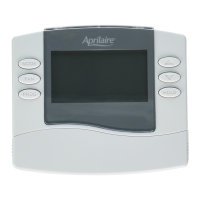
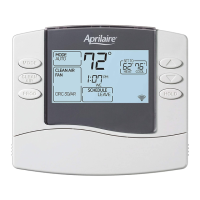
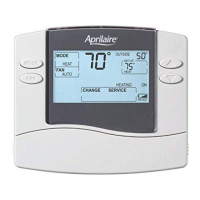
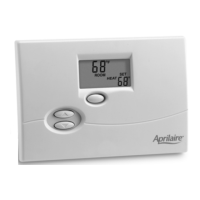
The AprilAire 8400 Series Thermostat is a sophisticated device designed to manage your home's heating and cooling systems efficiently. It comes in both non-programmable and programmable models, offering a range of features to suit various user needs and system complexities.
Function Description
The primary function of the AprilAire 8400 Series Thermostat is to control your HVAC system, maintaining a comfortable indoor temperature. It allows users to select different system modes, adjust temperature settings, and manage fan operation. Depending on the model, it can support heat/cool systems, heat pumps, and multi-stage systems.
For non-programmable models (8444, 8446, 8448), the thermostat provides straightforward temperature control. Users can manually set the desired temperature, and the system will work to maintain it. These models are ideal for users who prefer to adjust their settings as needed without a fixed schedule.
Programmable models (8463, 8465, 8466) offer advanced scheduling capabilities, allowing users to create customized temperature programs for different times of the day and week. This feature helps optimize energy consumption by automatically adjusting temperatures when occupants are away or asleep. These models also include a "Progressive Recovery" feature, which intelligently activates the HVAC system prior to a scheduled event to ensure the desired temperature is reached precisely at the start of that event. For example, if you set your "WAKE" time to 6:00 AM with a target temperature of 70°F, the thermostat will begin heating before 6:00 AM so that your home is already at 70°F when you wake up.
The thermostat supports various system modes:
- AUTO: Automatically switches between heating and cooling based on the indoor temperature to maintain the set point.
- OFF: Turns off both heating and cooling systems.
- HEAT: Controls only the heating system.
- COOL: Controls only the cooling system.
- EM-HEAT (Emergency Heat): Activates emergency or auxiliary heat, bypassing the heat pump. This mode is specifically for heat pump systems with auxiliary heat.
Fan operation can also be customized:
- ON: The fan runs continuously, providing maximum air circulation and air cleaning.
- AUTO: The fan runs only when the heating or cooling system is actively operating.
- CIRC (Circulation): Similar to AUTO, but ensures the fan runs for at least 20 minutes per hour. This mode balances energy savings with consistent air circulation and cleaning.
Usage Features
The AprilAire 8400 Series Thermostat is designed for user-friendly interaction, featuring a large, clear, backlit display that makes it easy to read, even in low light conditions. The display shows the current room temperature, the set temperature, and, if applicable, the optional outdoor temperature.
Controls and Navigation:
The thermostat features a set of intuitive buttons for navigation and setting adjustments:
- MODE: Used to select the system mode (AUTO, OFF, HEAT, COOL, EM-HEAT) and to navigate through programming menus.
- FAN: Used to select the fan mode (ON, AUTO, CIRC).
- UP/DOWN Arrows: Used to adjust temperature settings, time, day, and navigate through program schedules.
- PROG (Program): Used to enter program setting mode for programmable models.
- HOLD: Used to temporarily or permanently override program schedules.
Setting Time and Day (Programmable Models):
To set the time and day, users press the PROG button, then use the UP/DOWN arrows to adjust the hour, minutes, and day of the week. The MODE button is used to confirm each selection and move to the next setting.
Understanding Program Schedules (Programmable Models):
The daily schedule is divided into four sections:
- WAKE: The desired temperature for when you wake up until you leave for the day.
- LEAVE: The desired temperature for when you are away from the house during the day.
- RETURN: The desired temperature for when you return home until bedtime.
- SLEEP: The desired temperature for during the night.
These default times and temperatures can be customized to fit individual schedules.
Changing Program Schedules (Programmable Models):
Users can modify program schedules by pressing PROG twice. The start time of the WAKE event will flash, allowing adjustments with the UP/DOWN arrows. The MODE button is then used to move to the HEAT setting, which can also be adjusted. This process is repeated for COOL settings and for each of the four daily events (WAKE, LEAVE, RETURN, SLEEP) for both weekdays and weekends.
Program Schedule Overrides:
- Temporary Override: Users can immediately adjust the temperature using the UP/DOWN arrows. This temporary setting will be maintained until the next scheduled event. To cancel a temporary override, the temperature can be adjusted back to the programmed setting, or the HOLD button can be pressed twice.
- Permanent Override: Pressing the HOLD button permanently maintains the current temperature setting, overriding all programmed schedules. The thermostat will stay at this setting until the override is manually cancelled by pressing HOLD again.
Equipment Status and Reminders:
The display includes indicators for equipment status, such as "HEATING" or "COOLING SERVICE." For heat pump models, there are specific indicators for "EMERGENCY HEAT (RED)" and "SYSTEM FAULT (YELLOW)." The thermostat also provides service reminders for air filters, humidifiers, dehumidifiers, and general HVAC maintenance.
Maintenance Features
The AprilAire 8400 Series Thermostat incorporates features that simplify maintenance and ensure reliable operation.
Battery Installation and Reset:
The thermostat can be powered by either AC power, batteries, or both. If AC powered, batteries are optional and primarily provide backup power for the clock. The thermostat has a memory backup that saves settings during power interruptions.
Battery replacement is made easy with front battery door access. The reset button, located under the battery cover, allows users to restore the thermostat to its factory default settings if needed.
Service Reminder Messages:
The thermostat provides timely reminders for various maintenance tasks, such as changing the air filter or servicing the humidifier/dehumidifier/HVAC system. These messages help ensure the longevity and efficient operation of your HVAC equipment. To reset a service reminder message, users can press and hold the UP and DOWN arrows simultaneously for three seconds.
Built-in Compressor Protection:
The thermostat includes built-in compressor protection, which helps prevent damage to the HVAC compressor by ensuring it doesn't short-cycle.
Circulation Fan Mode for Air Cleaning:
The "CIRC" fan mode not only helps with temperature distribution but also contributes to air cleaning by ensuring consistent air movement through your filtration system.
Auto Backlight:
The display backlight automatically activates with the first button press, making it easy to read in any lighting condition, and then turns off automatically to conserve energy.
In summary, the AprilAire 8400 Series Thermostat is a versatile and user-friendly device designed to provide precise temperature control, energy efficiency through programmable schedules, and convenient maintenance reminders, all contributing to a comfortable and well-managed indoor environment.



 To Next Page


 General