EasyManua.ls Logo

Aprilaire 8400 series - User Manual

Aprilaire 8400 series
12 pages
Print Icon
To Next Page IconTo Next Page
Loading...
8400 Series Thermostats
READ AND SAVE THESE INSTRUCTIONS
Owner’s Manual
Includes
Operating Instructions and
Warranty Information
61000651B 8400 Tstat Owners.indd 1 7/23/09 10:43:00 AM

Other manuals for Aprilaire 8400 series

Questions and Answers

  • B
    briansmithAug 18, 2025
    Why is my Aprilaire 8400 display blank?
    • M
      Mikayla SmithAug 18, 2025
      If your Aprilaire Thermostat display is blank, there might be a few reasons: * Check the circuit breaker and reset it if necessary. * Ensure the power switch at the heating & cooling system is turned on. * Confirm that the furnace door is closed securely. * If your thermostat is battery powered, make sure that fresh AA alkaline batteries are correctly installed.
  • M
    Mr. Kenneth PowersAug 20, 2025
    What to do if my Aprilaire Thermostat cooling system does not respond?
    • J
      jessica61Aug 20, 2025
      If your Aprilaire Thermostat's cooling system isn't responding when "COOLING" appears on the screen, consider the following: * Check for 24 VAC at the equipment on the secondary side of the transformer between power and common. If voltage is not present, check the cooling equipment to find the cause of the problem. * Check for 24 VAC between the cooling terminal (Y) and the transformer common. If 24 VAC is present, the thermostat is functional. Check the cooling system to find the cause of the problem. * Inspect for loose or broken wires between the thermostat and the cooling equipment. * Verify that SW1 (Equipment Type) is correctly set to match the installed heating/cooling equipment. * Ensure that heating and cooling wires are not shorted together.
  • D
    davidsmithAug 23, 2025
    What to do if my Aprilaire 8400 heating system does not respond?
    • S
      Susan PaulAug 23, 2025
      If your Aprilaire Thermostat's heating system isn't responding when "HEATING" appears on the screen, here are a few things to check: * Make sure the heating and cooling temperatures are set to acceptable ranges: Heat: 45° to 90°F (7° to 32°C). Cool: 50° to 99°F (10° to 37°C). * Check for 24 VAC at the equipment on the secondary side of the transformer between power and common. If voltage is not present, check the heating equipment to find the cause of the problem. * Check for 24 VAC between the heat terminal (W) and the transformer common. If 24 VAC is present, the thermostat is functional. Check the heating equipment to find the cause of the problem. * Look for loose or broken wires between the thermostat and the heating equipment.
  • B
    Brian RodriguezAug 26, 2025
    What to do if the Aprilaire Thermostat heating system does not respond?
    • S
      Shawn AdamsAug 26, 2025
      If your Aprilaire thermostat's heating system isn't responding ('HEATING' appears on the screen), try these steps: First, check the circuit breaker and reset it if needed. Next, ensure the power switch at your heating and cooling system is turned on. Also, make sure the furnace door is securely closed. If your thermostat uses batteries, ensure fresh AA alkaline batteries are correctly installed. Finally, verify that your heating temperature is set between 45° to 90°F (7° to 32°C).
  • M
    Mr. William CunninghamAug 28, 2025
    Why is my Aprilaire 8400 cooling system not responding?
    • S
      Scott WilliamsAug 28, 2025
      If your Aprilaire thermostat's cooling system isn't responding ('COOLING' appears on the screen), consider the following: Check for 24 VAC at the equipment on the secondary side of the transformer between power and common. If voltage is absent, inspect the cooling equipment to identify the problem. Verify there's 24 VAC between the cooling terminal (Y) and the transformer common. If present, the thermostat is likely functional, so check the cooling system. Inspect for loose or broken wires between the thermostat and the cooling equipment. Ensure SW1 (Equipment Type) is correctly set to match your installed heating/cooling equipment. Lastly, confirm that heating and cooling wires are not shorted together.
  • H
    Heidi ScottAug 30, 2025
    How to fix Aprilaire Thermostat when heating system does not respond?
    • P
      pmillerAug 30, 2025
      If your heating system isn't responding to your Aprilaire Thermostat, try these steps: * Check for 24 VAC at the equipment on the secondary side of the transformer between power and common. * See if there's 24 VAC between the heat terminal (W) and the transformer common. * Look for any loose or broken wires between the thermostat and the heating equipment.
  • K
    Kelsey HinesSep 2, 2025
    Why is my Aprilaire Thermostat fan not turning on when heating?
    • D
      David HarrisSep 2, 2025
      If the fan on your Aprilaire Thermostat isn't turning on when the system is calling for heat, here are a couple of things you can check: * Verify System Setting #02 (Fan Control) to ensure the fan control is properly set to match the type of system. * Change the System Mode to Heat, and set the temperature level above the current room temperature.
  • S
    Sharon AlvarezSep 4, 2025
    Why is my Aprilaire Thermostat heat pump blowing cool air in heat mode or warm air in cool mode?
    • B
      Benjamin DurhamSep 4, 2025
      If your heat pump is blowing cool air in heat mode or warm air in cool mode, here's what you should check on your Aprilaire Thermostat: * Check System Setting #12 (Reversing Valve) to make sure it is properly configured for your system. * Change the System Mode to Cool, and set the temperature level below the current room temperature.
  • V
    vsmithSep 7, 2025
    What to do if my Aprilaire 8400 display is blank?
    • J
      Justin McmahonSep 7, 2025
      If your Aprilaire Thermostat display is blank, here are a few things you can check: * First, check the circuit breaker and reset it if necessary. * Make sure the power switch at the heating & cooling system is on. * Also, ensure the furnace door is closed securely. * If your thermostat is battery powered, make sure fresh AA alkaline batteries are correctly installed.
  • A
    Adam MullenSep 9, 2025
    What to do if Aprilaire Thermostat heating equipment is running in cool mode?
    • K
      Kari SmallSep 9, 2025
      If your heating equipment is running in cool mode on your Aprilaire Thermostat, you can try the following: Check System Setting #02 (Fan Control) to ensure the fan control is correctly set to match your system type. Also, change the System Mode to Heat and set the temperature higher than the current room temperature.

Summary

About Your New Thermostat

Thermostat Features

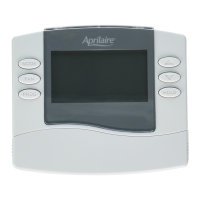
Details general features of the Aprilaire 8400 series thermostats, including display and access.

Identify Your Thermostat Model Number

Provides instructions on how to locate and identify the specific model number of your thermostat.

About Your New Thermostat: Non-Programmable Models

Controls and Display Overview (Models 8444, 8446, 8448)

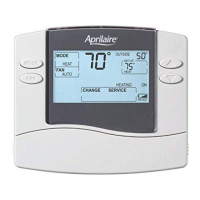
Explains the controls and display elements for non-programmable thermostat models.

About Your New Thermostat: Programmable Models

Controls and Display Overview (Models 8463, 8465, 8466)

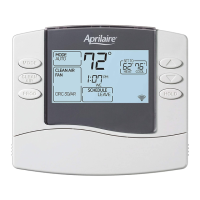
Explains the controls and display elements for programmable thermostat models.

Operation: All Models

Select System Mode

Instructions on how to select system modes like HEAT, COOL, AUTO, OFF, and EM-HEAT.

Change Temperature Setting

Guide on adjusting the desired temperature setting using the UP and DOWN buttons.

Select Fan Setting

Details on choosing fan modes: ON, AUTO, and CIRC for air circulation.

Battery Installation and Reset Button

Instructions for battery replacement and using the reset button for factory defaults.

Operation & Programming: Programmable Models Only

Set Time and Day

Step-by-step guide to setting the current time and day on the programmable thermostat.

Understanding Program Schedules

Explanation of the four daily schedule sections (WAKE, LEAVE, RETURN, SLEEP) and their purpose.

Progressive Recovery

How the Progressive Recovery feature adjusts heating/cooling to reach set temperatures on time.

Changing Program Schedules

Instructions for modifying start times and temperatures for WAKE, LEAVE, RETURN, and SLEEP events.

Program Schedule Overrides (Temporary, Permanent)

How to temporarily or permanently override programmed temperature settings.

Electronic Thermostat Five Year Limited Warranty

Warranty Registration

Information on how to register your Aprilaire thermostat for warranty purposes online or by mail.

Aprilaire 8400 series Specifications

General IconGeneral
Thermostat TypeDigital
Programmability7-day programmable
Humidification ControlYes
Dehumidification ControlYes
Ventilation ControlYes
Air Filtration ControlYes
Humidity ControlYes
Temperature ControlYes
Indoor Humidity DisplayYes
Outdoor Temperature DisplayYes (with optional sensor)
TypeProgrammable
DisplayTouchscreen
Power Source24 VAC
Stages2 Heat / 2 Cool
Power MethodHardwired
ConnectivityWi-Fi (optional)
Warranty5 years

Related product manuals