Need help?
Do you have a question about the Aprilaire S84N 1H1C and is the answer not in the manual?
Lists key features like Heat Blast, color display, 7-day programmability, etc.
Details the air cleaning function, its purpose, and availability.
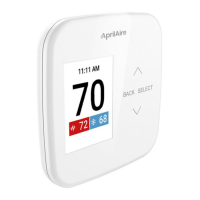
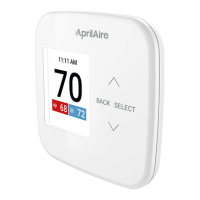
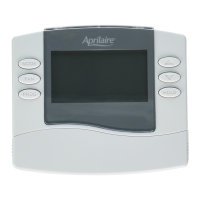
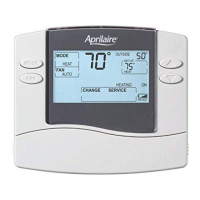
Explains the elements and layout of the thermostat's main display screen.
Describes how to access and navigate the main menu options on the thermostat.
Guides on how to choose heating, cooling, auto, or off modes for the system.
Explains how to adjust the desired temperature setting from the home screen.
Details how to select fan modes like Auto, On, or Circulate.
Explains how maintenance reminders are set and what to do when they appear.
Explains temporary events for air cleaning: 3 Hrs and 24 Hrs.
Describes persistent air cleaning modes: Auto, Continuous, and Off.
Instructions on how to set the current time and date on the thermostat.
Details the four daily schedule sections: Wake, Leave, Return, and Sleep.
Explains the feature that pre-heats or pre-cools before a scheduled event.
Step-by-step guide to adjust start times, temperatures, and fan modes for schedules.
How to temporarily override the schedule and hold a specific temperature.
Details settings like Clock, Date, Display, Scale, About, and Reset Reminder.
Information on how to register the AprilAire thermostat product online or by mail.
The AprilAire Thermostat is a smart home device designed to manage indoor climate control, offering both conventional and single-stage universal thermostat functionalities. It provides users with precise control over their heating and cooling systems, along with advanced features for enhanced comfort, energy efficiency, and indoor air quality. The device features an easy-to-read color display, making it user-friendly and intuitive to operate.
The primary function of the AprilAire Thermostat is to regulate the temperature within a home or building by controlling the heating and cooling systems. It supports conventional 1 Heat / 1 Cool setups (Model S84N 1H1C) and single-stage universal applications (Model S84N SU). The thermostat allows users to select various system modes, including Em Heat (Emergency Heat), Heat, Cool, Auto, and Off. In Heat mode, the thermostat controls only the heating system, while in Cool mode, it manages only the cooling system. The Auto mode, if enabled during installation, automatically selects heating or cooling based on the indoor temperature, providing seamless climate control. Emergency Heat mode is specifically for heat pumps with auxiliary heat, where the heat pump itself will not operate, and the thermostat controls only the auxiliary heat. The Off mode deactivates both heating and cooling systems.
Beyond basic temperature control, the thermostat incorporates advanced programming capabilities. It offers 7-day programmability, allowing users to create custom schedules for different times of the day and days of the week. The daily schedule is divided into four sections: Wake, Leave, Return, and Sleep. Each section can be customized with specific start times, desired temperatures for heating and cooling, and fan modes. This granular control helps optimize energy consumption by adjusting temperatures when occupants are away or asleep.
A key feature is "Progressive Recovery," which ensures that the desired temperature is reached at the start of a scheduled event. For example, if the Wake time is set for 6:00 AM with a target heat temperature of 70°F, and the Sleep temperature was 62°F, the thermostat will activate the heating system prior to 6:00 AM to ensure the room reaches 70°F by the scheduled Wake time. This eliminates the need for occupants to manually adjust the thermostat upon waking and ensures comfort from the moment a scheduled event begins.
The thermostat also integrates indoor air quality (IAQ) functions, specifically "Event-Based™ Air Cleaning" (if installed). This feature activates the fan to clean the air, offering both temporary events and persistent modes. Temporary events include 3-hour and 24-hour cleaning options, useful for situations like vacuuming or periods of high outdoor allergens. Persistent modes include Auto, Continuous, and Off. In Auto mode, the air cleaner runs for a minimum of 30 minutes every hour, monitoring the heating and cooling system's run time and activating automatically if 30 minutes is not reached, maximizing air cleaning while minimizing energy consumption. Continuous mode provides maximum air cleaning 24/7, while Off mode deactivates the air cleaning function. The thermostat intelligently manages fan and air cleaning selections to prevent overlaps and ensure optimal operation.
The AprilAire Thermostat is designed for intuitive interaction through its color display and tactile buttons. The "Home Screen" provides an at-a-glance view of essential information, including equipment status, current room temperature, and the set temperature. Navigation is facilitated by UP and DOWN arrows for adjustments, a BACK button for returning to previous screens, and a SELECT button for confirming choices or entering menus.
The "Main Menu" serves as the central hub for accessing various settings and features. From here, users can select options such as Mode, Fan, Hold, Schedule, Heat Blast, Air Cleaning, and Settings.
Temperature adjustments are straightforward: from the Home screen, users can press the UP or DOWN arrows to modify the current temperature setting. The setting will enlarge during adjustment, and the new temperature takes effect after a few seconds or upon pressing SELECT.
The "Fan" setting offers three modes: On, Auto, and Circulate. In On mode, the fan runs continuously, which is useful for maximum air circulation and filtering. Auto mode ensures the fan runs only when the heating or cooling system is active. Circulate mode, similar to Auto, guarantees the fan is on for at least 30 minutes per hour, balancing energy savings with air circulation and cleaning. When the fan mode is changed during a program event, it remains in that mode until the next scheduled event begins.
The "Program Schedule" allows users to modify the default schedule settings. Users can choose to turn the schedule On or Off. When Off, the thermostat maintains the current temperature setting until manually adjusted. To modify the schedule, users can select specific days or groups of days (e.g., All Days, Weekdays, Weekends, Monday, Tuesday) and adjust the Start time, Heat temperature, Cool temperature, and Fan mode for each of the four daily events (Wake, Leave, Return, Sleep). After making changes, users can save and exit or copy the settings to other days.
The "Hold" feature provides flexibility to override the program schedule temporarily. Users can press the UP or DOWN arrows on the Home screen to immediately adjust the temperature, which will hold until the next scheduled event. A temporary hold can also be set or canceled from the Main Menu's Hold option, where the end time of the hold can be adjusted.
"Heat Blast®" is a quick comfort feature (if installed and enabled) that raises the room temperature by 3°F to 5°F based on the installer's setup. It can be activated from the Main Menu and is only available in Heat or Emergency Heat mode. This feature is useful for quickly warming up a space and will resume normal operation afterward.
The "Screen Saver" activates after 45 seconds of inactivity, displaying the current time, room temperature, and (for Model S84N SU, if installed) outdoor temperature. It is not available on battery-only installations not connected to a C wire.
The AprilAire Thermostat includes features to help users maintain their HVAC system and ensure its optimal performance. It provides "Air filter and HVAC service reminders." These reminders are set up by the installer to indicate when equipment maintenance is due.
When a maintenance reminder is displayed, it prompts the user to contact their HVAC dealer for service. Users can reset these reminders either directly from the reminder message by selecting the "Reset" option or by navigating to the "Reset Service Reminders" option within the "Settings" menu. This proactive notification system helps prevent potential issues and ensures the longevity and efficiency of the heating and cooling equipment.
The "Settings" menu also allows users to adjust other device-specific preferences, such as setting the clock and date, configuring display options (including disabling the display during sleep for light-sensitive locations, though not available for battery-only powered units), and changing the temperature scale between Fahrenheit and Celsius. Additionally, the "About" section within settings provides information on the thermostat's model number and software/hardware version, which can be useful for troubleshooting or support.
 General
| Compatibility | Single-stage heating and cooling systems |
|---|---|
| Display | LCD |
| Voltage | 24 VAC |
| Type | Digital |
| Stages | 1 Heat, 1 Cool |
| Power Source | Battery |
| Programmability | Programmable |
| Control Type | Digital |
| Mounting | Wall |
| Power Method | Hardwired or battery-powered |


 To Next Page