Need help?
Do you have a question about the Aprilaire S86WMUPR and is the answer not in the manual?
Select the primary equipment type (Heat/Cool, Heat Pump, etc.) for system configuration.
Choose the control mode: Heat & Cool, Heat Only, or Cool Only.
Configure fan operation during heating cycles (Gas/Oil Heat, Electric Heat).
Specify the number of heating stages (One or Two) for proper operation.
Specify the number of cooling stages (One or Two) for proper operation.
Set thermostat programmability: Prog or Non Prog.
Indicate if a wired temperature sensor is installed (Yes/No).
Select the source for outdoor temperature data (Web, Wireless, None).
Confirm if advanced HVAC settings are to be configured (Yes/No).
Indicate if a humidifier is installed (No, On HVAC, Standalone).
Specify the type of dehumidifier installed (None, Whole Home AC W/IAQ, etc.).
Choose whether to disable dehumidification when cooling is active (Yes/No).
Configure if the dehumidifier forces fan operation (Yes/No).
Enable or disable reminders for dehumidifier maintenance (Enabled/Disabled).
Indicate if an air cleaner is installed (Yes/No).
Indicate if a ventilation system is installed (Yes/No).
Finalize the setup process by selecting 'Done' or 'OK'.
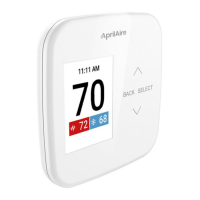
This document provides an installation guide for the AprilAire S86WMUPR Wi-Fi Thermostat, focusing on its wiring, initial dehumidifier setup, and Wi-Fi control configuration. The thermostat is designed to manage various HVAC functions, including heating, cooling, humidification, dehumidification, and ventilation, offering both basic and advanced control options for a comprehensive home climate management system.
The AprilAire S86WMUPR Wi-Fi Thermostat serves as a central control unit for your home's heating, ventilation, and air conditioning (HVAC) system, with a particular emphasis on integrated dehumidification. It allows users to manage temperature, humidity, and air quality settings remotely via Wi-Fi, providing convenience and energy efficiency. The thermostat supports a range of HVAC equipment types, including heat/cool systems, heat pumps, and various heating sources like gas/oil and electric heat. It is capable of managing multiple stages of heating and cooling, offering precise control over your indoor environment.
A key feature of this thermostat is its integrated dehumidification capability. It can be configured to work with whole-home dehumidifiers, either standalone or integrated with the AC system, to maintain optimal indoor humidity levels. The thermostat also offers options for managing humidifiers, air cleaners, and ventilation systems, making it a versatile solution for complete indoor air quality management. Users can choose between programmable and non-programmable modes, allowing for customized scheduling to suit their lifestyle and energy-saving preferences.
The device can utilize external temperature data, either from a wired outdoor temperature sensor, an outdoor remote sensor, or even web-based data, to provide accurate readings and optimize system performance. This flexibility ensures that the thermostat can adapt to various installation scenarios and user preferences. Furthermore, it includes advanced HVAC settings that allow for fine-tuning of system operations, such as disabling dehumidification during cooling cycles or forcing the fan during dehumidification, to achieve specific comfort and efficiency goals.
The AprilAire S86WMUPR Wi-Fi Thermostat is designed for user-friendly operation, both locally through its interface and remotely via Wi-Fi. The initial setup process involves connecting the thermostat to the dehumidifier using 18-24 gauge thermostat wire, ensuring proper electrical connections as detailed in the wiring diagram. It's crucial to maintain the jumper wire between the RH/RC terminals on the Wi-Fi control, with two wires running into the RH terminal once connected to the unit, to ensure correct power distribution.
Once wired, the dehumidifier requires initial configuration. This involves plugging it in, turning on the rocker switch, and navigating through its settings menu. Users will access the dehumidifier settings by holding the MODE button for three seconds when the display shows "OFF." Within these settings, it's important to ensure "REMOTE" is set to "DISABLED" and "EXTERNAL" is set to "ENABLED" using the up and down arrows. After cycling through other options like VENT, ZONE, DEH W/AC, and RH OFFSET, "DONE" will blink, indicating the completion of the dehumidifier's initial setup. The unit can then be turned on via the ON/OFF button to proceed with thermostat configuration.
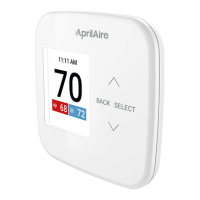
The Wi-Fi control setup is a guided process that prompts users to select the correct functions for their specific HVAC system. This involves navigating through a series of menus using the "BACK" and "SELECT" buttons, along with up and down arrows. Key selections include:
Each selection is critical for ensuring the thermostat operates correctly with the installed HVAC components. The "DONE" screen signifies the completion of the Wi-Fi control setup. The intuitive menu structure and clear prompts make this configuration process manageable for users, even those without extensive HVAC knowledge. The ability to manage various aspects of indoor air quality from a single control point, coupled with remote access, significantly enhances the user experience.
While the document primarily focuses on installation and setup, the design of the AprilAire S86WMUPR Wi-Fi Thermostat inherently supports ease of maintenance through its diagnostic and reminder features. The "Dehumidifier Reminder" setting, which can be "Disabled" or "Enabled" during the Wi-Fi control setup, suggests that the thermostat can provide alerts for routine maintenance tasks related to the dehumidifier. This could include reminders for filter changes or other periodic checks, helping users keep their dehumidification system running efficiently.
The integration with various HVAC components, such as humidifiers, air cleaners, and ventilation systems, implies that the thermostat could potentially offer similar maintenance reminders for these connected devices, although this is not explicitly detailed in the provided text. Such features are crucial for prolonging the lifespan of HVAC equipment and ensuring optimal performance and air quality.
The Wi-Fi connectivity itself can be considered a maintenance-enhancing feature. Remote access allows users to monitor their system's status and make adjustments from anywhere, potentially identifying issues early or verifying system operation without needing to be physically present at the thermostat. This can be particularly useful for troubleshooting or for ensuring that the system is functioning correctly after maintenance has been performed.
The clear wiring diagram and detailed setup instructions also contribute to easier maintenance by ensuring a correct initial installation. A properly installed system is less likely to encounter issues that require frequent maintenance or repairs. The ability to reconfigure settings through the user-friendly menu, if system components are changed or updated, also simplifies future adjustments and maintenance. The thermostat's role as a central control point means that managing and maintaining the entire indoor air quality system can be streamlined through its interface.
 General
| Product Type | Thermostat |
|---|---|
| Voltage | 24 VAC |
| Stages | Up to 2 Heat/2 Cool |
| Humidity Control | Yes |
| Wi-Fi Enabled | No |
| Type | Programmable |
| Display | Yes |
| Power Source | 24 VAC |

 To Next Page