The tweeter is protected by an electronic Tweeter Protection System limiting overdrive of its dedicated Power
Amplifier. The Tweeter Power Amplifier is equipped with thermal, short circuit and over-current protections. There are
also interference eliminators operating during switch-on and switch-off.
The woofer is similarly protected by its own Woofer Protection System. The woofer section is also equipped with its
own thermal sensor and is protected by a specially designed Power Amplifier Controller.
The AEON loudspeakers are magnetically shielded, preventing interferences with TV screen, computer monitor
screen (e.g. disturbance of colors) or other equipment standing nearby.
There is also the Ground Lift Switch preventing against ground loops.
Unpacking
OK, first things first:
Prepare adequate space before taking the monitor out of the package to avoid the necessity of a hasty search for a
“piece” of table, chair or floor with your AEON in hand.
It is necessary to exercise caution while unpacking the device in order to avoid damage to the Bass/Mid-Range and
Tweeter Loudspeaker diaphragms as well as the switches mounted on the rear panel of the monitor.
Positioning
Step 1
Prepare a suitable place for each AEON monitor. They can be special supports or fastenings or also other stable
stands, pedestals, shelves or areas located in audio monitoring places.
Remark 1
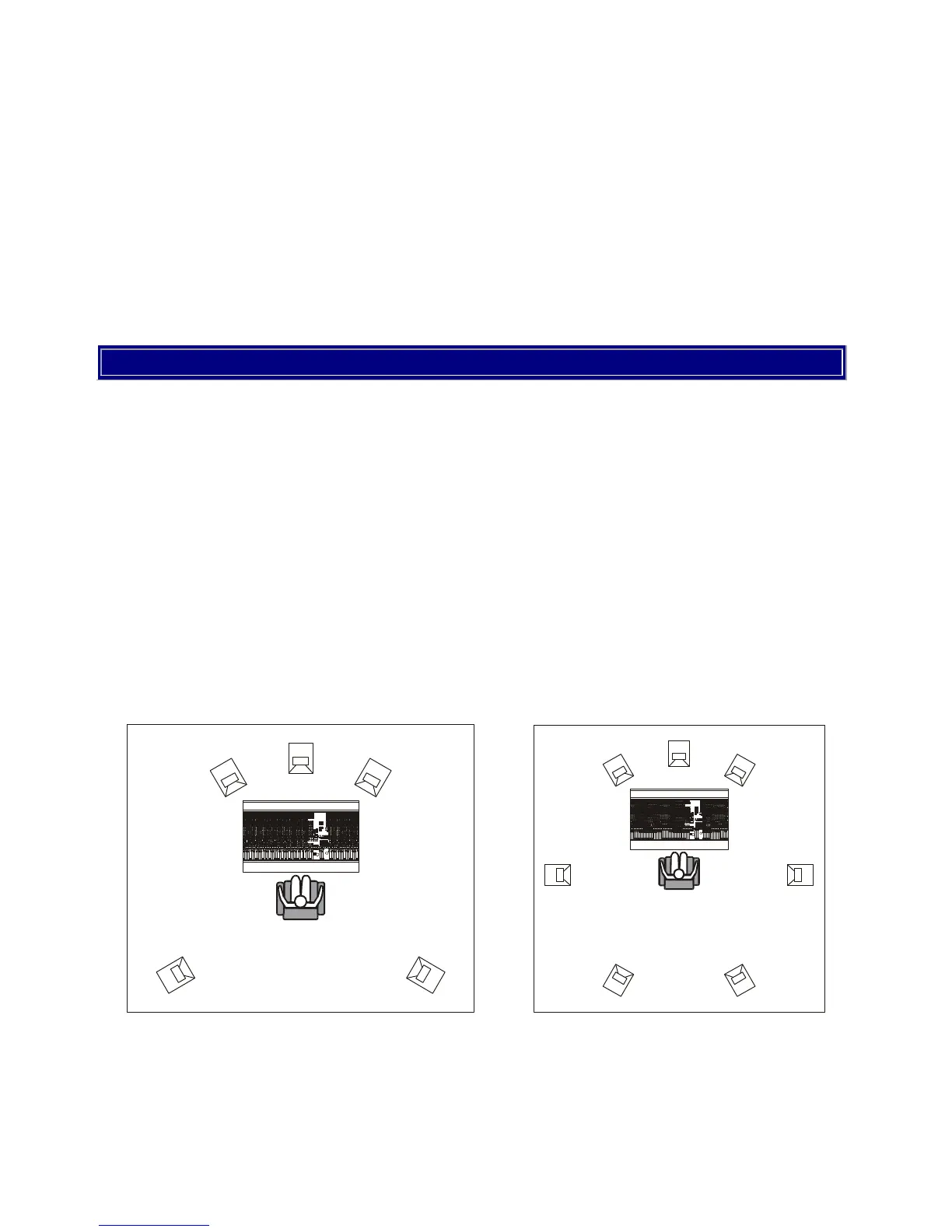
The location of your monitors depends on the system: stereophonic or multi-channel systems (5+1 or 7+1 and larger).
Remark 2
For stereo, the angle between the lines connecting the listener’s face with the left and right monitor should amount to
about 60°, while the distance from each monitor should be equal.


 To Next Page