User Manual
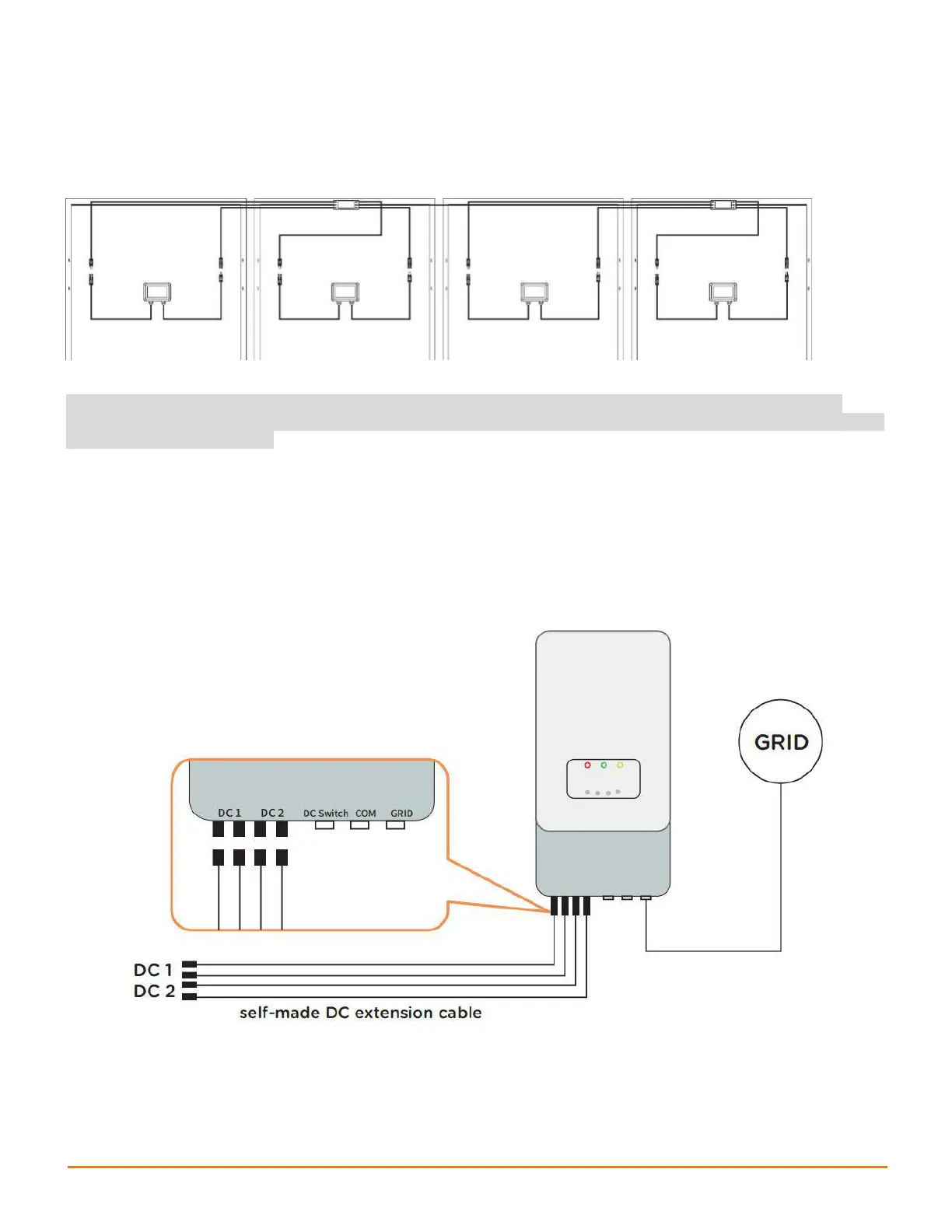
Step 2. Connect the input 1 port of the RSD-D to the PV module
junction box, and connect the input 2 port of RSD-D to the other
PV module junction box.
WARNING: When connecting the RSD-D to only one PV module, use INPUT1 port ONLY, then
connect a DC extension cable to both terminals of INPUT2 to short the unused side, otherwise the
RSD-D may be damaged.
Step 3: Connect the output ports of two adjacent RSD-Ds in
series and then connect to the inverter with a self-made DC
extension cable.


 To Next Page