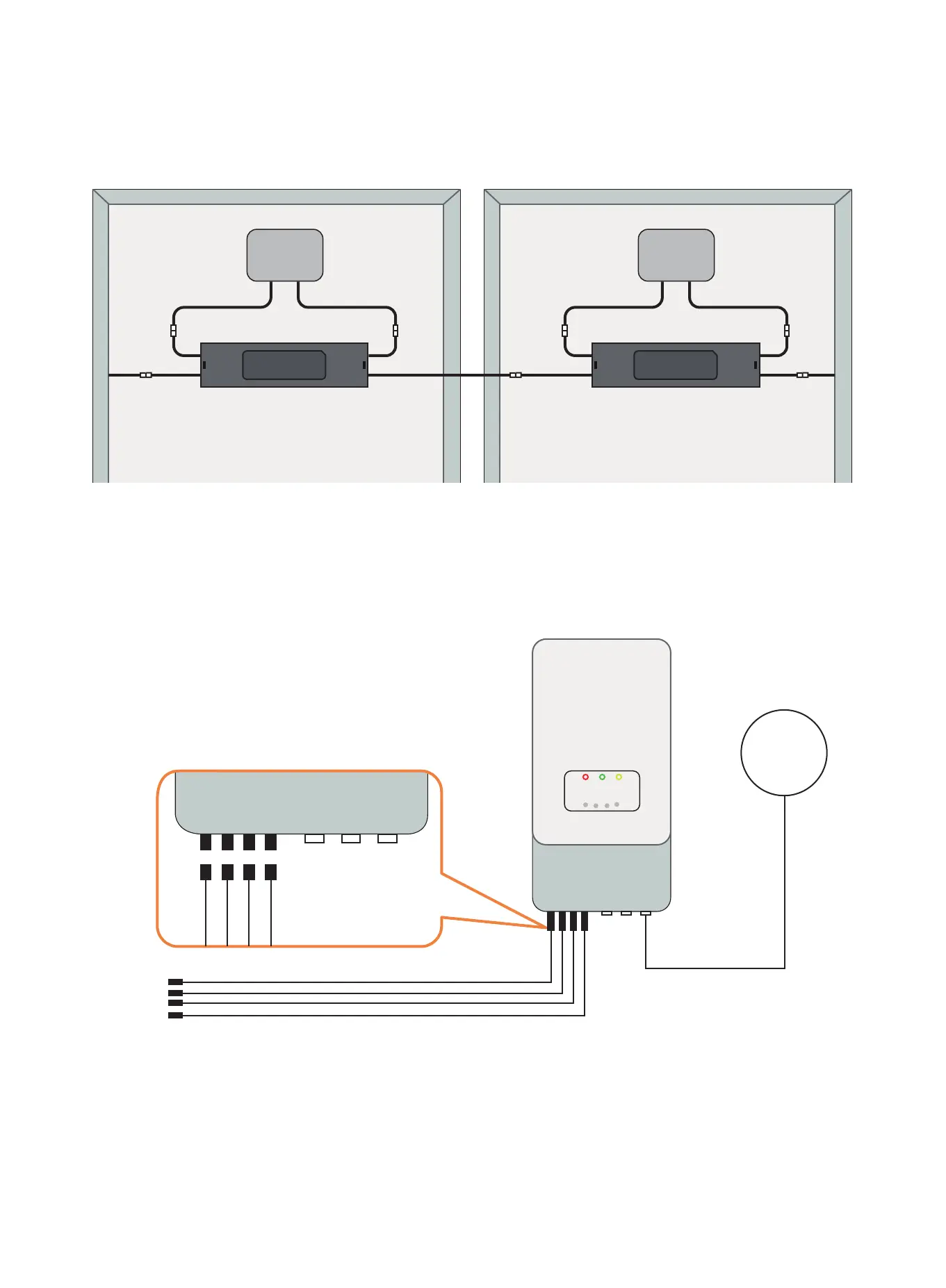
Step 2: According to the component arrangement, connect the
output port of the RSD-S-PLC and connect the input port to the
junction box.
Step 3: Connect the RSD-S-PLC serially connected output to the
inverter with a self-made DC extension cable.
self-made DC extension cable
GRID
DC 1
DC 2
DC 1 DC 2 DC Switch COM GRID
Input-
Output-
Input +
Output +
Input-
Output-
Input +
Output +
7


 To Next Page