APT-1 – User’s Manual (EU) Rev. 2019-01 en for il 19
9.6. Shut down
Step 1: To turn off the APT-1, from the PASSIVE mode- press the
button once. From the Active mode – press twice. The
indicators will turn off and the APT-1 will return to its stand-by
position.
Step 2: Disconnect the power from the APT-1 by first disconnecting
the mains electrical plug from the electrical socket outlet. Dis-
connect Power supply output connector from the APT-1 power
input socket.
CAUTION: For safe disconnection always take the mains plug out of
the electrical socket before disconnecting the Power supply from the
APT-1.
9.7. Emergency Switch
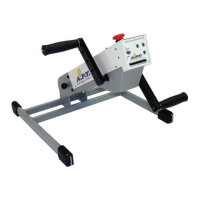
In the event of the need to stop the APT-1 quickly, press the red mush-
room headed button (Figure 14-1) situated on the top of the trainer body
(above the control panel). This will immediately cut the electrical supply
to the APT-1.
The button will stay depressed and
as long as it is in this position the
APT-1 will not function.
In order to restore the electrical
supply to the APT-1, turn the
knurled black disc underneath the
red button (Figure 14-2) in the di-
rection of the white arrow (Figure
14-3) on the red button (clockwise).
The red button will then return to its
original position.
The APT-1 may then be restarted
as previously described.
Figure 14 – Emergency Switch


 To Next Page