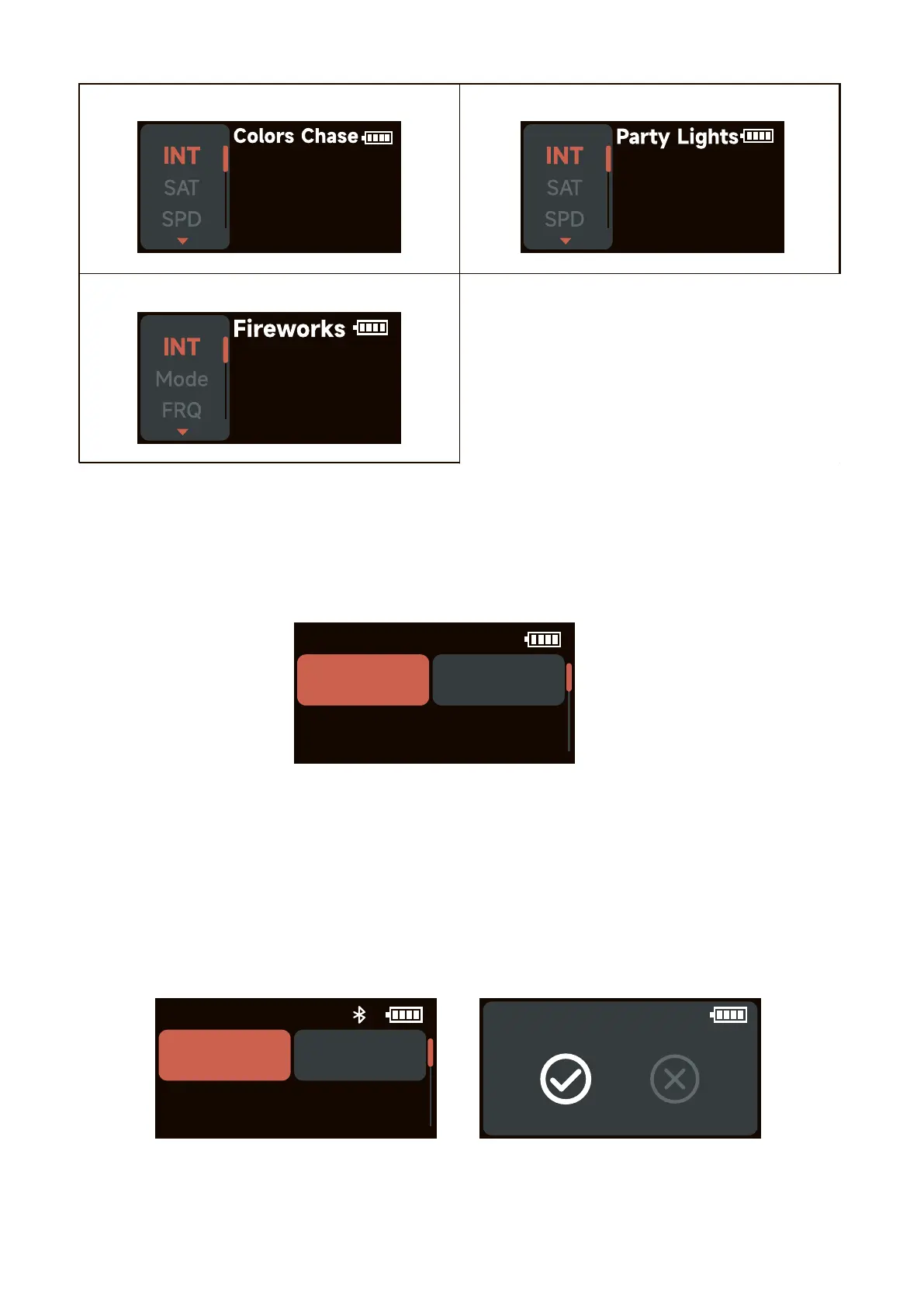
13.Colors Chase 14.Party Lights
3.3.8 Custom FX
Rotate and press the knob to select FX in Light Mode. You can choose to enter Music FX
or Picker FX. Each type can be uploaded and renamed in Sidus Link with 10 custom
effects. "NO CFX" means unsaved FX.
3.4 BT Settings
Rotate and press the knob to select BT Settings in system menu, rotate and press the knob
to select BT Status/ BT Reset/ BT UID.
BT Status: Turn on/off Bluetooth.
BT Reset: Reset the MC Pro Bluetooth connection, and your mobile phone or tablet will be
able to connect to and control the light with Sidus Link App.
BT UID: See the Bluetooth Unique Identifier.
CFX
Picker FX Music FX
BT Status BT Reset
BT UID: 200000
BT Reset
- 10 -
15.Fireworks
100%
100%
100%













 To Next Page