- 11 -
3.5 DMX Settings
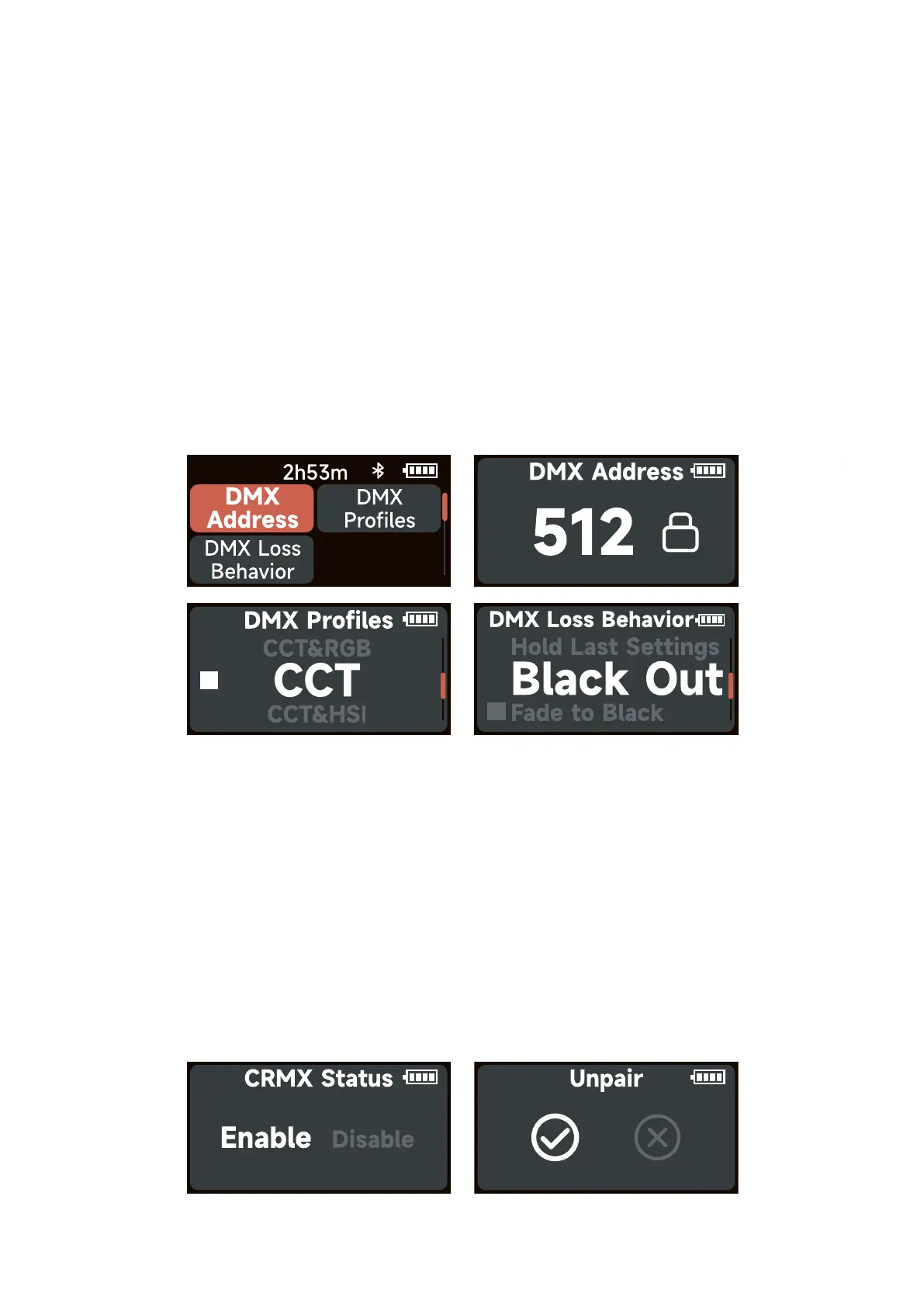
Rotate and press the knob to select DMX Settings in system menu. Rotates the knob to select
DMX Settings/CRMX Settings.
3.5.1 DMX Settings
Rotate and press the knob to select DMX Settings in DMX Settings.
DMX Address: Choose the DMX address of MC Pro, press and hold the control wheel for 2
seconds to lock/unlock the DMX address (Prevent accidental touch to exit DMX mode).
DMX Profiles: Rotate the knob to choose DMX profile.
DMX Loss Behavior:
1. Hold Last Settings: After DMX signal is lost, remember the last control setting.
2. Black Out: When the DMX signal is lost, it will be black out.
3. Fade To Black: After DMX signal is lost, it will fade to black in 60 seconds.
4. Hold 2min & Fade Out: After the DMX signal is lost, keep the last control setting for two
minutes, and then fade to black within 60 seconds.
* The fade-out time decreases as the percentage of brightness decreases. When the brightness
output is 100%, the fade-out time is 60 seconds, which decreases in sequence.
* If the signal is reconnected, the DMX console will continue to maintain the signal output as
same as before.
3.5.2 CRMX Settings
Rotate and press the knob to select CRMX Settings in DMX Settings.
CRMX Status: When CRMX Status is ON, it will continuously search for a pairable signal in
the background to connect.
Unpair: Unpair will disconnects the currently established connection so that other signal
transmitters can be paired.













 To Next Page