- 12 -
3.6 System Settings
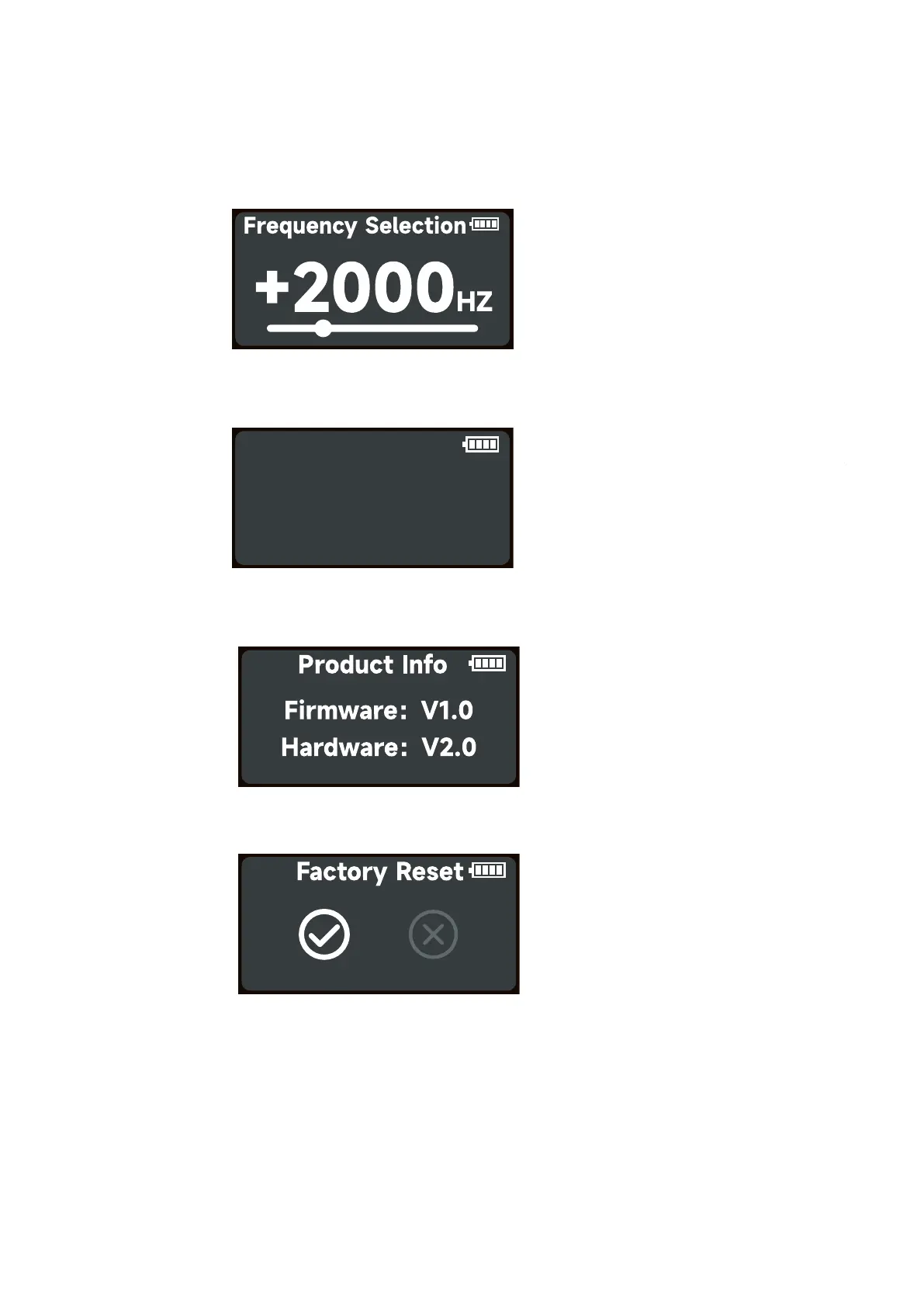
Rotate and press the knob to select System Settings in system menu. Rotates and press the
knob to select .
Freq. Selection/Language/Product Info/Factory Reset.
Freq. Selection: Rotate the knob to adjust the light frequency by 100Hz every turn.
Language: Rotate and press the knob to select English or Simplified Chinese.
Product Info: Rotate and press the knob to select Product Info to see Firmware Version /
Hardware Version.
Factory Reset: Rotate and press the knob to select Factory Reset.
Factory Setting:
Light Mode: Intensity 50%, CCT 5600K, GM 0
BT Status: ON
DMX: Address 001, Profile CCT&RGB, Hold Last Setting, CRMX OFF.
System setting: Freq. Selection 0Hz, Language English.
Language
English 中文













 To Next Page