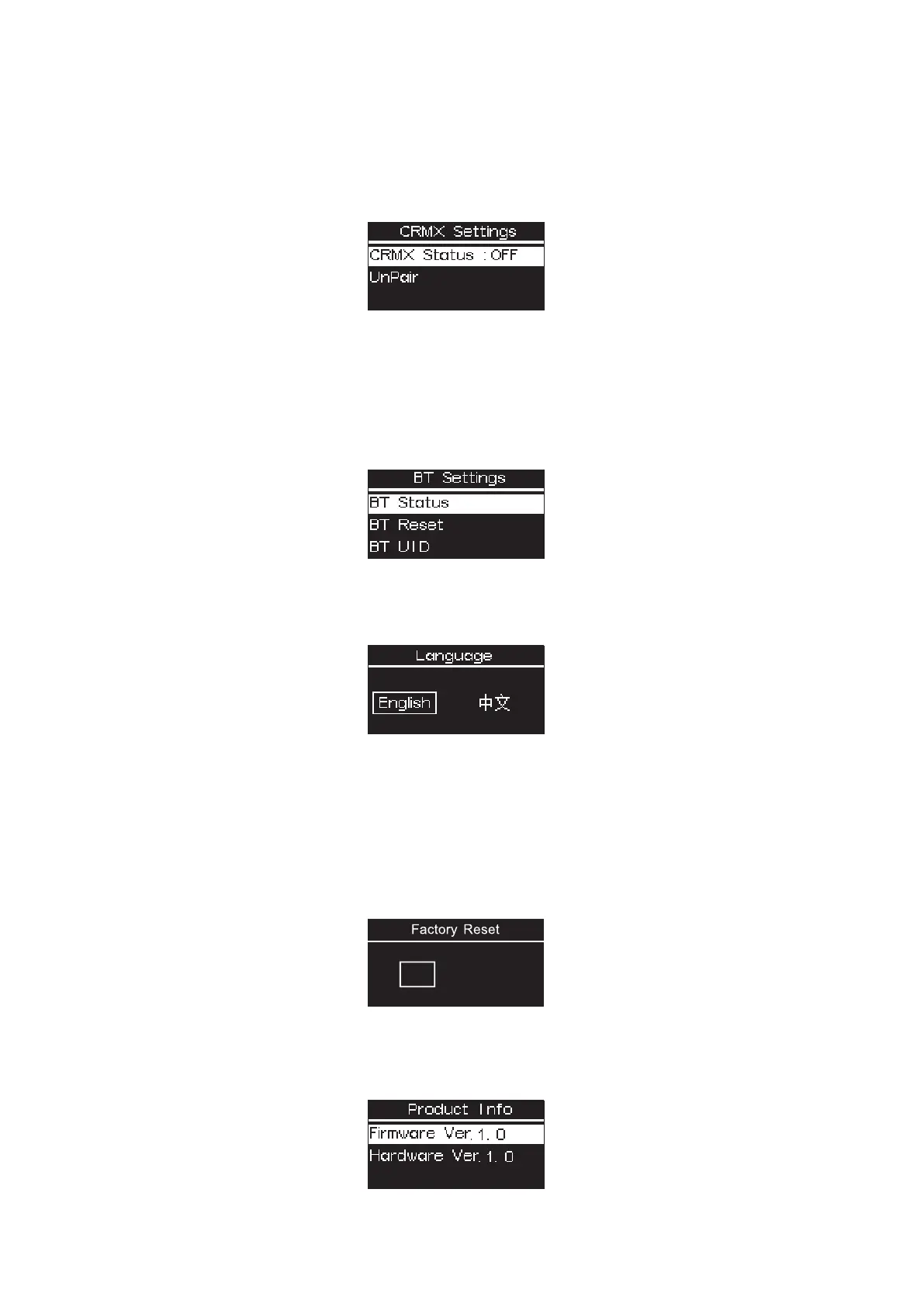
3.9 CRMX Setting
Press MENU to access the system menu, rotate and press the control wheel to select CRMX Setting mode.
CRMX Status: When CRMX Status is ON, it will continuously search for a pairable signal in the background to
connect.
Unpair: Unpair will disconnects the currently established connection so that other signal transmitters can be
paired.
3.10 BT Setting
Press MENU to access the system menu, rotate and press the control wheel to select BT Setting mode.
BT Status: Rotate and press the control wheel to turn on/off Bluetooth.
BT Reset: Reset the MT Pro Bluetooth connection, and your mobile phone or tablet will be able to connect to
and control the light with Sidus Link App.
BT UID: See the Bluetooth Unique Identifier.
3.11 Language
Press MENU to access the system menu, rotate and press the control wheel to select Language, Rotate and
press the control wheel to select English or Simplified Chinese.
3.12 Factory Reset
Press MENU to access the system menu, rotate and press the control wheel to select Factory Reset.
Factory Setting:
Light Mode: Intensity 50%, CCT 5600K;
Language: English;
BT Status: ON;
DMX: Address 001, Profile CCT&RGB, Hold Last Setting.
YES
NO
3.13 Product Info
Press MENU to access the system menu, rotate and press the control wheel to select Product Info to see
Firmware Version / Hardware Version.
- 8 -













 To Next Page