150Mbps Wireless Lite-N USB Adapter – APPUSB150 User’s Guide English
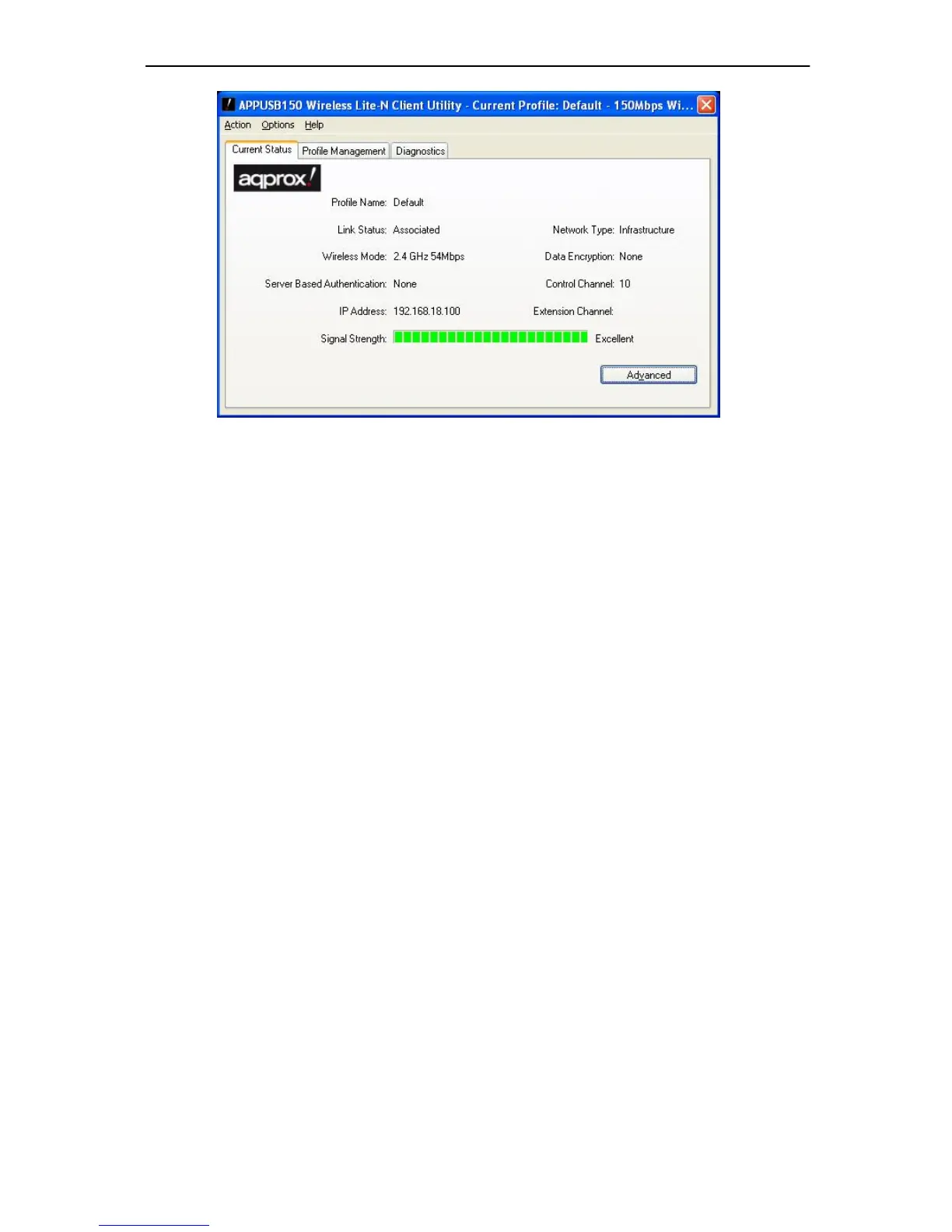
Figure 3-1
The following table describes the items found on the Current Status screen.
Profile Name - This shows the name of current selected configuration profile. The
configuration of Profile name will be described on the General tab of Profile Management.
Link Status - This shows whether the station is associated to the wireless network.
Wireless Mode - Here displays the wireless mode.
Network Type - The type of network and the stati on currently connected are shown here.
The options include:
Infrastructure (access point)
Ad Hoc
Note:
You can configure t he network typ e and wirel ess mode on the Advanced tab of Profile
Management.
IP Address - This displays the computer’s IP address.
Control Channel - This shows the currently connected channel.
Data Encryption - Here displays the encryption type the driver is using. You can configure
it on the Security tab of Profile Management.
Server Based Authentication - This shows whether the server based authentication is
used.
Signal Strength - This shows the strength of the signal.
Click Advanced on the screen ab ove, you can see adv anced information about the pr ogram



 To Next Page